Readers short on space
If you’ll mostly be holding your tablet on the bus and reading continuous text, weight and size are important factors. The trade-off with a smaller screen is that you may see less of a fixed PDF page at once.


For reading continuous text while holding your tablet on the bus, a compact model is likely to be more comfortable. For photos or fixed-layout PDF pages, a larger screen may be a better fit. Apple lists the current Wi-Fi iPad mini as having an 8.5-inch display and weighing 255 g; Samsung lists the Galaxy Tab A11 at 8.7 inches and the A11+ at 11 inches. The right reading app is also important, as is downloading your content and opening it offline before you set off. According to the Onleihe operator, the Onleihe 3 app is not available for Fire tablets.
If you’ll mostly be holding your tablet on the bus and reading continuous text, weight and size are important factors. The trade-off with a smaller screen is that you may see less of a fixed PDF page at once.
If you use a particular library or book app, check that it’s available on the device and that you can download and open your content before setting off. Offline use with Onleihe 3 is subject to device-specific limitations.
If your journal includes photos or a fixed page layout, weigh up the larger screen against how easy the tablet is to hold on the bus. Try a typical page in the reading app you plan to use.
First, decide whether your journal is made up of continuous text or fixed-layout pages, and check whether the app you need works offline. Then compare how comfortable each tablet is to hold, its stated battery life and any accessories you’ll need.
| What matters | What to look for | Who it matters most to |
|---|---|---|
| Portability and text | Check the weight of the specific model and view a page of your own text or PDF. Apple lists the current Wi-Fi iPad mini at 255 g and 8.5 inches; Samsung lists the Galaxy Tab A11 at 8.7 inches. | If you read for a while on the bus and will mostly be holding the device, a compact size is especially important. Around 28% of consumers put portability first. |
| Offline access | Check that the app you need works on the operating system, then try opening a downloaded title without an internet connection before your journey. According to the Onleihe operator, there is no Onleihe 3 app for Fire tablets, and offline use may also be limited on certain devices. | If you need to read your journal on the go without a reliable connection, access to the specific title you want is essential. Around 22% of consumers put offline access first. |
| Photos and fixed-layout pages | View a typical page, including its image captions, in the app you plan to use. Samsung lists the Galaxy Tab A11+ at 11 inches, but a larger screen alone doesn’t guarantee that every file will be easy to read. | If you’ll be looking at lots of photos or a fixed page layout, more screen space may matter more than having the most compact device. Around 22% of consumers put this first. |
| Battery life and charging | Compare the conditions behind any battery-life claim and check whether a power adapter is included. The European Commission notes that factors such as app use and screen brightness can affect actual battery life. | If you want to avoid charging between setting off and arriving, battery life under your actual usage conditions matters. Around 17% of consumers put battery life first. |
| Apps and accessories | Check that the reading app you need is available, that you can access your content and what’s included with the specific model. A smaller size can’t make up for an app that won’t run on the device. | If you want to keep using your existing library or book app and plan for any accessories you need, the overall combination matters. Around 11% of consumers put app compatibility and extra costs first. |
The percentages offer a rough guide to which priority consumers put first in this usage scenario.
According to Apple, the current iPad mini with A20 Pro and the older model with A17 Pro differ in areas including display size and weight. A listing that only says “iPad mini” doesn’t tell you which generation it is.
Check the chip generation, storage and wireless configuration in the specific listing.
Google Play isn’t supported on Fire tablets. According to the Onleihe operator, there is also no Onleihe 3 app for Fire tablets.
Decide which app and content source you need before choosing a device. Don’t assume that using a browser will replace offline access through an app without checking first.
If an app you need isn’t available on the device you choose, you may not be able to use it to read your content as planned.
Actual battery life depends on factors including app use, screen brightness and signal strength. A mixed-use battery-life figure doesn’t show how long the tablet will last on your particular bus journey.
Compare the conditions behind the battery-life claim, check the energy label for the specific model and charge the tablet before setting off.
The Onleihe operator describes device-specific issues with using downloaded media offline.
Try opening the specific title without an internet connection before your journey. If you use Onleihe 3, follow the operator’s guidance on syncing online.
The iPad mini is a compact iPadOS option. Check the exact model generation when comparing listings.
The Galaxy Tab A11 range offers compact and larger screen sizes to suit different ways of reading.
The Legion Tab Gen 5 is a compact Android alternative that Lenovo positions as a gaming device.
The Joybuy options below include compact tablets for continuous text and larger screens for photos or fixed-layout pages. Before buying, check that the specific listing has a CE mark and the required declaration of conformity.
 No image available
The 8.8-inch size is a compact option if you’ll mainly be reading continuous text on your journey.
Android 14, Qualcomm Snapdragon 7+ Gen 3, 7300 mAh; product name indicates that no power adapter is included.
 No image available
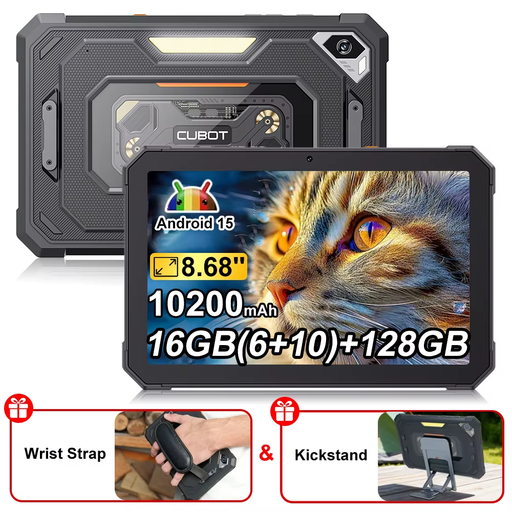
The compact screen size may suit you if you’re mainly looking for a smaller tablet to read on while out and about.
Android 15, 16 GB (6 + 10 GB), 128 GB, 90 Hz and 10200 mAh.
 No image available
The 11-inch display gives you more space for photos or fixed-layout pages, but the tablet is less compact to hold for longer periods.
2360 × 1640 pixels; 464 g according to the product description.
 No image available
The larger screen may be a good choice for photos and fixed page layouts, but it’s less handy than a compact model on a crowded bus.
11-inch TFT display, 1920 × 1200 pixels, 90 Hz; 482 g according to the product description.
 No image available
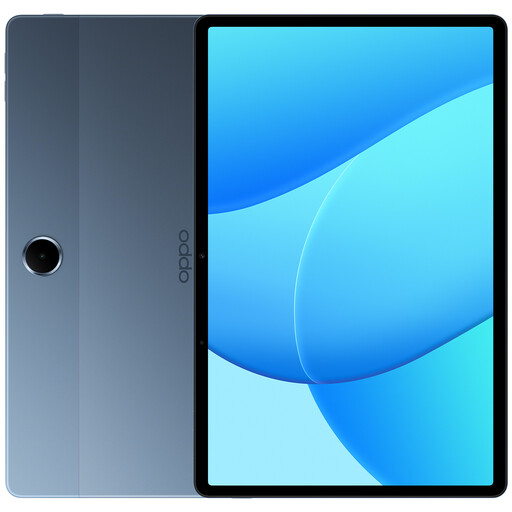
The 11-inch size may suit you if your nature journal includes lots of photos or fixed-layout pages and you have room to use the larger screen on your seat.
Android 15, 1920 × 1200 pixels, model OPD2419 EUN. According to the product description, a USB-C charger is not included.
Not if the content is available locally. Download the specific file or book in advance, then try opening it without an internet connection. Offline use with Onleihe 3 may be limited depending on your device and operating system; the operator currently recommends going online regularly to sync.
No. According to the Onleihe operator, there is no Onleihe 3 app for Fire tablets. You can use Onleihe on the web in the Silk browser, but that isn’t the same as confirmed offline access through an app.
Install the app you need for your journal, sign in if required, download the title in full and open a typical page. For Onleihe 3, the app store and operating system version must be supported. Check that you can access your specific content offline before setting off.
In Germany, consumers can generally claim their statutory rights from the seller for faulty new goods within two years of receiving them, as explained by the Verbraucherzentrale. For consumer purchases, you may also have the right to cancel within 14 days of receiving the goods, subject to the relevant conditions. A voluntary guarantee is separate from these rights.
For devices with Wi-Fi or Bluetooth, the Bundesnetzagentur lists correct CE marking and the required declaration of conformity among the relevant checks. According to the European Commission, covered slate tablets placed on the EU market from 20 June 2025 must also meet EU energy labelling and ecodesign requirements. A CE mark alone is not an independent real-world test.