For essays with images or fixed-layout PDFs, a larger display makes it easier to view the text and illustrations together without zooming in as much. If you mainly read reflowable text, a more compact tablet may be more comfortable to hold. For Onleihe, check whether your library participates and whether the app is compatible. Don’t assume borrowed titles will be available offline: Onleihe’s help pages note that access can vary by device.
Which tablet is right for you?
Readers of illustrated essays
If you read PDFs with images or a fixed page layout, a sufficiently large display makes it easier to take in the text and illustrations together. Onleihe’s help pages note that PDF e-books may be less suitable for smaller displays.
Library borrowers
If you want to read digital titles from your library, check whether it participates in Onleihe, what you need to sign in and whether the app works on your tablet. According to Onleihe’s help pages, you’ll need a valid card from a participating library.
Readers who hold their tablet
If you read longer stretches of reflowable text without resting the tablet on a table, weigh up a smaller screen against a more manageable size. A smaller display may mean more zooming when reading fixed-layout PDFs.
What should you look for when buying?
Larger Android tablet
A good fit if: you often read illustrated or fixed-layout essays at a table and want to use Android reading apps.
Things to consider: the larger reading area comes with a less compact design. Check the app requirements for the specific device, too.
Compact Android tablet
A good fit if: you’ll mostly hold the tablet and usually read reflowable text.
Things to consider: you’ll see less of a fixed-layout PDF page at once. Try a typical page in your reading app.
iPad with a larger reading area
A good fit if: you use iPadOS reading apps and want room for both text and illustrations.
Things to consider: check whether the size and weight are comfortable for longer reading sessions, and make sure your device meets the app requirements.
| What matters to you |
What to check before buying |
Who will find this useful? |
| PDFs and illustrations |
Try a typical page with text and images, and test zooming in the reading app you plan to use. |
If I want to see the text and images on a fixed-layout PDF page together as much as possible, I’ll check how a typical page looks. Around 31% of consumers prioritise legibility for PDFs and illustrations. |
| Library borrowing |
Check whether your library participates, whether the title you want is available and how to access the app. Onleihe’s help pages list Android 10 and iOS 15.1 as the minimum app versions. |
If I want to borrow essays from my library, I’ll want to know before buying whether my library, the title and the tablet are compatible. Around 25% of consumers prioritise access to borrowed texts. |
| Comfort and portability |
Compare the size and weight of the exact model, and check how comfortable it is to hold in your usual reading position. |
If I read for long periods without a table, I’ll want a tablet that’s comfortable to hold, even if that means seeing less of a PDF page at once. Around 25% of consumers place the greatest importance on a tablet being easy to handle. |
| Reading without Wi-Fi |
Try opening the title without an internet connection first. For Onleihe, bear in mind that it recommends going online regularly to sync the app. |
If the Wi-Fi at my library isn’t reliable, I’ll want to know whether I can still read a borrowed title offline on my device. Just under 19% of consumers prioritise access without Wi-Fi. |
Avoid common misconceptions
-
Judging a small display by reflowable text alone
A PDF keeps its page layout. So an essay with lots of images may require more zooming than reflowable text.
Check the format your chosen texts actually come in.
-
Assuming “downloaded” means it’s definitely available offline
Onleihe’s help pages note that offline access can vary by device.
Try opening a borrowed title without an internet connection first, and check that it remains readable on your device.
-
Assuming extra accessories are included
Xiaomi explicitly states that the REDMI Pad 2 doesn’t come with a power adapter. Lenovo describes the stylus for the Idea Tab ZAFM0591SE as optional and sold separately.
Check what’s included and which accessories you’ll need for the exact model on offer.
Depending on the model you choose, you may need a compatible power adapter or a stylus sold separately.
A guide to the brands
Samsung
The Galaxy Tab A11 range includes a compact Android option and a larger one.
- Samsung lists an 8.7-inch display with 1,340 × 800 pixels for the Galaxy Tab A11, and an 11-inch display for the Galaxy Tab A11+ Wi-Fi model.
- With fixed-layout PDFs, consider whether the smaller display area will suit you. Manufacturer specifications aren’t an independent assessment of reading quality.
Apple
The iPad (A16) is an iPadOS option with a larger area for text and images.
- Apple lists an 11-inch display, 2,360 × 1,640 pixels and a weight of 477 g for the Wi-Fi model.
- Check whether the size and weight are comfortable for longer reading sessions. These specifications don’t prove it’s better than Android tablets.
Xiaomi
The REDMI Pad 2 is an Android option with an 11-inch display for image-heavy texts and PDFs.
- Xiaomi lists a resolution of 2,560 × 1,600 pixels and a weight of 510 g.
- Xiaomi says that a power adapter isn’t included. The display and weight figures are manufacturer specifications and don’t demonstrate independently measured reading performance.
Lenovo
The Idea Tab is an Android alternative. The ZAFM0591SE model may also suit you if you want to use a stylus.
- Lenovo lists a 2,560 × 1,600-pixel display and Android 15 or later for the ZAFM0591SE.
- Lenovo describes the stylus as optional and sold separately. Check what’s included with the specific model before buying.
Tablets at Joybuy
The Joybuy tablets below mainly feature larger displays for essays with images or PDFs, alongside Android and iPad options. If you plan to use Onleihe, also check that the app is compatible with your specific device.
 No image available
Samsung Galaxy Tab A11+ X230, 11-inch, Wi-Fi, 6 GB RAM, 128 GB, Grey
The 11-inch model may suit you if you want a larger reading area for essays with images or PDFs, and to use Android reading apps.
Listed configuration: Wi-Fi, 6 GB RAM and 128 GB storage.
Joybuy
 No image available
UXD Android 16 tablet, 13.4-inch, 128 GB
The listed display size may suit you if you want plenty of room for text and illustrations while reading.
Specifications include a 13.4-inch 1920 × 1200 FHD IPS display, Android 16 and 128 GB storage. The product title also lists a keyboard, mouse and stylus.
Joybuy
 No image available
Apple iPad Air 11-inch (M4, 2026), Wi-Fi, 128 GB, Blue
This iPadOS option may suit you if you want a larger display for essays with images and use iPadOS reading apps.
Listed configuration: Wi-Fi and 128 GB storage. Check the Onleihe app requirements for your specific device.
Joybuy
 No image available
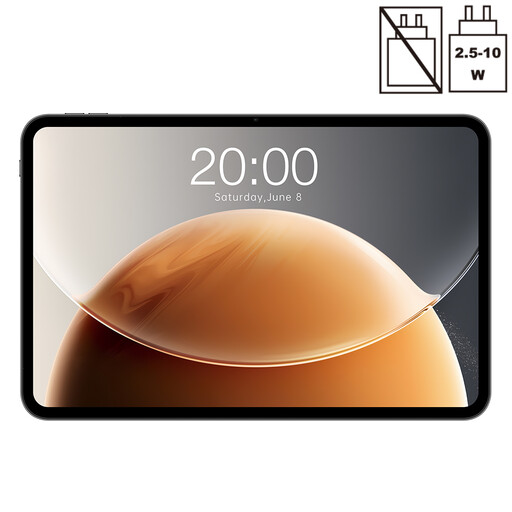
Teclast T65, 13.4-inch, Android, 128 GB
The large display may suit you if you want plenty of screen space for reading essays with lots of images.
The product title lists a 13.4-inch display, 120 Hz, Android, 128 GB storage and 20 GB RAM (6 GB + 14 GB virtual). It also lists Dual SIM, 4G and Wi-Fi.
Joybuy
 No image available
Xiaomi Pad 7 with keyboard, Grey, 8 GB RAM, 128 GB ROM
The listed display resolution may matter if you want to see image-based pages as well as text while reading.
The product title lists a 3.2K display with 144 Hz, as well as a keyboard.
Joybuy
Frequently asked questions
Do I need a library card to use Onleihe?
Yes. You’ll need a valid card from a participating library and must sign in with its login details. Each library sets its own membership conditions and any fees that may apply.
Can I install the Onleihe app on any tablet?
No. For Onleihe 3, Onleihe’s help pages list Android 10 or later, or iOS 15.1 or later, and access to the relevant app store as requirements. Check the requirements for your specific device; other app platforms aren’t actively supported.
Can I carry on reading a borrowed essay without Wi-Fi?
Not reliably on every device: Onleihe’s help pages still mention limitations on offline access. Try opening the title without an internet connection first. Onleihe also recommends opening the app online regularly.
What happens when the digital loan period ends?
According to Onleihe, the borrowed title becomes unusable on your device when the loan period ends. You can return it early.
What are my rights when buying a tablet online in Germany?
For a standard online purchase, you generally have a 14-day right to cancel from the date of delivery. Exceptions and any return postage costs should be checked on a case-by-case basis. Goods you buy are covered by a statutory warranty against the seller for at least two years. This is separate from any additional manufacturer’s warranty.


