Crime fans on the go
If you regularly take your tablet to a café and often hold it while reading, its size and weight are important factors. Samsung, Lenovo and Apple’s specifications show a range of compact devices and configurations.


A compact tablet is an obvious choice for reading crime novels in a café if you often take it with you or hold it in your hand. Check its weight and how easy the screen is to read from your usual seat. More important than extra processing power is whether your book app works on the specific version of the device. If you mainly read text and don't need tablet apps, an e-reader is also worth considering.
If you regularly take your tablet to a café and often hold it while reading, its size and weight are important factors. Samsung, Lenovo and Apple’s specifications show a range of compact devices and configurations.
If you want to read crime novels from a library, check that the required app, app store and operating system are compatible with the specific device. The Onleihe help pages explain these requirements and flag some limitations on offline use.
When daylight changes, the screen finish and where you sit matter just as much as the tablet’s size. Apple lists an anti-reflective coating for the current iPad mini, while TCL describes display modes on the NXTPAPER 11 Plus designed with visual comfort in mind.
First, check that your book source works on the specific version of the device. Then weigh up handling, the display, costs and offline access according to your own priorities.
| What matters | What to check before buying | Who might prioritise this? |
|---|---|---|
| Taking it with you and holding it | Compare the dimensions and weight of the exact version; remember to factor in any case you use. | If I take my tablet with me often and hold it for long periods, weight and size matter more than a large screen. Portability is likely to be the top priority for around 28% of consumers. |
| Reading in changing light | Check the screen finish, brightness and text size in similar lighting; don't assume a coating will prevent reflections. | If I often sit by a window, I want to be able to read the text clearly from my usual seat. Around 22% of consumers are likely to prioritise screen readability above all. |
| Access to crime novels | Check that the required app, app store and operating system version are available for the specific configuration. | If my crime novels come from a particular bookshop or library, its app needs to be available on the tablet. Access to books is likely to be the main concern for around 22% of consumers. |
| Overall costs | Check what comes with the version you choose, along with any accessories you need and your preferred book source. | Before choosing, I want to know whether I need to factor in any accessories or library access as well as the device. Overall costs are likely to come first for around 17% of consumers. |
| Reading without café Wi-Fi | Download the title in advance and try opening it on your own device without an internet connection; check the guidance on offline use for Onleihe 3. | If I don't want to rely on a stable connection in the café, I want to check beforehand that I can open my book offline. Offline access is likely to be the first consideration for around 11% of consumers. |
The Onleihe help pages do not list Fire tablets as supported devices for the Onleihe 3 app. Google Play is also not supported on Fire tablets; using Onleihe on the web is a different option from using the app.
If the Onleihe app is your main source of books, check the officially supported app store and operating system for the specific version before buying.
Depending on the device you choose, you may need to use a different way to access your books or choose another device.
Lenovo’s claim of up to 12.5 hours for the Tab One refers to YouTube streaming, not a reading test.
Only compare battery-life figures when they relate to the same type of use, and allow for some extra battery life during your café visit.
The claims about NXTPAPER 4.0 and eye comfort on the product page reviewed come from TCL. They don't prove a health benefit or show how easy the display will be to read from your seat in a café.
Where possible, assess readability and reflections in similar lighting, and consider how much table space the larger model will need.
What comes in the box and access to library books are two separate things to check. To use Onleihe, you need a valid library card and the corresponding login details.
Check the contents for the specific version and make sure your preferred book source works on the device.
Depending on what’s included, you may need to budget for an extra case or power adapter.
The Galaxy Tab A11 is a compact Android option; consider its storage and mobile connectivity configurations separately.
The Tab One is a compact Android option; the details here refer to version ZAF00255SE.
The current iPad mini is a compact option for readers who want to use iPadOS apps.
The NXTPAPER 11 Plus is a larger tablet option for readers who are more likely to read at a table than hold their device.
This selection includes compact tablets as well as larger models that may be better suited to using at a café table. Check that your book app is available for the version you’re considering.
 No image available
The compact 8.8-inch size is worth considering if you often take your tablet with you; check that the book app works on this specific version.
Android 14; 12 GB + 256 GB; listed as supplied without an adapter in the product name.
 No image available
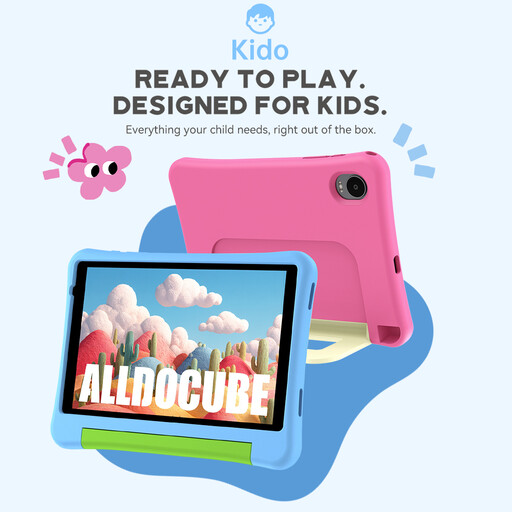
The 8-inch size is a compact option for taking with you; consider whether its positioning as a kids’ tablet suits how you plan to use it.
Android 15; 3 GB + 32 GB; listed in the product name as including a protective case and parental controls.
 No image available
The 11-inch size could suit you if you mainly read at a table and prefer a larger screen.
11 inches; Wi-Fi; 6 GB RAM and 128 GB storage. The connect review of the Galaxy Tab A11 does not automatically apply to the A11+.
 No image available
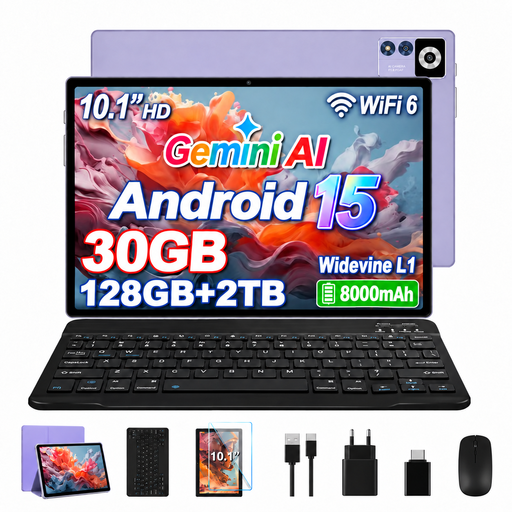
The 10.1-inch screen is larger than those on compact 8- to 8.8-inch models; check that it will fit comfortably on your café table.
Android 15; 10.1-inch IPS display with 1,280 × 800 pixels; 8 GB RAM + 22 GB virtual RAM; 128 GB ROM.
 No image available
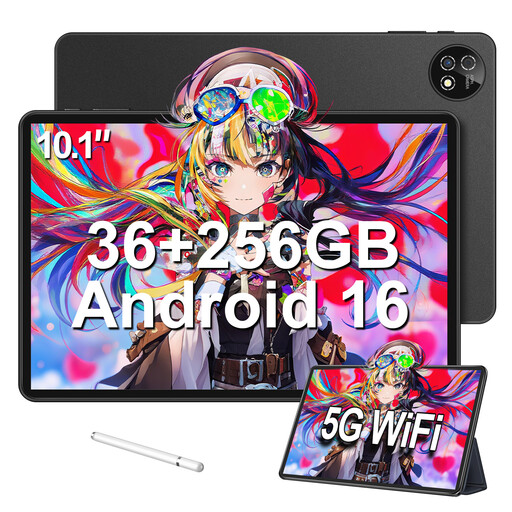
The 10.1-inch display is a larger option if you mainly leave your tablet on the table; the accessory set is most relevant if you’ll be using it for other tasks too.
Android 16; 36 GB RAM (6 + 30); 256 GB storage; listed in the product name as including a keyboard, mouse and protective case.
No. The Onleihe 3 app requires a compatible operating system and a supported app store. The Onleihe help pages specify Android 10 or later with Google Play, or iOS 15.1 or later with the Apple App Store; Fire tablets are not supported for this app. Onleihe on the web may be an alternative. You’ll also need login details for a valid library account.
Download the title in your book app before your visit and test whether you can open it on your device without an internet connection. In August 2026, the Onleihe help pages noted that offline use with Onleihe 3 does not work reliably on every device, and recommended opening the app online regularly.
For a standard distance purchase made by a consumer in the EU, you generally have a 14-day right to cancel. Separate statutory rights apply to faulty goods. The European Union’s Your Europe website states that the legal guarantee must last for at least two years from the date you receive the goods. This is separate from a voluntary manufacturer’s guarantee; check separately for any exceptions to the right to cancel.
As part of its market surveillance, Germany’s Federal Network Agency lists the CE marking, product traceability and accurate manufacturer details among the points to check. This does not prove that an individual device complies with the rules; check the details for the specific version.