Offline novel readers
You want to open several novels during the flight without an internet connection, so your first step is to check the book source, app and actual download process.


If you’ll be holding the tablet for long periods, a compact model could be right for you. If you prefer larger text or need to view maps and illustrations, a bigger screen may be a better fit. The key is to make sure you can download your chosen novels in the relevant app before departure and open them in aeroplane mode. You should also check the EASA rules on carrying batteries and the requirements of your operating airline.
You want to open several novels during the flight without an internet connection, so your first step is to check the book source, app and actual download process.
You often hold the tablet yourself, so you’re weighing up a compact size against the smaller area available for text.
You increase the text size or also view maps and illustrations, so usable screen space matters more to you than having the lightest possible device.
First decide whether a comfortable size to hold or more room for larger text and illustrations matters most to you. Then check the book app, offline downloads and requirements for your flight.
| What matters to you | What to check before buying | Who is this especially important for? |
|---|---|---|
| Opening books offline | Download your chosen titles in the app you plan to use, then open them in aeroplane mode before you travel. | If you want to keep reading during the flight without relying on a reliable connection, working offline access comes first. Around 29% of consumers say it’s their top concern. |
| Comfort at your seat | Consider the weight of the exact model and any case you plan to use; try holding the device yourself if possible. | If you read for long periods while holding the tablet and have little space, a compact size may matter more than a large area for text. Around 23% of consumers name ease of handling as their main concern. |
| Reading text and viewing illustrations | Look at a typical book page using your preferred text size and reading position; if you’re reading fixed-layout PDF pages, check how maps appear too. | If you prefer larger text or need maps and illustrations, usable screen space is key. Around 18% of consumers put readability first. |
| Battery for the flight | Check the Wh rating of the specific battery and your airline’s requirements. According to the EASA, batteries up to 100 Wh do not require approval based on capacity; batteries over 100 Wh and up to 160 Wh inclusive require approval from the airline, while those over 160 Wh are not permitted. Other airline requirements also apply. | If you want to avoid interruptions while reading on a long flight, battery condition and charging plans are important. Around 18% of consumers name battery reserve as their main concern. |
| Using your own book source | Check that the app you need is available on the device and that you can access your specific purchased or borrowed titles offline. | If your library is tied to a particular app, make sure it works on the device you choose. Around 12% of consumers prioritise compatibility with their book source. |
A title that appears in your library isn’t necessarily available on your device. Documented restrictions on offline use also apply to Onleihe 3, depending on the device.
Download every novel you want before you leave and open it without an internet connection. If you use Onleihe 3, also check whether the app works offline on your specific device.
A figure in mAh isn’t enough to assess battery capacity in Wh without the corresponding voltage. Battery life quoted by manufacturers for other types of use also doesn’t guarantee a particular reading time in your app.
Check the Wh rating of the specific device and your airline’s requirements. Test your reading app at your usual brightness and charge the tablet before you travel.
A larger screen can give you more room for text and illustrations, but you’ll still need to hold or prop it up at your seat.
Look at a typical book page with your preferred text size, and remember to factor in the weight of the case you plan to use when holding the tablet.
Apple lists the chip in the iPad mini offered on 6 November 2026 as the A20 Pro. Information about the older iPad mini with the A17 Pro doesn’t automatically apply to this model.
Before buying, check the full model name and chip against the details for the version on offer.
The iPad mini is a compact iPad option, while the iPad (A16) has a larger display.
The Galaxy Tab A11 is a compact Android option, while the Galaxy Tab A11+ offers a larger display.
The Tab One is a compact Android option for reading text.
The Joybuy products below differ in features including screen size and specifications. For each model, check that your book app and the offline downloads you want work on it.
 No image available
If you want more room for larger text, the listed 11-inch screen may be worth considering. Check that your reading app is available on the device first.
Listed in the product name: 6 GB RAM and 128 GB storage.
 No image available
If your book source offers a suitable reading app for this model, you can test offline use with your specific titles before travelling.
Listed in the product name: Snapdragon Plus, 24 GB and 1 TB.
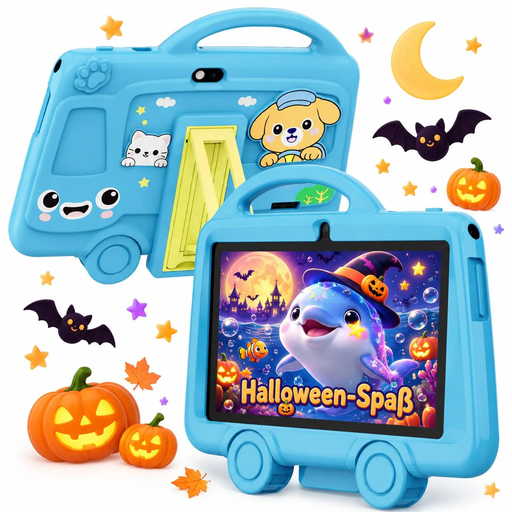 No image available
At 285 g, the size listed in the product name may be worth considering if you want a small device that’s comfortable to hold for a long time. Check that your preferred reading app works on it first.
Listed in the product name: 7 inches, 285 g, 2 GB RAM and 32 GB storage.
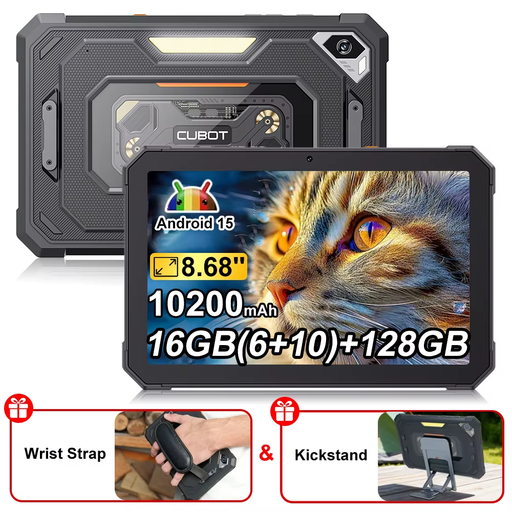 No image available
If your reading app supports Android 15, you can check whether this compact size suits your preferred text size.
Listed in the product name: 8.68 inches, 128 GB storage and 10,200 mAh.
 No image available
If your reading app supports Android 15 and you prefer larger text, you can check how it looks on the listed 11-inch display.
Listed in the product name: 16 GB RAM (8 + 8 virtual), 256 GB storage and an EVA case.
According to the EASA, you can normally read on a tablet on board. The operating airline may require you to use aeroplane mode and follow other instructions; there are also capacity limits for batteries you bring on board. Check the Wh rating of your specific device and your airline’s requirements.
No. Download the specific title before you travel and try opening it without a connection. According to Onleihe Help, offline use with Onleihe 3 may currently be restricted on some devices.
Not necessarily. As Onleihe Help explains, reflowable EPUB text can adapt to the screen size. More space can be useful for fixed-layout PDF pages with maps or illustrations; try the specific book with your preferred text size.
Install the relevant reading app, download the titles you want and open each one once in aeroplane mode before you travel. Charge the tablet, and don’t assume that manufacturer claims for other types of use guarantee a particular reading time.
For purchases from a trader in the EU, you’re generally entitled to a legal guarantee of at least two years from the date you receive the goods, as explained by Your Europe. This applies to the seller and is separate from any additional manufacturer’s guarantee.