Readers of illustrated books and PDFs
If you want to view images and captions on a fixed book page, weigh up the usable screen area against the tablet’s weight and how easy it is to handle on the train.


If you mainly read full-page PDFs and look closely at images on the train, the sample page, including its captions, should be easy to make out on the screen. If you often read without a surface to rest the tablet on, a smaller, lighter model may be more practical. Download books before your journey and use your own file to check that the app supports the annotation features you want. A tablet’s stylus support alone doesn’t mean you can write on every book.
If you want to view images and captions on a fixed book page, weigh up the usable screen area against the tablet’s weight and how easy it is to handle on the train.
If you often hold your tablet, a light weight matters. At the same time, check that the smaller view is large enough for your book pages.
If you want to highlight and comment on text or images, the specific file and reading app matter just as much as stylus support.
A good fit if: You often read without a surface to rest the tablet on, and portability matters more to you than seeing a full book page on screen. Apple lists the current Wi-Fi iPad mini as having an 8.5-inch screen and weighing 255 g.
The trade-off: Dense PDFs have less room on screen, so you may need to zoom in and move around the page.
A good fit if: You want the image, caption and text to be visible together on the page wherever possible. Compare a sample page on, for example, the 11-inch iPad Air, 10.9-inch Galaxy Tab S10 FE or 11.2-inch Xiaomi Pad 7.
The trade-off: A larger screen means a larger device. Apple lists the Wi-Fi 11-inch iPad Air at 464 g, while Xiaomi lists the Pad 7 at 500 g.
A good fit if: You mainly read supported e-books and don’t need tablet apps for the way you read.
The trade-off: Rakuten Kobo notes that PDFs have limitations when it comes to selecting text and highlighting. Writing on them also depends on file type and DRM restrictions.
| What matters to you | What to check before buying | Who it matters to |
|---|---|---|
| Colour images and page layout | Open a sample page in the intended book format and reading app; check the captions at your usual zoom level. | If you want to read images and captions together on a fixed page, the available screen area is key. Around 29 % of consumers put images and page layout first. |
| Ease of handling in your seat | Compare the tablet’s weight with the case you plan to use, and view the sample page in both portrait and landscape. | If you read for long periods without a surface to rest the tablet on, consider how comfortable it is to hold and weigh that against the smaller view of the book. Ease of handling comes first for around 23 % of consumers. |
| Books available offline | Download the book you’ll be reading before your journey and open it without an internet connection; check available storage if it contains large image files. | If you want your books to be available without reliable train Wi-Fi, offline access in the app you use matters. Around 18 % of consumers put this first. |
| Highlighting and commenting | Try highlighting text and making handwritten notes using your own file or a permitted sample copy; check stylus compatibility and what’s included with the exact model variant. | If you want to jot down thoughts directly on text or images, make sure the file and app allow the edits you want. Annotations are the top priority for around 18 % of consumers. |
| Upfront and ongoing costs | Factor in any accessories you’ll need for the exact model variant, as well as any compatible charging equipment you already own. | If you need the tablet and its essential accessories to fit your budget, check what’s actually included. Around 12 % of consumers prioritise the total cost. |
A colour display won’t automatically add colour to a book page that was originally black and white. Rakuten Kobo highlights this distinction.
Check an inside page from the edition you actually own, rather than relying on the cover or the display description.
Whether highlighting and handwritten notes work also depends on the file format, the app and any restrictions on the file. Rakuten Kobo, for example, notes limitations on DRM-protected PDFs and PDFs that don’t allow annotations.
Before choosing a stylus, try the workflow you want with a file you’re legally allowed to use in the app you intend to use.
A stylus you don’t need for the way you plan to read and take notes may add unnecessary hassle.
Deutsche Bahn notes that Wi-Fi speeds can vary depending on the connection and the number of other passengers.
Where possible, download illustrated books before your journey and then check that you can access them offline.
Stylus support doesn’t automatically tell you what comes in the box. Xiaomi explicitly states that the Pad 7 doesn’t include a power adapter.
Check what’s included with the exact model variant and whether your existing accessories are compatible.
If you don’t already have a suitable power adapter or the stylus you need, remember to factor this into your choice.
The iPad mini is a compact tablet option, while the 11-inch iPad Air offers more screen space and supports Apple Pencil Pro and Apple Pencil (USB-C).
With its 10.9-inch display and S Pen included according to Samsung, the Galaxy Tab S10 FE is worth considering for reading and note-taking.
The Pad 7 is an Android option with a display measuring 11.2 inches, according to Xiaomi.
The Tab M11 range is worth considering if local files and a microSD card slot matter to you.
The Joybuy models below are tablets with screens measuring around 11 inches diagonally, making them relevant options to compare for screen space, book pages and ease of handling on the train.
 No image available
The 11-inch format is an option if you’d like to view illustrated pages and captions on a larger screen.
11-inch display with 2176 × 1600 pixels; 256 GB storage according to the product name.
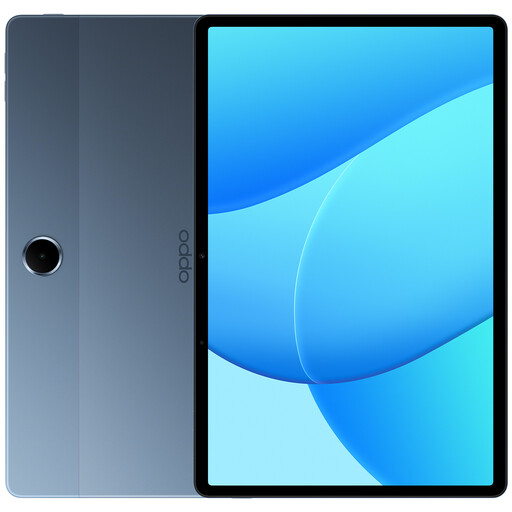 No image available
The 11-inch display gives you a larger view of illustrated books and fixed page layouts.
11-inch display, 128 GB storage, 6 GB RAM and LTE according to the product name.
 No image available
The 11-inch display is designed for reading larger pages. Stylus support may be useful for taking notes, if the file and app allow it.
Apple lists a P3 wide colour gamut, a fully laminated display with an anti-reflective coating and a weight of 464 g for this version. Supports Apple Pencil Pro and Apple Pencil (USB-C); check separately whether the stylus is included.
 No image available
The 11-inch format could be a good choice if you’d like to view book pages on a larger screen.
The product name lists a 90 Hz display and 128 GB storage.
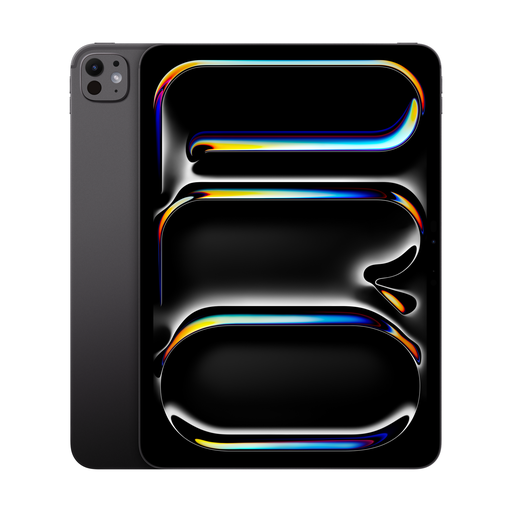 No image available
The 11-inch format is designed to give you a larger view of your book. Check how your specific file displays before buying.
This version is listed with a P3 wide colour gamut, a fully laminated display and an anti-reflective coating. The Wi-Fi version is listed at approximately 444 g.
Not necessarily, if you download your books in advance. Deutsche Bahn offers Wi-Fi on all ICE trains, some Intercity trains and selected regional trains, but speeds can vary. Check that you can access your books offline in the app you use before setting off.
No. The tablet’s stylus support alone isn’t enough. Rakuten Kobo notes restrictions on DRM-protected PDFs and files that don’t allow annotations. Whether it works on a tablet also depends on the file and app, so test both before buying.
Sign in to the book app you plan to use at home, download a book and try opening it without an internet connection. Google Play Help explains how to download e-books for offline reading in Play Books on Android devices; this doesn’t automatically apply to other book services.
When you buy from a trader in the EU, you’re generally entitled to a minimum two-year legal guarantee. Your Europe explains that an additional manufacturer’s guarantee can’t reduce these rights. Online purchases also generally come with a 14-day cooling-off period, subject to applicable exceptions, as explained by the Council of the European Union.