People checking their PDF workflow
If you work with lots of academic papers, what matters most is whether you can reopen or share annotated files later. Samsung Notes and reMarkable document PDF export, so try the workflow with a suitable file.


Choose a device based on what you need to do with your research PDFs: open them, annotate by hand, save them and open them again later or share them. A versatile tablet is a good fit if you also need other apps; a paper-focused device puts reading and writing first, while a Windows 2-in-1 may suit you if you need Windows programmes too. Check the stylus, file protection and export options for the specific model and your files.
If you work with lots of academic papers, what matters most is whether you can reopen or share annotated files later. Samsung Notes and reMarkable document PDF export, so try the workflow with a suitable file.
For margin notes and highlighting, you need a stylus that works with your specific device and a view that suits the papers you read. Apple documents PDF markup on iPad, while Samsung describes the S Pen for the Galaxy Tab S10 FE.
If you mainly want to read and annotate in the library, you can compare a paper-focused device with a versatile tablet. With PDFs, your ability to write on and transfer files also depends on file protection and the workflow you use.
A good fit if: you want to use apps beyond PDF markup. Apple documents which Apple Pencil models work with iPad Air; Samsung says the Galaxy Tab S10 FE includes an S Pen.
The trade-off: The documented iPad Air package does not include a Pencil. With either type of device, check that your chosen PDF app can export files as you need.
A good fit if: reading and handwritten annotations are your priorities. reMarkable documents PDF import and export, while Kobo describes a stylus workflow for supported PDFs.
The trade-off: Kobo does not allow you to write on DRM-protected PDFs or files with annotations disabled. According to the manufacturer, “Convert to Notebook” is part of Connect on reMarkable.
A good fit if: you need Windows software as well as a device for reading. Microsoft describes pen input and freehand markup in the Edge PDF reader.
The trade-off: The documented Surface offer sells the Slim Pen and keyboard separately. Test the complete workflow with the software you need.
For research PDFs, it’s not enough to be able to mark up text on screen: you also need to save and reuse the file in the format you want.
| Priority | What to check before buying | Who is it most important to? |
|---|---|---|
| PDF access and sharing | Import a file you’re entitled to access, annotate it, export it and open it again; check for protection and restrictions on annotations. | If I need to reopen or share marked-up papers later, the full PDF workflow matters to me. Around 36 % of consumers prioritise PDF access and sharing. |
| Handwriting and page view | Check stylus compatibility and what’s included, as well as how a page from one of your own papers looks on screen. | If I make lots of margin notes, I need a compatible stylus and a clear, usable view of my papers. Around 29 % of consumers prioritise handwriting and space for academic papers. |
| Focused reading | Consider whether you need additional apps and how you’ll transfer files when library Wi-Fi isn’t available. | If I mainly want to read and annotate in the library, it matters to me how well the device supports this focused workflow. Around 21 % of consumers prioritise focused reading on the move. |
| Total cost and additional software | Check what’s included, the compatible stylus, any keyboard you may need and any subscription features required. | If I need accessories or additional software, I want to know everything I’ll need before buying. Around 14 % of consumers prioritise total cost and additional software. |
File protection, disabled annotations and differences between saving on the device and exporting can disrupt your workflow.
Test the complete process with a file you’re entitled to use: import it, write on it, export it and open it again.
Samsung says the Galaxy Tab S10 FE includes an S Pen. The documented Surface offer sells the Slim Pen and keyboard separately.
Check what’s included and which stylus comes with the exact device variant.
reMarkable includes “Convert to Notebook” with Connect; this feature is separate from basic PDF import and markup.
Check whether you need this specific feature and what requirements apply.
If you want to use “Convert to Notebook”, you may need a Connect subscription.
The iPad Air (M4) combines PDF markup with other iPadOS tasks. Apple documents support for Apple Pencil Pro and Apple Pencil (USB-C).
The Galaxy Tab S10 FE is an Android option. Samsung describes note-taking with the S Pen and PDF export in Samsung Notes.
Paper Pro is designed for a PDF workflow built around reading, writing and markup.
The Surface Pro 12-inch (2nd Edition) is worth considering if you need Windows as well as PDF annotation.
Elipsa 2E is a stylus-enabled e-reader for supported books and PDFs that can be annotated.
This selection includes Android tablets for viewing PDF pages, as well as iPad Air M4 variants for which Apple documents Apple Pencil support and PDF markup. For each model, check stylus compatibility and that it supports the file workflow you need.
 No image available
A good option if you want to view PDF pages on an 11-inch tablet; for handwritten markup, check stylus compatibility and your PDF app.
11 inches, Wi-Fi, 6 GB RAM and 128 GB storage.
 No image available
Could suit your workflow if you want a large display and plan to use the passive stylus mentioned in the product title.
13.4 inches, FHD+, passive stylus, keyboard and 256 GB storage.
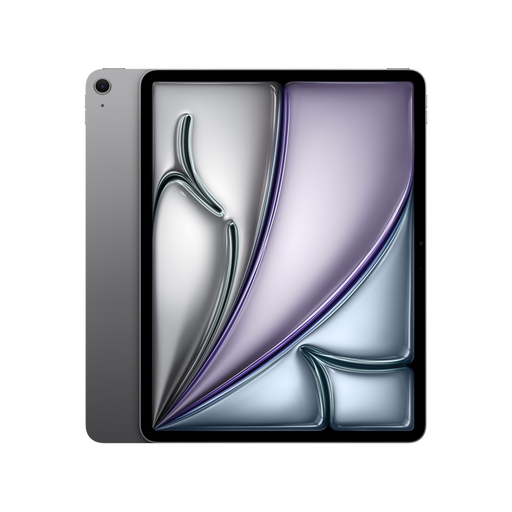 No image available
For handwritten PDF markup on iPad Air M4; Apple documents support for Apple Pencil Pro and Apple Pencil (USB-C).
13 inches, Wi-Fi and 128 GB. Check whether a Pencil is included with the specific variant; the documented iPad Air package does not include one.
 No image available
For handwritten PDF markup on iPad Air M4; Apple documents support for Apple Pencil Pro and Apple Pencil (USB-C).
11 inches, Wi-Fi and 128 GB. Check whether a Pencil is included with the specific variant; the documented iPad Air package does not include one.
No image available
For handwritten PDF markup on iPad Air M4; Apple documents support for Apple Pencil Pro and Apple Pencil (USB-C).
11 inches, Wi-Fi and 256 GB. Check whether a Pencil is included with the specific variant; the documented iPad Air package does not include one.
No. It also depends on the file’s protection and settings. Rakuten Kobo lists DRM-protected PDFs and files with annotations disabled as exceptions. So check the specific file you need to use in your app.
Download the files you need to your device in advance and check that you can open and save them. For supported files, reMarkable documents a USB transfer option as well as transfer via the app and web. Try the transfer method you need beforehand.
First, check what accessories are included in the specific package: Microsoft lists the Slim Pen and keyboard separately with the Surface offer described here. In the EU, goods are generally covered by a legal guarantee of at least two years. For an eligible online distance purchase from a business seller, you generally have a 14-day right to cancel from the date of delivery; Your Europe explains the legal requirements and exceptions.
That depends on the work, how you accessed it and what you plan to do with it. Section 60c of the German Copyright Act (UrhG) allows you to reproduce up to 75 per cent of a work for your own scientific research, subject to certain conditions. This is not blanket permission to bypass access restrictions or share files publicly.