What should you look for when buying?
First, check that your design is easy to view, then choose a size, stylus and file access setup to suit the meeting. The percentages below are broad guide figures for consumers prioritising each of these needs when making this purchase.
| Priority |
What to check before buying |
Who is this important to? |
| Readability and colour assessment |
View your own file in similar lighting. For colour-critical approval, check the device, colour standard and settings. Apple Support lists reference mode only for certain iPad Pro models. |
If colour is part of the approval process, I want to assess the design using suitable settings. Consumers who prioritise readability and accurate colour assessment account for around 29%. |
| Sharing the view and portability |
Consider how many people will be looking at the screen at once, and whether you’ll be showing a full page or individual details. Apple lists 11-inch and 13-inch Wi-Fi models for the iPad Air M4; the Xiaomi Pad 7 has an 11.2-inch display with a 3:2 aspect ratio. |
If several people need to see details at the same time, I want enough screen space without carrying an unnecessarily heavy device. Consumers who primarily need a shared, mobile viewing experience account for around 23%. |
| Annotating the design |
Check the stylus, what’s actually included in the box and whether the file can be edited in the app you plan to use. Samsung says the Galaxy Tab S11 comes with an S Pen; Apple lists compatible Apple Pencil models for the iPad Air M4. |
If we mark up changes during the discussion, I want to know that the stylus and app will work well together. Consumers who prioritise making annotations directly account for around 18%. |
| Reliable file access |
Before the meeting, test whether you can open the file offline in the app you plan to use. For confidential files, the German Federal Office for Information Security recommends avoiding unprotected transfers over unfamiliar Wi-Fi networks. |
If the library connection is unreliable or unavailable, I still want to be able to open the design file reliably. Consumers who primarily need secure file access account for around 18%. |
| Total cost of the set-up |
Factor in the device, stylus, case and software you need. Check what’s included and the terms for the specific variant. |
If I need extra accessories, I want to understand the cost of the complete presentation set-up. Consumers who prioritise the total cost account for around 12%. |
Joybuy products for sharing design concepts
This selection includes tablets for group viewing, presenting designs on the move and making corrections with a stylus.
 No image available
Microsoft Surface Pro 11 for Business, 13-inch OLED, Core Ultra 7 266V, 16 GB/512 GB SSD, Windows 11 Pro, Platinum
The 13-inch OLED display and adjustable stand make it well suited to sharing your work around a table.
Listed as a 2-in-1 device; according to the product description, the stand adjusts to up to 165°.
View at Joybuy
 No image available
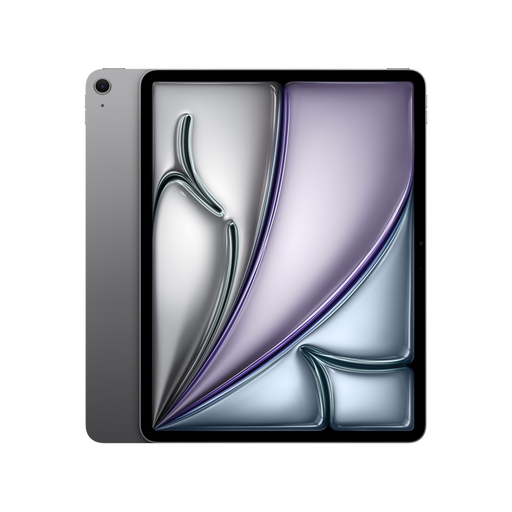
Apple 13-inch iPad Air (M4, 2026), Wi-Fi, 128 GB, Space Grey
The 13-inch size gives you more screen space to share when several people need to view design details.
This model is listed with P3, an anti-reflective coating and Apple Pencil support. The Pencil isn’t listed as included; these display specifications alone don’t guarantee colour-accurate approval.
View at Joybuy
 No image available
Apple 11-inch iPad Air (M4, 2026), Wi-Fi, 128 GB, Blue
The 11-inch size is a more compact option for design discussions on the move.
This model is listed with P3, an anti-reflective coating and Apple Pencil support. The Pencil isn’t listed as included; P3 alone doesn’t guarantee colour-accurate approval.
View at Joybuy
 No image available
Xiaomi Pad 7 with keyboard, Grey, 8 GB RAM, 128 GB ROM, 3.2K display
Its compact size is handy for viewing designs on the move, and the product name indicates that a keyboard is included.
Xiaomi lists an 11.2-inch screen and a 3:2 aspect ratio for the Pad 7. Xiaomi says that a power adapter isn’t included.
View at Joybuy
 No image available
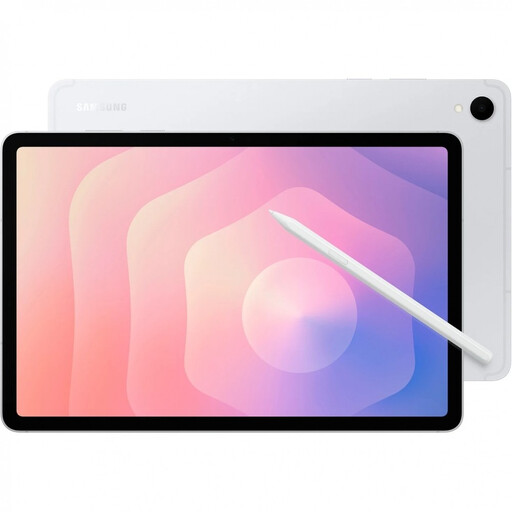
Samsung Galaxy Tab S11 X736 5G, 11-inch, 12 GB RAM, 128 GB, Silver
The included S Pen is a good option if you want to mark up changes as you discuss them.
The product description lists a Dynamic AMOLED display with a resolution of 2560 × 1600 pixels and an S Pen included.
View at Joybuy
Frequently asked questions
Is a particularly vivid display mode enough for colour approval?
No, not on its own. Apple Support describes a reference mode for specific iPad Pro models; among other things, it disables True Tone and Night Shift. Also agree the file and target colour standard with the person giving approval.
What should I set up before a meeting in the library?
Try opening the specific design file in the app you plan to use, and test that you can access it without Wi-Fi. For confidential files, the German Federal Office for Information Security recommends avoiding unprotected transfers over unfamiliar Wi-Fi and, if necessary, using local encryption or a VPN.
What additional costs and consumer rights should I consider?
Check whether a stylus and power adapter are included with the specific variant. Xiaomi, for example, says that the Pad 7 doesn’t come with a power adapter. For faulty goods bought from business sellers in the EU, you’re entitled to a legal guarantee of at least two years from receipt. This is separate from any voluntary manufacturer’s warranty.
Do I need to consider data protection when showing a design?
If the design contains personal data, you need an appropriate legal basis for processing and disclosing it. Before the meeting, check who is allowed to see the content and follow the rules of the relevant organisation.


