Tablets available at Joybuy
This selection includes tablets for handwritten corrections and note-taking at a shared workspace.
 No image available
Microsoft Surface Pro 11, 13-inch, Snapdragon X Plus, 16 GB, 512 GB
For taking notes as part of a Windows workflow; check that the learning app you need and the stylus you want work with the specific configuration.
13-inch touchscreen, Snapdragon X Plus, 16 GB RAM and 512 GB storage, as stated in the product name. Microsoft lists the Surface Slim Pen and Surface Keyboard as sold separately.
View at Joybuy
 No image available
UXD Android 16, 13.4-inch, 20 GB (8 GB + 12 GB virtual), 256 GB
For handwritten corrections and typing at the table; check in advance that your app supports collaborative editing and works with the stylus you plan to use.
The product name lists an FHD IPS display with 1920 × 1200 resolution, plus a keyboard, mouse and stylus in the set. The 20 GB RAM is listed as 8 GB plus 12 GB virtual memory.
View at Joybuy
 No image available
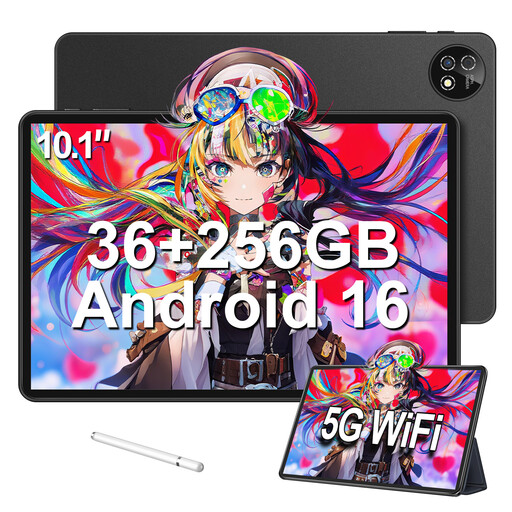
10.1-inch touchscreen tablet with Android 16, 256 GB and keyboard set
For handwritten corrections and typing in a compatible note-taking app; check stylus compatibility and collaborative editing before you buy.
The product name lists 36 GB RAM, made up of 6 GB plus 30 GB, 256 GB storage, a stylus and a keyboard set.
View at Joybuy
 No image available
Android 16 tablet, 10.1-inch, Unisoc T310, 256 GB, keyboard and touch pen
For handwritten notes and typing at a shared table; check that your study group can use its chosen app collaboratively on the device.
The product name lists 36 GB RAM, 256 GB storage, a touch pen and a detachable keyboard. A TF card slot and Wi-Fi are also listed.
View at Joybuy
 No image available
10.1-inch touchscreen tablet with Android 16, 256 GB, keyboard, mouse and case set
For handwritten corrections and typing if you’re looking for an accessory set; check that the included stylus works with your note-taking app.
The product name lists 36 GB RAM, made up of 6 GB plus 30 GB, 256 GB storage, and a keyboard, mouse, case and stylus.
View at Joybuy
Frequently asked questions
Is it enough to send a note to the study group?
Not if everyone needs to see later changes. Apple Support distinguishes between sending a copy and collaborating on an iCloud note. Everyone needs to be signed in with their Apple Account and have Notes enabled in iCloud.
What should I set up before our first collaborative study session?
Test sharing with another person and check the viewing and editing permissions. Microsoft Support explains that a OneNote notebook must be saved to OneDrive or SharePoint to be shared, and that shared notebooks sync regularly.
Does the Galaxy Tab S10 FE come with a stylus and charging adapter?
Samsung Germany says the Galaxy Tab S10 FE and FE+ come with an S Pen and USB-C cable in the box, but no charging adapter. Check the contents for the specific configuration.
What are my rights if my tablet is faulty?
Under the EU consumer rules explained by Your Europe, faulty goods are covered by a legal guarantee of at least two years from the date you receive them. This is separate from any additional manufacturer’s warranty.
Can I cancel an online purchase?
For distance contracts, consumers generally have a 14-day withdrawal period; Your Europe notes that exceptions apply. Check the type of contract and the terms of your specific purchase.


