What should you look for when buying?
First, check whether your writing app and speech will work without an internet connection. Then consider typing comfort, portability and the software workflow you need to help you choose the right format.
| What you need |
What to check before buying |
Who should consider this? |
| Offline access and battery reserve |
Download your speech in the app you plan to use, then open and edit it offline. Check the test conditions behind any battery-life claims. |
If you need to open and edit your speech without an internet connection before you can next recharge, set up the file and app in advance. Around 36% of consumers prioritise offline working and power supply. |
| Typing longer texts |
Check the keyboard layout, compatibility with the model and generation, and what’s included in the box. |
If you write and edit longer passages, a suitable physical keyboard matters. Around 29% of consumers prioritise typing for extended periods. |
| Portability and screen space |
Consider the combined weight of the tablet and the keyboard you plan to use; check that a typical speech page is easy to read. |
If you carry your device around often, a lighter weight may matter more than extra screen space. Around 21% of consumers prioritise portability. |
| Existing software workflow |
Test the app you need, your file format and offline editing with a sample file. |
If your speech depends on a particular app or an existing file workflow, check that it works on your chosen device first. Around 14% of consumers prioritise sticking to an established software workflow. |
Tablets with keyboards at Joybuy
This selection features Android tablets in a range of screen sizes, with a keyboard listed in the product name or accessories. The mAh figures shown indicate battery capacity and don’t give a reliable estimate of writing time.
 No image available
MEBERRY M8 10.1-inch tablet, 128 GB
The listed keyboard may be useful for writing longer texts; don’t estimate writing time based on battery capacity alone.
10.1-inch display; 30 GB RAM (8 GB + 22 GB virtual); 128 GB ROM; 8000 mAh; keyboard, mouse and protective case listed.
View at Joybuy
 No image available
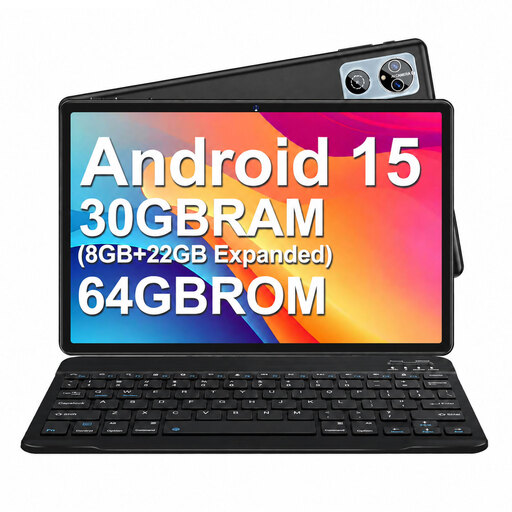
MEBERRY M6 10.1-inch tablet, 64 GB
The listed keyboard is useful for writing longer texts; battery capacity alone doesn’t tell you how long you can write for.
Android 15; 10.1-inch display; 30 GB RAM (8 GB + 22 GB); 64 GB ROM; 6000 mAh; keyboard, mouse and protective case listed.
View at Joybuy
 No image available
13.4-inch Android 16 tablet, 256 GB
The detachable keyboard is designed for writing longer texts. Before writing away from a power socket, check how long your actual usage lasts on a single charge.
13.4-inch display; 24 GB RAM (8 GB + 16 GB virtual); 256 GB storage; 10,000 mAh; keyboard, mouse, passive stylus and folio case with stand listed.
View at Joybuy
 No image available
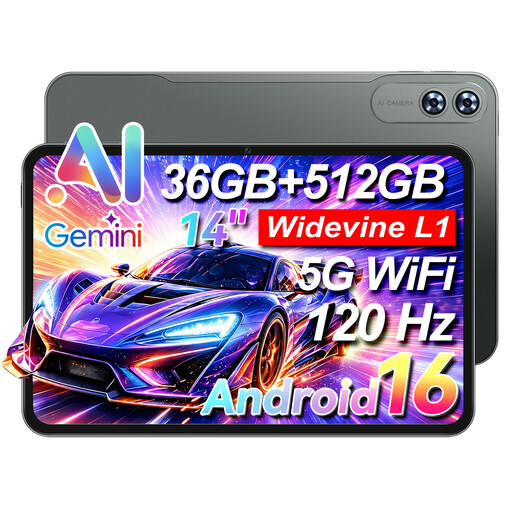
VANWIN HDC133T616W70, 14-inch
The 14-inch display and listed keyboard suit a writing set-up with a larger screen; bear the size in mind when carrying it around.
14-inch touchscreen; 32 GB RAM; 512 GB ROM; 9200 mAh; 4G LTE; keyboard listed.
View at Joybuy
 No image available
Xiaomi Pad 7 with keyboard, 128 GB
The listed keyboard can help when writing longer passages; the battery figure doesn’t predict how long your writing session will last.
11-inch display; 8 GB RAM; 128 GB ROM; 8850 mAh; keyboard listed.
View at Joybuy
Frequently asked questions
Can I edit my speech in Word or Google Docs without an internet connection?
Yes, as long as you’ve prepared the file and the app you’re using. Microsoft Support recommends downloading and opening the documents you need in advance. Google Docs Editors Help explains how to make individual files available offline on Android tablets. Test the process with your speech before you set off.
How do I prepare a tablet for writing without access to a power socket?
Open a local copy of your speech, or one that’s available offline, and test editing it without an internet connection. Charge your tablet and any accessories you’ll need beforehand, and leave yourself some battery in reserve rather than assuming advertised video playback or typical-use figures reflect your writing time.
Who should I contact if my tablet is faulty in Germany?
For your statutory rights, the seller is generally your point of contact. A voluntary guarantee is separate from these rights. If there’s a fault, the first step may be to ask for the product to be put right, for example by repair or replacement.
Which labels should I look for when buying a tablet in Germany?
For electronic devices with Wi-Fi or Bluetooth, Germany’s Federal Network Agency lists CE marking, product identification, manufacturer details and instructions in German among the aspects covered by market surveillance. According to the European Commission, covered slate tablets placed on the EU market from 20 June 2025 must also meet energy-labelling and ecodesign requirements; certain Windows tablet computers are treated differently. A label on a product listing alone doesn’t confirm that a particular model complies.


