Start by choosing a tablet that suits your storyboard format and the kind of feedback you need. A larger display is useful for reviewing full pages, while handwritten corrections require the stylus, tablet and app to work well together. If the hotel Wi-Fi lets you down, you’ll need an offline workflow you’ve tested in advance. Also check the accessories and the exact device configuration.
Who is this guide for?
Storyboard annotators
If you want to draw corrections directly onto pages or panels, the stylus, app and export options need to fit your file workflow. Samsung says the Galaxy Tab S10 FE and FE+ come with an S Pen, while Xiaomi confirms that the Focus Pen is compatible with the Pad 7.
Full-page reviewers
If you want to compare the sequence of images and captions on a page, you’ll need to weigh a larger display against the tablet’s weight and the space it takes up in your luggage. Apple lists the Wi-Fi models of the iPad Air at 464 g for the 11-inch version and 616 g for the 13-inch version.
Offline collaborators
If you want to keep working in your hotel without a reliable connection, check how offline work functions in the app you actually use. Adobe describes how changes to shared PDFs can be made offline and synced once your connection is restored.
What should you consider when choosing?
First, decide whether you need to annotate directly, review full pages, work offline or run an existing Windows application. This priority will help you work out which compromises on display, accessories and apps are acceptable for you.
| Your needs |
What to look for |
Who is this particularly important for? |
| Making corrections directly |
Check the stylus model and what’s included, as well as file imports and how to save and share an annotated test page. |
If I want to add corrections directly to panels, the stylus, tablet and app all need to work together. Around 36% of consumers are likely to put direct corrections first. |
| Viewing full pages |
Check one of your own pages on the display sizes you’re considering, using your usual view and zoom settings. |
If I want to assess the sequence of images and the details together, I need to weigh screen space against weight and packed size. Around 29% of consumers are likely to prioritise viewing full pages. |
| Working offline |
Make the file available in advance, then test signing in, commenting without a connection and syncing afterwards in the app you use. |
If the hotel Wi-Fi is unreliable, I still want to make changes and sync them later. Around 21% of consumers are likely to put offline work first. |
| Using a Windows application |
Check that the application you need, the file version and the export function work with the exact device configuration, and factor in any accessories you’ll need. |
If my team requires a specific Windows application, I need to check that it will work with the exact device. Around 14% of consumers are likely to prioritise this Windows workflow. |
Which common pitfalls should you avoid?
-
Assuming a compatible stylus is included
A stylus that works with a tablet isn’t automatically included in the deal. Apple lists compatible Pencil models for the iPad Air, but doesn’t include a Pencil in the stated box contents.
Check the exact model and what’s included in the specific offer before deciding which accessories you need.
Which brands are worth considering?
Apple
Apple says the iPad Air M4 is available in two Wi-Fi sizes and supports PDF mark-up with compatible Apple Pencil models.
- Apple lists the 11-inch Wi-Fi model at 464 g and the 13-inch Wi-Fi model at 616 g.
- Apple lists a USB-C cable, but no Pencil, in the box contents. Also check that your storyboard app supports the file and commenting workflow you need.
Samsung
The Galaxy Tab S10 FE and FE+ are Android options with different display sizes. Samsung says they come with an S Pen.
- Samsung lists the FE with a 10.9-inch display and the FE+ with a 13.1-inch display.
- Having a stylus included doesn’t guarantee that every team app can edit and export files in the format you need.
Xiaomi
Xiaomi says the Pad 7 has an 11.2-inch display with a 3:2 aspect ratio and is compatible with the Focus Pen.
- You can compare the stated display shape with the aspect ratio of your storyboards.
- Compatibility doesn’t mean the Focus Pen is included with every offer. Also check which apps and export options work with your files.
Microsoft
The Surface Pro 12-inch, 2nd Edition, is a Windows option if your workflow requires a Windows application.
- Microsoft describes it as running Windows 11 and supporting touch and pen input.
- Microsoft says the Slim Pen and keyboard are sold separately. Check the requirements of the specific application against the configuration on offer.
Joybuy products for reviewing storyboards
The following Joybuy offers may be relevant for viewing storyboards, based on their stated display sizes or stylus details. Check whether the app and accessories suit your workflow for the specific version. For a wireless tablet sold in Germany, the Federal Network Agency lists CE marking, identifiable manufacturer details, a German-language manual with the required information and a declaration of conformity among the points to check.
 No image available
UXD 13.4-inch Android 16 tablet, 128 GB
The stated display size may be useful for reviewing larger storyboard pages. Try your own page layout on it.
The product name lists a 1,920 × 1,200-pixel display, 20 GB RAM (8 GB + 12 GB virtual) and 128 GB storage, with a keyboard, mouse and stylus included.
View on Joybuy
 No image available
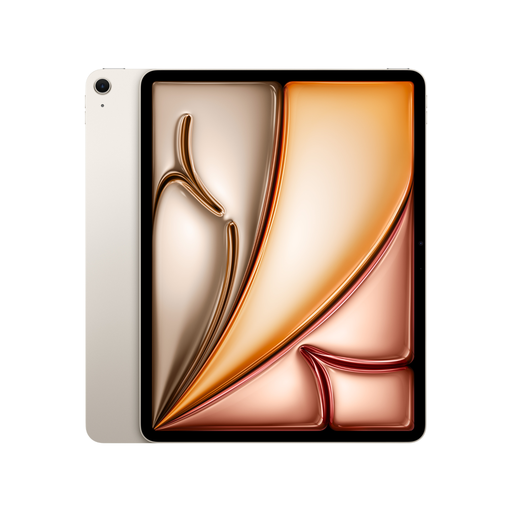
Apple 13-inch iPad Air (M4, 2026), Wi-Fi, 128 GB, Starlight
The 13-inch format may be useful for reviewing full pages. You’ll need to budget separately for a compatible Pencil.
Apple lists the 13-inch Wi-Fi model at 616 g. This version has 128 GB of storage; Apple says compatible Apple Pencil models are not included with the tablet.
View on Joybuy
 No image available
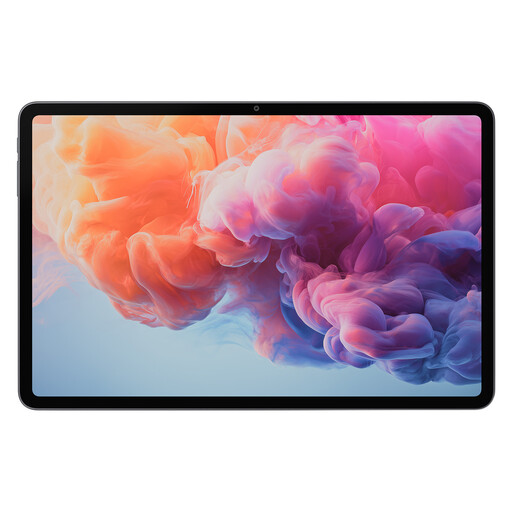
ALLDOCUBE iPlay 70 Pad Pro MTK G100, 12.1 inches, 8 GB + 128 GB
The stated display size may be useful for viewing storyboard pages. Before buying, check that your page format is easy to review on the device.
The product name lists a 12.1-inch display, 8 GB RAM and 128 GB storage.
View on Joybuy
 No image available
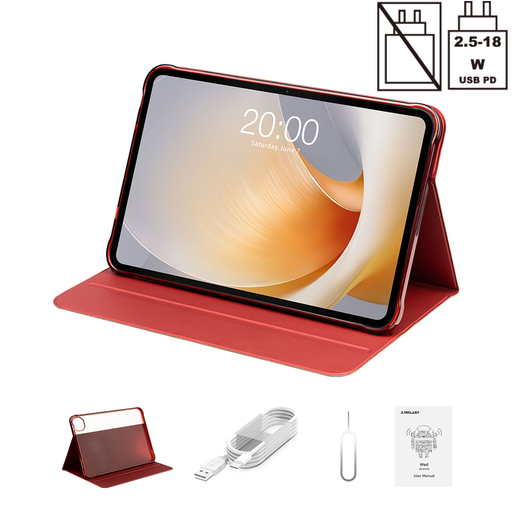
TECLAST T65 Plus tablet, 13.4 inches, Android 15, 128 GB
The stated display size may be useful for reviewing larger storyboard pages. Check that the format suits your files.
The product name lists a 13.4-inch display with 120 Hz, Android 15 and 128 GB storage. A folio case is also listed as included.
View on Joybuy
 No image available
TECLAST T65 tablet, 13.4 inches, Android 16, 128 GB
The stated display size may be useful for reviewing larger pages. Try viewing one of your own storyboard files on the device.
The product name lists a 13.4-inch display, Android 16 and 128 GB storage, as well as a folio case.
View on Joybuy
Frequently asked questions
Can I comment on a storyboard PDF without an internet connection and sync it with my team later?
For shared PDF reviews, Adobe says you can make changes offline and sync them once your connection is restored. Adobe also says you need to sign in with an Adobe ID to add or edit comments. Before travelling, test sharing and the file in the app you actually use. This workflow doesn’t automatically apply to other apps or file formats.
Do I need to buy the stylus separately?
It depends on the model and the specific offer. Samsung says the Galaxy Tab S10 FE and FE+ come with an S Pen. Apple lists compatible Pencil models, but no Pencil in the stated iPad Air box contents. Xiaomi confirms that the Focus Pen is compatible with the Pad 7, but not that it comes with every offer. Microsoft says the Slim Pen and keyboard are sold separately for the Surface model reviewed.
How can I tell if the display size will work for my storyboard?
Try one of your own pages on the device, using the view you’d normally work in. If you need to assess a full page and fine panel details at the same time, compare the screen space you need with the tablet’s weight and how much room it takes up.
What should I check for a Windows storyboard workflow?
Before choosing a Windows tablet, check that the application you need will work with the exact device configuration. Also check the file version, commenting and export functions, and whether you’ll need to buy a stylus or keyboard separately.
What does the Federal Network Agency recommend checking for a wireless tablet in Germany?
As part of its market surveillance, the Federal Network Agency lists points including correct CE marking, identifiable manufacturer details, a German-language manual with the required information and a correct declaration of conformity. Check these against the specific version on offer; a model name alone doesn’t confirm that they’re in place.


