Those who annotate PDFs by hand
You add highlights, margin notes or sketches to your study materials and need a compatible stylus and a reliable PDF workflow.


For handwriting on PDFs, a tablet compatible with an active stylus is essential. For longer edits, a suitable keyboard matters most, while frequent travel calls for a device that’s easy to carry. Samsung says the Galaxy Tab S10 FE comes with an S Pen and supports PDF annotations in Samsung Notes. Before buying, check what’s included, whether your apps are compatible, and how files are handled and exported by trying the process with one of your own documents.
You add highlights, margin notes or sketches to your study materials and need a compatible stylus and a reliable PDF workflow.
You rework summaries and want to write longer passages in your hotel room using a suitable keyboard.
You frequently change where you work, so you need to consider portability, file access and protecting your study materials together.
A good fit if: You mainly highlight study materials, add sketches or write notes in the margins. Samsung says the Galaxy Tab S10 FE comes with an S Pen, and describes how to import and annotate PDFs in Samsung Notes.
Trade-off: A stylus being included doesn’t guarantee that your course app supports the import, export and syncing you need.
A good fit if: You edit passages or write longer summaries. Make sure the keyboard is compatible with your exact tablet model.
Trade-off: Apple says the iPad Air supports the Magic Keyboard; Huawei describes the MatePad 11.5 (2025) keyboard as sold separately. Accessories can make your setup more involved.
A good fit if: You often take your device between your accommodation and places where you study, and need to open essential files without an internet connection.
Trade-off: Apple lists the 11-inch Wi-Fi iPad Air at 464 g and the 13-inch version at 616 g. The smaller model is lighter, but has less screen space.
| Priority | What to check before buying | Who it matters most to |
|---|---|---|
| Handwriting and PDF annotations | Stylus compatibility, what’s included, and whether you can import and export a test PDF of your own. | If I mainly add handwritten notes to study materials, the stylus and PDF workflow need to work with my files. Around 40% of consumers prioritise annotating PDFs by hand. |
| Keyboard and longer texts | A compatible keyboard model, its layout and how your chosen writing app displays on screen. | If I rewrite longer passages, I want to work at the hotel desk with a suitable keyboard. Around 30% of consumers prioritise editing text. |
| Portability and file access | The weight and screen size of the specific model; open files offline in advance. | If I often take my tablet with me, I need easy access to my study materials and a device that’s comfortable to carry. Around 20% of consumers prioritise portability and file access. |
| A complete writing setup | Compare only models that include the accessories you actually need, and check what’s included. | If I’m putting together a ready-to-use setup, I want to know whether I’ll also need a stylus or keyboard. Around 10% of consumers first consider the total cost of input accessories. |
A tablet may support certain styluses without including one in the box. Samsung says the Galaxy Tab S10 FE comes with an S Pen; Apple lists Pencil support for the iPad Air, but doesn’t include a Pencil in the tablet’s stated box contents.
Check what’s included and confirm compatibility with your exact model before planning a complete writing setup.
Keyboards are made for specific models, and the layout can also make a difference when writing longer texts.
Check the tablet model, keyboard model, layout and box contents together.
When you’re travelling, online files may not always be accessible. The German Federal Office for Information Security recommends protecting devices, apps and data with a password when travelling.
Test that you can access the files you need without an internet connection, and set up a device lock in advance.
The Galaxy Tab S10 FE is worth considering for handwritten notes and PDF editing.
The iPad Air is available in 11- and 13-inch sizes, making it a useful option if you’re weighing portability against screen space.
The MatePad 11.5 (2025), particularly the PaperMatte Edition, is an option to consider if you’re looking for a matte display and want to explore Huawei’s note-taking features.
The Pad 7 family is worth considering if a Focus Pen or compatible keyboard is part of your planned workflow.
With its 12.7-inch display, as specified by Lenovo, the Tab P12 is a large-screen option if screen space matters more than compactness.
The following Joybuy products are worth considering for working on the move, typing with a keyboard or handwriting notes at your hotel desk.
 No image available
The 11-inch size is a compact option for taking study notes on the move.
Wi-Fi, 256 GB storage; supports Apple Pencil Pro and Magic Keyboard.
 No image available
The keyboard version named in the product title is a useful option for typing longer texts at a desk.
8 GB RAM, 128 GB ROM, 3.2K display with 144 Hz refresh rate.
 No image available
The T-Pen named in the product title is designed for handwritten notes and annotations.
13.4-inch 2K display, 256 GB storage and T-Pen with 4096 pressure sensitivity levels.
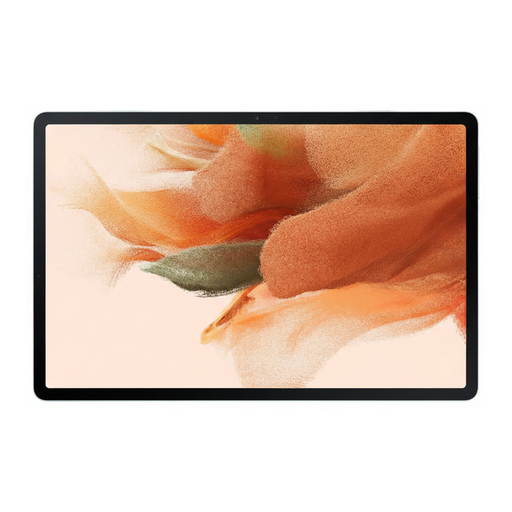 No image available
The included S Pen described for this model is suitable for handwritten notes and sketches.
12.4-inch display, 64 GB storage and Wi-Fi.
 No image available
The stylus and keyboard give you options for handwritten notes and longer texts.
12.7-inch 2K display, 256 GB storage; includes a T-Pen, protective case and English Bluetooth keyboard. Check that the keyboard layout suits the way you type.
Yes, as long as the tablet, active stylus and app all work together. Samsung describes how to import and annotate PDFs with the S Pen in Samsung Notes. Try it with one of your own files to check that saving and sharing meet your course requirements.
Make sure you have the files you need, and test that you can access them without an internet connection. The German Federal Office for Information Security recommends using password protection for devices, apps and data when travelling. This doesn’t mean that every cloud or course app will work offline.
It depends on the exact model and offer. Samsung says the Galaxy Tab S10 FE comes with an S Pen, while Apple lists Pencil support but doesn’t include a Pencil in the stated iPad Air box contents. Huawei describes the MatePad 11.5 (2025) keyboard as sold separately. Check what’s included with the exact version you’re buying.
For goods, the European Union’s consumer portal states that the legal guarantee lasts for at least two years from receipt. For eligible distance purchases, you generally have 14 days from delivery to withdraw from the contract; exceptions and any conditions on return costs should be checked separately. The right to withdraw and your rights when goods are faulty are separate.