Commuters with a digital textbook
You want to open a chapter on the move and carry on with your summary even if your connection drops. Deutsche Bahn says Wi-Fi availability varies depending on the type of train.


Choose a setup that suits the way you work. If you highlight text and make handwritten notes, a compatible stylus matters; for longer pieces of writing, look for a suitable keyboard; and if you’ll mainly be reading, a device designed for working with documents could be the best fit. Download your chapters and work files before setting off, and check whether the stylus or keyboard you need is included with the specific offer. Deutsche Bahn says Wi-Fi isn’t available on every type of train, and speeds can vary.
You want to open a chapter on the move and carry on with your summary even if your connection drops. Deutsche Bahn says Wi-Fi availability varies depending on the type of train.
You highlight passages and turn them into notes with a stylus. To do this, your tablet, stylus and document format all need to work together.
You write longer passages and want to switch between your chapter and document. A compatible keyboard and a writing app that works offline can make all the difference.
A good fit if: You highlight PDF pages and turn your margin notes into a short summary.
Things to consider: Check stylus compatibility, what’s included and whether your textbook format is supported.
A good fit if: You mainly type longer passages and have room to set down the tablet and keyboard.
Things to consider: A keyboard and tablet take up extra space. Check compatibility, layout and what’s included.
A good fit if: Reading and making handwritten notes on documents matter more to you than having a versatile setup.
Things to consider: Check that your textbook format and preferred way of working are supported. According to the manufacturer, the reMarkable Paper Pro has an 11.8-inch colour display and comes with a Marker.
| Priority | What to check when buying | Who is it important to? |
|---|---|---|
| Use chapters and work files offline | Offline access to both files; editing without a connection | If I want to open and edit my chapter and notes file during the journey without an internet connection, I need to have tested my offline workflow in advance. Around 33% of consumers prioritise offline access. |
| Highlight and condense by hand | A stylus compatible with the model; annotation support for the textbook format | If I highlight passages and turn them into handwritten notes, I need a compatible stylus and a suitable way to work with the document. Around 27% of consumers prioritise handwritten notes. |
| Type longer summaries | Compatible keyboard; space to set it down; offline editing | If I write longer passages, it’s essential that the keyboard and writing app suit the way I work. For around 20% of consumers, typing longer pieces of text comes first. |
| Total cost and what’s included | Included accessories; any stylus or keyboard you’ll need | If I’m putting together a complete writing setup, I want to know what accessories are included with the offer I choose before I buy. Around 20% of consumers prioritise the cost of the setup they need. |
Just because a tablet supports a stylus doesn’t mean one comes in the box. According to Lenovo, the Tab M11 is available both with an optional Tab Pen and in bundles that include one.
Before you buy, check that the exact model is compatible with the stylus and compare this with the full contents of the specific offer.
Buying a compatible stylus separately may add to the cost.
According to Kindle Help, whether you can write directly on a PDF page on the Kindle Scribe depends on how you import it. PDFs transferred via USB-C don’t support this feature.
Before settling on this way of working, check the import method with your textbook format.
A Joybuy offer for the Galaxy Tab S10 FE listed model code SM-X210NDBAEUB, while Samsung gives SM-X520NZAREUB for the FE version documented by the manufacturer.
Check the full model code and what’s included against the manufacturer’s information.
Apple offers iPad models with different Pencil configurations, which may be worth considering if you take handwritten notes.
The Galaxy Tab S10 FE is worth considering for handwritten PDF work, provided the model version and included S Pen match the offer.
According to Lenovo, the Tab M11 is an Android option with stylus support and multi-window features.
The Paper Pro is designed for readers who want to highlight and make handwritten notes on documents.
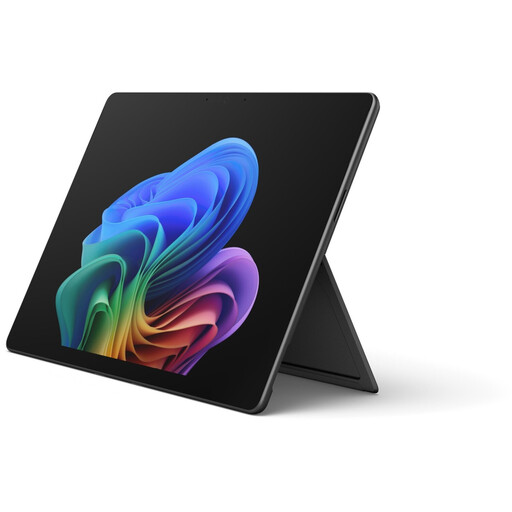
This selection includes Surface tablets and Android tablets with keyboards for reading and summarising textbook chapters.
 No image available
The product description says it supports a Surface stylus. Check whether one is included with the specific offer.
13-inch touchscreen with a resolution of 2880 × 1920 pixels; 16 GB RAM and 512 GB storage according to the description.
 No image available
The 13-inch touchscreen is well suited to reading a chapter and writing a summary. Check separately which accessories you’ll need.
The description lists a resolution of 2880 × 1920 pixels, 120 Hz and 600 cd/m². The listed contents are the tablet, power supply, manual and warranty card.
 No image available
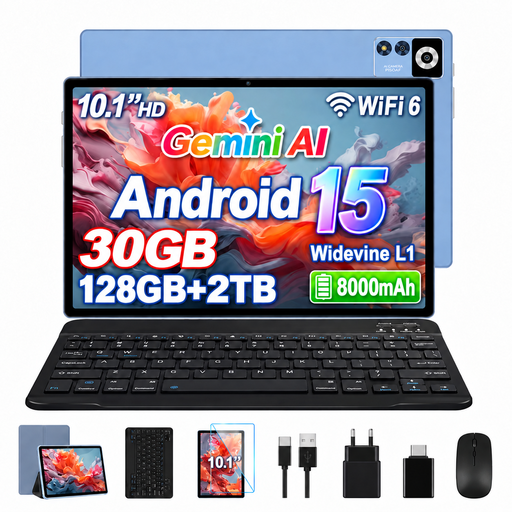
The product details list a keyboard for longer pieces of writing, along with a wireless mouse and protective case. Check whether the accessories suit the way you work on the train.
10.1-inch IPS display with a resolution of 1280 × 800 pixels; Android 15 and 128 GB storage, as stated in the product name.
 No image available
The keyboard included with the offer may come in handy for typing summaries. Check that you can comfortably set down both the tablet and keyboard during your journey.
The product title describes a 10.1-inch Android tablet with 256 GB storage and a keyboard-and-case bundle. The description lists Wi-Fi 6.
 No image available
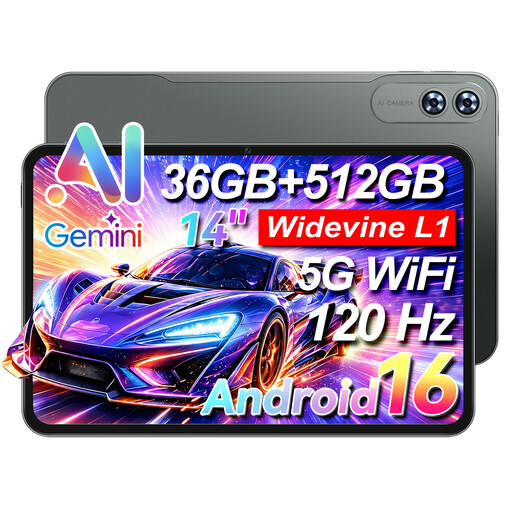
The included keyboard is designed for longer pieces of writing. Consider whether a 14-inch device and keyboard will fit comfortably in your train seat space.
The product details list a 14-inch display with a resolution of 1920 × 1080 pixels, 4G LTE and Android 16.
Don’t rely on it as your only way to work. According to Deutsche Bahn, Wi-Fi is available on ICE trains, but only on some Intercity services and selected regional trains. Speeds can vary depending on the route and how busy the network is. So, make your chapter and notes file available offline before you travel.
It depends on your device and file type. Google Drive Help says that Docs, Sheets and Slides can be edited offline on Android. For iPad, it describes locally stored previews of Drive files; to edit Docs files offline, you’ll need to use the Docs app. Test your chapter and writing document without an internet connection before setting off.
For a consumer purchase from a business seller in the EU, you’re generally entitled to a legal guarantee of at least two years from the date you receive the goods. This is separate from any voluntary warranty. Distance-selling contracts generally come with a 14-day right to cancel, subject to legal conditions and exceptions. This information is based on guidance from Your Europe and EUR-Lex.