Detail-focused artists with an existing tablet
You want to draw leaf veins, outlines and tonal shading. First, check which stylus works with your exact tablet model.


First, check that the stylus works with your existing tablet. Then check whether your drawing app supports pressure and tilt input for the brushes you want to use. A compatible pressure-sensitive model may be a good choice for varied outlines and shading; for consistent lines, a compatible stylus without pressure sensitivity may be enough. At a shared workspace, charging, storage and replacement nibs are practical points to compare too.
You want to draw leaf veins, outlines and tonal shading. First, check which stylus works with your exact tablet model.
You jot down plant observations during short breaks. Charging, storage and how quickly the stylus is ready to use may influence your choice.
First, match the tablet to the stylus model. Then decide whether your drawing app uses pressure or tilt input for the brushes you want.
| Consideration | What to check | Who is this especially important for? |
|---|---|---|
| Device and app compatibility | Check your tablet model against the relevant manufacturer’s compatibility list. STAEDTLER requires an EMR-compatible device for the Noris digital; Wacom specifies AES or MPP for the Bamboo Ink Plus. | If I want to keep using my existing tablet, the stylus needs to be the right one for it. Around 33% of consumers put device compatibility first. |
| Outlines and shading | Check pressure and tilt input separately, and make sure your drawing app supports the brushes you want to use. | For varied leaf outlines and shading, I want to know which inputs my brush actually uses. Around 27% of consumers prioritise control over lines and shading. |
| Ready to use at a moment’s notice | Check how the stylus charges and where you can store it. STAEDTLER says the Noris digital classic works without charging or pairing, but only with compatible EMR devices. | If I only have short breaks to draw, I want to be able to pick up the stylus quickly and put it away safely. Around 20% of consumers pay particular attention to how quickly a stylus is ready to use. |
| Replacement parts and charging accessories | Check what’s included, which replacement nibs are compatible and whether the exact model requires charging accessories. | If you want to avoid ongoing costs and extra hassle, factor in replacement nibs and charging accessories before you buy. Around 20% of consumers put this first. |
EMR, AES/MPP and the respective compatibility lists for Apple Pencil or S Pen are not interchangeable. A stylus that isn’t compatible with your tablet won’t work for this drawing task.
Before you decide, check the full model names of your tablet and stylus against the manufacturer’s information.
Tilt alone isn’t enough for pressure-controlled plant outlines. Logitech explicitly states that the Crayon isn’t pressure-sensitive.
Check pressure input and app brushes separately. For consistent outlines, however, pressure sensitivity may not be essential.
Charging options and what’s included vary by model. The Surface Slim Pen may require a separate charger; STAEDTLER includes five replacement nibs and a replacement tool with the Noris digital classic.
Check what’s included, which replacement nibs are compatible and what charging accessories you need for the specific version.
Apple offers different Pencil models for the iPads they support.
The S Pen EJ-PX710 is designed for the Galaxy Tab S9 and S10 series specified by Samsung.
The Noris digital classic is a battery-free drawing stylus for compatible EMR displays.
Logitech describes the Crayon as an iPad stylus that’s easy to switch on and creates tilt-responsive strokes.
The Bamboo Ink Plus is an option for compatible pen-enabled Windows devices using the AES or MPP protocol.
The Surface Slim Pen is a device-dependent option for compatible Surface configurations.
According to their product details, the following Joybuy products are styluses for selected iPads or for touchscreens running iOS or Android. Before buying, check compatibility with your specific tablet and drawing app.
 No image available
For tilt-responsive strokes on compatible iPads; the product details also list palm rejection.
USB-C charging and an LED battery indicator. According to the product details, the magnetic attachment is for storage, not wireless charging.
 No image available
For drawing with tilt support; the product description also lists palm rejection.
The charging instructions specify a suitable 5-V USB adapter and recommend unplugging the cable once charging is complete.
 No image available
The product details list drawing and writing on iOS and Android touchscreens as suitable uses.
Rechargeable design with dual-touch function.
 No image available
For compatible iPads; the product details list tilt input and palm rejection.
USB-C charging, an LED battery indicator and magnetic attachment. The product description says it switches on without Bluetooth pairing.
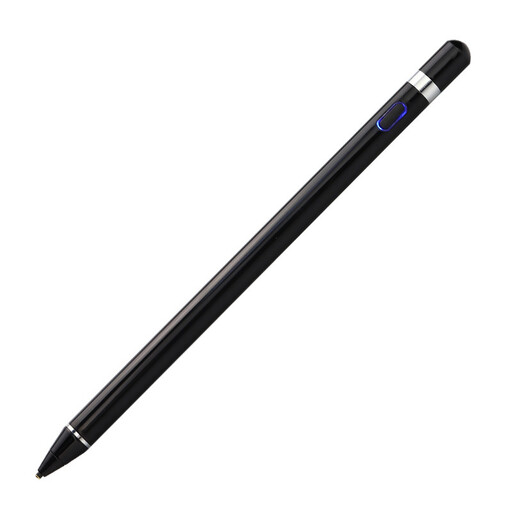 No image available
The product description lists pressure sensitivity for drawing apps and requires a capacitive screen.
According to the product description, setup involves downloading an app and pairing the stylus. Check that your device meets the stated requirements before buying.
No, a touchscreen alone isn’t enough. STAEDTLER requires an EMR-compatible device for the Noris digital; Wacom specifies AES or MPP for the Bamboo Ink Plus. Check your exact tablet model and the relevant manufacturer’s information.
Set aside a specific place to store the stylus and check how it charges in advance. STAEDTLER describes the Noris digital classic as battery-free and not requiring pairing; Samsung lists magnetic attachment for the S Pen EJ-PX710. Logitech recommends replacing a damaged or worn Crayon tip to avoid damaging the screen.
It depends on the model and what’s included. STAEDTLER includes five replacement nibs and a replacement tool with the Noris digital classic; Microsoft says a standalone charger for the Surface Slim Pen is available separately if needed. Check the specific pack and the accessories you already have.
As a general rule, distance contracts with consumers are subject to a statutory right of withdrawal, with a withdrawal period of 14 days. You must notify the retailer that you wish to withdraw. Statutory exceptions and the exact start of the withdrawal period should be taken into account; this is separate from any longer voluntary returns policy.
In Germany, used batteries and rechargeable batteries must not go in household waste. The German Environment Agency recommends returning them via collection boxes in shops or at municipal collection points. If the battery is built in, follow the guidance for disposing of the entire device.