If you already have a tablet
You want to write equations without buying a new device. The key things to check are whether your exact tablet and stylus models are compatible, and whether you can read your existing display comfortably.


If you already have a tablet, first check that the exact model is compatible with the stylus you want. A new stylus won’t reduce screen glare. If you’re buying a tablet and stylus together, compare how the display looks in the light from your window and decide whether you need versatile apps or mainly a writing and PDF workspace. Automatic maths features depend on the device and app: Apple notes that some characters can be ambiguous, while Samsung warns that Maths Assist results may be incorrect.
You want to write equations without buying a new device. The key things to check are whether your exact tablet and stylus models are compatible, and whether you can read your existing display comfortably.
You’re looking for a tablet and stylus that let you read and write in daylight coming from the side, without losing access to the apps you need.
You mainly write out your working by hand or mark up PDFs, and are weighing up a dedicated writing environment against a versatile range of tablet apps.
Whether you need just a stylus or a new tablet-and-stylus combination depends mainly on device compatibility, the light where you write, the maths features you need and any accessories you’ll need.
A good fit if: Your iPad is easy to read at the brightness you plan to use, and you mainly want to write equations by hand.
Bear in mind: A stylus won’t change the screen surface or reduce reflections. Your exact iPad and Pencil versions must be compatible.
A good fit if: You want to use other tablet apps as well as working with equations, and would like to choose the display, stylus and writing features together.
Bear in mind: Matte or anti-glare displays and what’s included in the box vary by model. Check the exact version and the apps you need.
A good fit if: Handwriting and PDF annotations matter more to you than having a wide choice of tablet apps.
Bear in mind: A dedicated operating system may limit how you work. Check in advance that it supports the files and features you need.
| Priority | What to check before buying | Who it matters to |
|---|---|---|
| Stylus compatibility | Check the exact tablet and stylus generations, along with any required operating system version or adapter. | If you want to keep using your existing tablet and avoid buying the wrong product, finding a compatible combination is key. Around 31% of consumers would name compatibility as their top priority. |
| Readability by a window | Compare the screen surface and display in lighting that comes from a similar direction to the light at your usual writing spot. | If you need to make out small characters in daylight coming from the side, how easy the writing surface is to read is what matters most. Around 31% of consumers would name readability as their top priority. |
| Maths and file workflow | Check that the maths feature you want is available, and try it out with your own exercises and PDF workings. | If you want to work through solutions by hand, check your answers or share your work, the whole process needs to suit you. Around 25% of consumers would name their maths and file workflow as their top priority. |
| What’s included and what else you need | Check whether the right stylus is included and whether you need any charging or service features. | If you want to put together a complete writing setup, it’s important to know what comes with the device. Around 13% of consumers would name what’s included and any additional needs as their top priority. |
Supported styluses can vary even between generations of the same tablet. So a product name such as ‘tablet stylus’ on its own doesn’t tell you whether it will work with your device.
Make a note of your tablet’s full model name and check it against the manufacturer’s compatibility list for the exact stylus you want.
Matte or anti-glare properties apply to specific displays, not to a stylus in general. If your existing screen is hard to read by a window, a new stylus won’t change that.
Check the display separately from your stylus choice and, if possible, compare it at your usual writing spot.
Samsung warns that Maths Assist results may be incorrect; Apple notes that characters can be ambiguous or go unrecognised.
Check recognised characters and calculated results against your own working.
Depending on the model, a stylus may be included or sold separately. An optional cloud service may also be relevant if you want to use its features.
Check what’s included with the exact version and decide which accessories or service features you actually need.
A stylus sold separately or an optional cloud service may add to the setup you need.
Each Pencil version is designed for specific, explicitly supported iPads. The Math Notes feature may be useful for working with equations.
Samsung says the Galaxy Tab S10+ comes with an S Pen and an anti-reflective display.
According to Lenovo, the Tab P12 with Matte Display ZAD50005SE combines a matte display with the Tab Pen Plus.
The MatePad 12 X PaperMatte is a colour tablet option with a PaperMatte surface and M-Pencil Pro compatibility.
The Paper Pro is designed for handwriting and PDF editing, rather than the wide choice of apps available on a general-purpose tablet.
This selection includes styluses for iPads, as well as one stylus whose product name says it’s designed for iOS and Android touchscreens. A stylus on its own won’t reduce reflections on your existing display, so check compatibility with your device carefully before buying.
 Image unavailable
For an iPad whose exact generation matches the stylus compatibility details. Check your device version before buying.
 Image unavailable
For the iPad models listed in the product title, provided they’re compatible with this stylus. Check the exact generation.
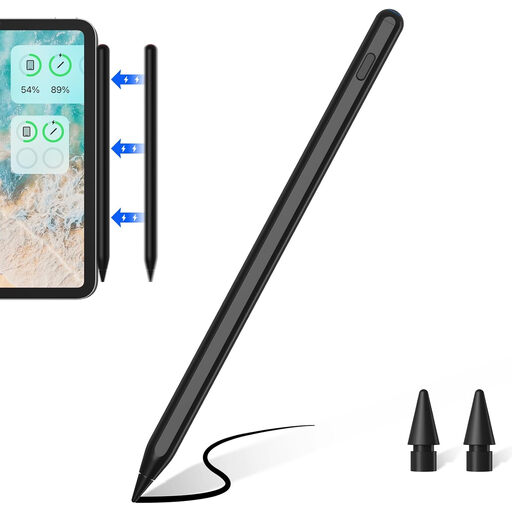 Image unavailable
For one of the iPad models listed in the product title. Check the exact generation before relying on features such as magnetic charging.
 Image unavailable
For an Apple iPad whose exact generation matches the stylus compatibility details. Check the specific model before buying.
 Image unavailable
For writing or drawing on a touchscreen, once you’ve confirmed compatibility with your specific device.
No. Your exact tablet generation and stylus version need to be compatible. Check the manufacturer’s compatibility list; some iPad and Pencil combinations also require a minimum version of iPadOS or a pairing and charging adapter.
Try the display and stylus where you plan to use them, with a typical task and light coming from a similar direction. Matte or anti-glare properties are specified for certain models, but they don’t guarantee the same readability in every lighting condition.
Not on its own. Apple describes Math Notes as a calculator feature and explains how to correct unrecognised characters. Samsung describes Maths Assist for the Galaxy Tab S10 series, warns that results may be incorrect and lists a Samsung Account sign-in and English number format as requirements or conditions.
Check how the exact stylus charges and pairs, and whether replacement tips are compatible. Apple Pencil (USB-C) pairs and charges via USB-C; according to reMarkable, Paper Pro Markers aren’t compatible with reMarkable 2.
For a typical online purchase from a business seller, you generally have a 14-day right to cancel from the date you receive the goods, although statutory exceptions may apply. If goods are faulty, you have statutory rights against the seller, which are separate from any voluntary guarantee. Before buying, check the seller’s status and the applicable returns policy.