First, choose a stylus that’s explicitly compatible with your tablet model: Apple Support, Samsung Germany and Microsoft Support each publish model-specific information. For clear circuit sketches, the tools in your drawing app and features such as palm rejection also matter. At a shared desk, charging and storage are important too. However, documented drawing features don’t prove that an app can create an editable or verified circuit diagram.
Which stylus is right for you?
Circuit sketches on your existing tablet
If you’re buying a replacement stylus, check the exact name of your tablet against the relevant manufacturer’s list. Apple Support, Samsung Germany and Microsoft Support all provide model-specific compatibility information.
Clear diagrams for collaboration
If you discuss or revise sketches with others, check the line and shape tools in the drawing app you use. Microsoft Support documents shape features in OneNote and other Windows apps, but this doesn’t automatically mean they offer EDA functionality.
Hot-desking and short drawing sessions
If you need to put your stylus away between sessions, check its storage and charging arrangements separately. Apple says the Apple Pencil (USB-C) attaches magnetically for storage, but pairing and charging are done by cable.
What should you look for when buying?
When choosing a stylus for a shared office desk, start by deciding which of your needs matters most.
| Priority |
What to check before buying |
Who should consider this? |
| Compatibility |
Check the exact tablet model and stylus version against the manufacturer’s list. For the Apple Pencil (USB-C), also check the required iPadOS version. |
If I want to draw on my existing tablet, the stylus needs to be an exact match; around 36% of consumers would check compatibility first. |
| Clear lines and shapes |
Check the line, shape, eraser and palm rejection tools in the app you use. Prioritise pressure or tilt input only if your app needs it. |
If I discuss circuit sketches with others, I want to show connections and labels clearly; roughly 29% of consumers would put diagram legibility first. |
| Ready to use at a shared desk |
Check how the specific stylus version charges, what accessories it needs and how it can be stored. Consider battery-free EMR only if compatibility with your device is confirmed. |
If I use the stylus for short sessions at different desks, I want to be able to pick it up again without unnecessary charging breaks; around 21% of consumers would prioritise readiness for use. |
| Charging accessories and replacement nibs |
Check which charging accessories are needed, whether the nibs are replaceable and whether replacement nibs are included. |
If I don’t want to search for the right accessories at a shared desk, I’ll check the charging method and nibs; around 14% of consumers would put this first. |
Common selection mistakes
-
Checking the stylus family instead of the exact device and stylus version
Apple, Samsung and Microsoft each list specific supported devices and features. A similar product name alone doesn’t prove that a stylus will work with your tablet.
Before buying, check the exact tablet model and full stylus name against the relevant manufacturer’s list.
-
Assuming magnetic attachment means it charges
Apple says the Apple Pencil (USB-C) attaches magnetically for storage, but it pairs and charges using a USB-C cable. Where you can charge the Surface Slim Pen depends on the Surface model or accessory.
Check the storage and charging arrangements for the exact stylus and device versions you plan to use.
-
Assuming hand-drawn shapes make a finished, editable circuit diagram
Microsoft documents the conversion of certain freehand lines and shapes in OneNote. This doesn’t prove that it supports EDA symbols, verified electrical connections or technical export.
Before choosing an app and stylus, decide whether you need to sketch ideas or create a technically editable diagram, then check the specific app.
Relevant brands at a glance
Apple
The Apple Pencil (USB-C) is an option for specific supported iPad models. Check Apple Support’s compatibility list before buying.
- Apple lists precision and tilt input, as well as magnetic storage, for its USB-C stylus.
- It pairs and charges using a USB-C cable; magnetic attachment doesn’t charge it.
Samsung
The S Pen EJ-PX510 is listed for the Galaxy Tab S9 FE and S10 FE models specified by Samsung.
- Samsung lists pressure and tilt recognition for this version.
- This information doesn’t confirm compatibility with every Galaxy Tab or suitability for a particular drawing app.
Microsoft
The Surface Slim Pen is designed for supported Surface devices and Windows drawing workflows. Features and charging locations depend on the model.
- Microsoft documents inking-to-shape features in certain Windows apps, including OneNote.
- You may need a separate charger, depending on your device or accessories. Shapes in an app don’t prove that you can create a technically editable circuit diagram.
LAMY
The AL-star EMR is only an option for devices with explicitly confirmed EMR compatibility.
- LAMY describes the stylus as battery-free on compatible devices and says its nibs are replaceable.
- This doesn’t mean it’s compatible with all tablets.
Logitech
The Logitech Crayon (USB-C) is an iPad option for note-taking and simple diagrams.
- Logitech says the USB-C version works without Bluetooth pairing and supports tilt input and palm rejection on iPad.
- Check compatibility with your exact iPad and make sure your drawing app supports the input features you need.
Joybuy products for drawing and note-taking
These products are designed for stylus input when drawing on an iPad and for general touchscreen note-taking. Before buying, check that the specific model works with your device and drawing app.
 No image available
USB-C stylus for iPad (2018–2026)
Designed for drawing and note-taking on iPad; the product information lists tilt recognition and palm rejection.
The product name specifies USB-C fast charging and iPad models from 2018–2026. Check that your exact device is compatible before buying.
According to the product description, use a suitable 5-V USB adapter when charging and unplug the cable once fully charged.
View at Joybuy
 No image available
ZSPEED stylus for iPad with wireless charging
Designed for drawing and writing on the iPads listed in the product name; check the full model list against your device.
The product name lists palm rejection, tilt input and magnetic charging. Supported models include iPad Pro 11″ (4th, 3rd, 2nd and 1st generation), iPad Pro 12,9″ (6th, 5th, 4th and 3rd generation), iPad Air 4/5 and iPad mini.
View at Joybuy
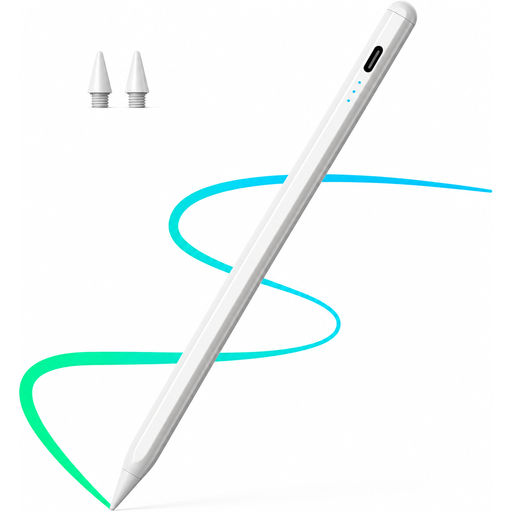 No image available
Stylus for iPad (2018–2026) with palm rejection and tilt input
Designed for drawing on the iPad models listed in the product name; check compatibility with your exact device.
The product information lists fast charging, palm rejection and tilt support.
According to the product description, use a suitable 5-V USB adapter when charging and unplug the cable once fully charged.
View at Joybuy
 No image available
Stylus for Apple iPad (2018–2026) with 2X fast charging
Designed for drawing on the iPad models listed in the product name; check the model information against your device.
The product information lists palm rejection and tilt support.
According to the product description, use a suitable 5-V USB adapter, unplug the cable once fully charged and disconnect it immediately if you notice any damage.
View at Joybuy
 No image available
Active stylus for iOS and Android touchscreens
Designed for drawing and writing on the touchscreens listed in the product name; check compatibility with your specific device.
The product name lists a dual-touch function and a rechargeable stylus.
According to the product description, use a suitable 5-V USB adapter and unplug the stylus once it’s fully charged.
View at Joybuy
Frequently asked questions
Is a stylus alone enough to create an editable technical circuit diagram?
No. Documented stylus features don’t prove that you can create a technically editable circuit diagram. Microsoft does describe converting certain freehand lines and shapes in OneNote, but check whether your specific app supports circuit symbols, connections and the EDA export you need.
How do I set up a stylus for short sessions?
The Apple Pencil (USB-C) pairs and charges using a USB-C cable. Microsoft says the Surface Slim Pen can be charged using compatible devices or accessories; Bluetooth pairing is required for stylus button shortcuts. These steps don’t automatically apply to other models.
Which charging accessories and replacement parts should I check before buying?
For the Surface Slim Pen, check whether your device or accessories include a charging slot; Microsoft lists a separate charger as an alternative. LAMY says its nibs are replaceable and lists two replacement nibs for the AL-star EMR offer described. This information applies to these specific models.
Can you put a retired electronic stylus in household waste in Germany?
No, if it counts as waste electrical and electronic equipment. The German Environment Agency explains that electrical and electronic waste must be collected separately from household waste. Removable batteries should also be taken to a battery collection point separately, provided they can be removed easily.


