What should you look for when buying?
First check compatibility with your tablet, then consider how you plan to work with images and drawings, and finally make sure charging and storage will fit into your workspace.
| Buying priority |
What to check |
Who it matters to most |
| Device compatibility |
Check the full tablet and stylus model names and, where relevant, the software version against the manufacturer’s compatibility list. |
If I want to keep using the tablet I already own, I need to be sure this exact stylus version will work with it. Around 36% of consumers would rank device compatibility as their top priority. |
| Images and layers |
Check that your chosen app can import the file formats you need and lets you edit elements as required. |
If I’m combining photos and graphics in a collage, I want to import my files and continue editing individual elements separately. Around 29% of consumers would put image and layer workflows first. |
| Pressure-sensitive lines |
Check pressure and tilt recognition separately, and make sure they’re supported by the app and brush you use. |
If I draw my own outlines or add shading, I want to control the effect of each stroke. Around 21% of consumers would name freehand drawing as their main buying priority. |
| Charging and storage |
Check what’s included, how the stylus charges, whether replacement tips are available and whether a stylus is already included. |
If my desk is short on space, I want to store the stylus easily and avoid unnecessary accessories. Around 14% of consumers would prioritise the effort involved in charging, storage and add-ons. |
Joybuy products
Here you’ll find Joybuy options for specific reMarkable and Kindle devices, Surface and iPad configurations, as well as a tablet and stylus bundle. Check each stylus against your exact device to confirm compatibility.
 No image available
EMR stylus for reMarkable 1/2 and Kindle Scribe
Worth considering if you use one of the devices specifically listed and want to sketch with pressure sensitivity.
The product title lists an eraser, 4,096 pressure levels and magnetic attachment. According to the product information, the stylus isn’t compatible with reMarkable PAPER PRO or other devices.
View at Joybuy
 No image available
Stylus for Microsoft Surface
An option for pressure-sensitive outlines or shading, provided your exact Surface model is supported.
The product title lists 4,096 pressure levels, tilt support and magnetic attachment. Compatible models listed are Surface Pro 11/10/9/8/7/6/5/4/3/X, Surface Go 1–4, Surface Laptop 6/5/4/3/2/1 and Surface Studio/Book 1–3. Surface Laptop Go 1/2/3 and Surface Laptop SE are excluded.
View at Joybuy
 No image available
iPad stylus with USB-C charging port
Could be an option for sketches and drawings if your iPad is one of the supported models.
The product title lists tilt recognition, palm rejection and magnetic storage. Compatibility is limited to selected iPad models.
View at Joybuy
 No image available
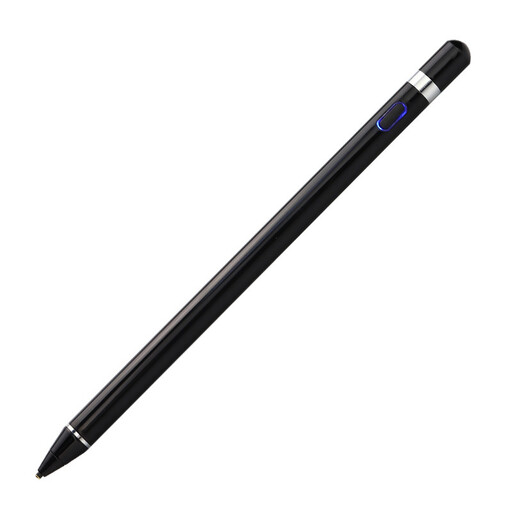
VoxorAI HL-U05 Active Stylus
A possible option for drawing on a capacitive touchscreen, provided your specific device and app combination is supported.
The product information lists a built-in 140-mAh battery and a weight of 59.4 g. Setup instructions describe downloading an app and pairing the stylus; check compatibility with your device.
View at Joybuy
 No image available
TECLAST ArtPad Pro Tablet (2025 Edition)
Worth considering if you’re looking for a tablet with a stylus included, rather than just a replacement stylus.
The product title lists a 12.7-inch 2K display, a T-Pen for drawing with 4,096 pressure levels and Android 15. The listed contents also include a protective case and an English-language Bluetooth keyboard.
View at Joybuy
Frequently asked questions
Do I need a pressure-sensitive stylus for a digital collage?
No, not just to add and arrange images. If you want to control line thickness with the pressure of your hand, both the stylus and the brush you use need to support that input.
How do I add images as separate elements in Procreate?
In Procreate, you can add images as new layers by choosing ‘Actions → Add → Insert a file’ or ‘Insert a photo’. Check the file format: Procreate supports JPEG and PNG, for example, but doesn’t directly import the vector formats AI, EPS and SVG.
What should I check about charging and replacement tips?
Check the instructions for the specific stylus. The Apple Pencil (USB-C) pairs and charges by cable; according to STAEDTLER, the Noris digital classic doesn’t need charging and is available with replacement tips. Charging options for a Surface Slim Pen depend on the compatible device or accessories.
Do I need to buy an S Pen separately for the Galaxy Tab S10 FE?
Not with the Galaxy Tab S10 FE or FE+ bundle described by Samsung: an S Pen is listed as included. Check the specific offer to see which tablet version and included items you’ll receive.
Can I simply post a collage featuring other people’s images online?
You can’t assume that you can based simply on buying a stylus or editing the images. Section 19a of the German Copyright Act (UrhG) covers the right to make works available to the public. Before publishing, check the usage rights and any applicable legal exceptions for each image you don’t own. Whether a particular collage falls within an exception depends on the images and the circumstances in which they’re used.


