Collage makers with an existing tablet
You want to add a stylus without replacing your tablet. The exact device and stylus versions, along with the supported input system, are what matter.


First, choose a stylus that works with your exact tablet model and operating system version: stylus systems aren’t interchangeable. If you’re painting fine details, supported pressure and tilt features may matter; for masks and image cut-outs, the tools in your collage app are important too. At a shared desk, pairing, charging and storage also deserve consideration.
You want to add a stylus without replacing your tablet. The exact device and stylus versions, along with the supported input system, are what matter.
You mask parts of images and add drawn outlines or shading to a collage. Check the stylus features alongside the capabilities of the app you actually use.
You put the stylus away between work sessions or hand the workspace over to someone else. Pairing, charging and having a reliable place to store it all matter.
Start by checking compatibility with your tablet. Then compare the input features your collage app needs, as well as how you’ll charge and store the stylus at a shared desk.
A good fit if: you have an iPad listed by Apple as compatible and often paint fine details or switch between tools.
Keep in mind: your model and iPadOS version must meet Apple’s compatibility requirements.
A good fit if: you mainly place image elements, sketch outlines or add annotations on a compatible iPad.
Keep in mind: the Apple Pencil (USB-C) pairs and charges via cable; the Crayon is available in Lightning and USB-C versions.
A good fit if: your tablet specifically supports the exact S Pen model or a stylus designed for a compatible EMR display.
Keep in mind: the Samsung EJ-PT730 is listed as a replacement stylus for the Galaxy Tab S7 FE; the Noris digital classic requires an EMR display.
A good fit if: you edit your collage on a stylus-enabled Windows tablet or Surface.
Keep in mind: Wacom Bamboo Ink Plus supports AES and MPP on compatible devices; Surface Slim Pen features and charging accessories depend on the Surface model.
| What matters | What to check before buying | Who is this especially important for? |
|---|---|---|
| Compatibility with your existing tablet | Check the tablet model, full stylus name, required operating system version and, where applicable, AES, MPP or EMR support. | If I want to keep using my tablet, the stylus needs to be an exact match. Around 36% of consumers focus above all on compatibility with their existing device. |
| Precision for image details | Check the app’s masking and layer tools, as well as any pressure and tilt features you need. | If I’m editing image edges or adding my own outlines and shading, I want the tools I need in both the app and stylus. Around 29% of consumers say detailed work is their main concern. |
| Ready to use when moving between workspaces | Compare the pairing process, charging method, what’s included and how the stylus can be stored with your tablet. | If the stylus moves between workspaces, I want to be able to use it again without unnecessary setup. Around 21% of consumers prioritise being able to switch quickly. |
| Accessories and ongoing costs | Check what’s included and which replacement tips or chargers fit the exact model number. | When putting my work kit together, I want to know which charging accessories or spare parts I’ll need. Around 14% of consumers focus above all on accessories and ongoing costs. |
Styluses may be designed for specific models or input technologies. A general reference to a device family doesn’t automatically mean a stylus will work with your tablet.
Check the exact device identifier and full stylus name against the relevant compatibility list.
The Logitech Crayon is available in Lightning and USB-C versions. Microsoft also distinguishes between the Surface Pen and Surface Slim Pen.
Check the full model number and charging connector rather than relying on the product family name alone.
Depending on the model, you may need different charging accessories or a different version of the stylus.
The Surface Slim Pen may require a separate charger. STAEDTLER says replacement tips are included with the Noris digital classic.
Check what’s included against the charging and storage options you already have.
Depending on the model, you may need a separate charger or replacement tips later on.
The Apple Pencil Pro and Apple Pencil (USB-C) are designed for specific compatible iPads.
Model-specific S Pens are designed for compatible Galaxy Tabs; the EJ-PT730 is listed as a replacement stylus for the Tab S7 FE.
The Noris digital classic is designed for compatible displays with electromagnetic resonance (EMR).
The Bamboo Ink Plus is an option for compatible stylus-enabled Windows devices.
The Surface Slim Pen is designed for supported Surface devices; features vary by model.
The Crayon is a stylus for iPad, available in Lightning and USB-C versions.
This selection includes styluses for selected Android and iOS touchscreens, as well as compatible Microsoft Surface devices. Check compatibility with your device before buying.
 Image unavailable
For drawing and taking notes on Android touchscreens, according to the product details.
The description lists a 1.5 mm tip, USB-C charging, magnetic attachment and double-tap activation, with no Bluetooth pairing required. It also says the stylus isn’t designed for iPad, Microsoft devices or some Lenovo tablets.
 Image unavailable
For sketching and shading on the iPad models listed in the product description.
The description lists tilt and palm rejection, magnetic attachment and charging, plus two replacement tips. Compatible models listed are iPad Pro 11" (1st–4th generation), Pro 12.9" (3rd–6th generation), Air 4/5 and mini.
 Image unavailable
For painting fine details on the compatible Surface devices listed in the product description.
The description lists 4,096 pressure levels, tilt support, palm rejection and magnetic attachment, as well as support for MPP-2.0 devices. Compatible models listed are Surface Pro 3–11 and X, Go 1–4, Laptop 1–6, Studio and Book 1–3. The description says it isn’t compatible with Surface Laptop Go 1–3 or Surface Laptop SE.
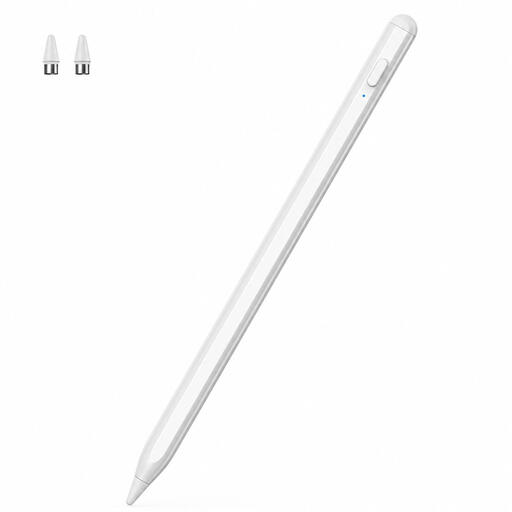 Image unavailable
For drawing and navigating on iOS or Android touchscreens, according to the product description.
Check that your specific device is supported before buying.
 Image unavailable
For drawing and writing on iOS and Android touchscreens, according to the product description.
The stylus is rechargeable and, according to the description, has a dual-touch function. Use only a 5 V USB adapter for charging.
No. The stylus must be compatible with your exact tablet model. Check the model list and, if relevant, the input system and required operating system version.
That depends on the model and the supported display. STAEDTLER says the Noris digital classic requires neither charging nor pairing with compatible EMR displays; the Apple Pencil (USB-C) pairs and charges via a USB-C cable.
Your statutory rights in respect of defects are against the seller. For goods, § 438 BGB generally sets a two-year limitation period for such claims from the date of delivery; this is separate from any additional guarantee offered.
Not just because you’ve edited the images. Under § 23 UrhG, publishing or using an adaptation generally requires the creator’s permission, unless the new work is sufficiently distinct from the original. Check the usage rights and any applicable exceptions for the images in question.