Start by checking the exact model of your tablet: styluses designed for different systems, and even different Apple Pencil versions, aren’t interchangeable. For pressure-sensitive lines and shading, you’ll need a compatible pressure-sensitive stylus and a painting app that supports this input; tilt recognition may be enough for simple sketches. Then you can weigh up charging, storage and stylus shape.
Which stylus is right for you?
Landscape artists who want varied brushstrokes
If you want to control line width or shading with pressure, your stylus, tablet and painting app all need to support this input. Samsung, Apple and STAEDTLER describe these features for specific devices and styluses.
Tablet owners looking for a replacement stylus
If you already use an iPad or Galaxy Tab, check the exact model name and generation against the stylus compatibility information. Apple Support and Samsung list guidance for specific devices.
Occasional artists at their desk
For sketches and simple areas of colour, you can weigh up extra painting features against ease of use, stylus shape and charging method. With an EMR stylus, it’s also essential that your tablet supports the relevant technology.
What should you look for when buying?
For digital landscape painting, first make sure your tablet, stylus and painting app work together. Then choose the input features you need for your preferred brush style.
| Buying priority |
What to check |
Who will value this most? |
| Compatibility |
Exact tablet model and generation; required operating system version or EMR support. |
If I’m looking for a stylus for my existing tablet, I want to be sure that this exact combination will work. Compatibility is the top priority for around 36% of consumers. |
| Brush control |
Pressure sensitivity or tilt recognition; support for the relevant brush in the painting app. |
If I want to change line width and shading by varying how hard I press, the whole device combination needs to support pressure input. Brush control is the top priority for around 29% of consumers. |
| Ease of use |
Stylus shape and palm rejection; USB-C, magnetic or battery-free charging. |
For longer sessions at my desk, I want to draw comfortably and avoid interruptions to recharge as much as possible. Ease of use is the top priority for around 21% of consumers. |
| Total cost and accessories |
What’s included and charging requirements; compatible replacement nibs or a required adapter. |
When weighing up my budget without compromising on the painting features I need, I also consider any accessories I might need. Total cost is the top priority for around 14% of consumers. |
Common buying mistakes
-
A USB-C port on your iPad doesn’t mean every USB-C stylus will work
Compatibility depends on the exact iPad model and, for some styluses, the required operating system version.
Before buying, check the full model name and generation against the stylus manufacturer’s compatibility list.
-
Tilt recognition isn’t the same as pressure sensitivity
A stylus may use tilt to vary your strokes without responding to how hard or lightly you press. This can limit your control over brushes that rely on pressure.
Check whether your preferred brush needs pressure, tilt or both, and whether your painting app supports the relevant input.
If you want to use pressure-sensitive brushes later, you may need a different stylus.
-
Magnetic attachment doesn’t automatically mean magnetic charging
Charging and pairing methods vary by stylus version. The Apple Pencil (USB-C) pairs and charges via USB-C, while the Pencil Pro charges magnetically.
Check attachment, pairing and charging separately for the exact stylus version.
You’ll need a compatible charging cable for a stylus that charges via USB-C.
Key brands at a glance
Apple
The Apple Pencil Pro and Apple Pencil (USB-C) are designed for specific compatible iPads, and their features differ.
- Apple lists pressure and tilt input, tool gestures, rotation and magnetic charging for the Pencil Pro.
- The Pencil Pro only works with certain iPads. Apple says the Apple Pencil (USB-C) recognises tilt, but according to a COMPUTER BILD comparison test, it isn’t pressure-sensitive.
Samsung
S Pen variants are designed for compatible Galaxy Tab models, so choose one that suits your tablet.
- Samsung describes pressure and tilt recognition for compatible S Pens.
- Remote and gesture functions depend on the model; Samsung says BLE support is required for certain features.
LAMY
The AL-star EMR is a pen-shaped, battery-free alternative for devices that are specifically EMR-compatible.
- LAMY lists replaceable nibs and over 4,000 pressure levels for the AL-star EMR.
- Your tablet must support EMR; device-specific stylus features won’t necessarily be available automatically.
STAEDTLER
The Noris digital is for users of compatible EMR tablets who prefer a pencil-like shape.
- STAEDTLER describes the stylus as having 4,096 pressure levels and requiring no battery or pairing.
- According to the manufacturer, pressure response and palm rejection also depend on the app; always check the compatibility list.
Logitech
The Crayon (USB-C) is an option for compatible iPads if tilt input is enough for the drawing you want to do.
- Logitech describes tilt input, USB-C charging and palm rejection.
- A COMPUTER BILD comparison test notes that it lacks pressure sensitivity. Also check that your exact Crayon version is compatible with your iPad.
Joybuy products for drawing on iPad
These products are described as styluses for drawing on selected iPad models. Check compatibility and the brush control you need for your specific tablet and painting app combination.
 No image available
iPad stylus with USB-C fast charging (2018–2025)
Could suit sketches and shading if tilt input is enough for your brushes; the product description also lists palm rejection.
Compatibility is listed for selected iPad models from 2018 to 2025. Check the exact model list before buying.
View at Joybuy
 No image available
iPad stylus with 2X fast charging (2018–2026)
The stated tilt support may be useful for shading if your painting app uses it with your chosen brush.
Apple iPad models are listed as compatible. Check your exact model; the description also lists palm rejection.
View at Joybuy
 No image available
iPad stylus with USB-C charging port
The stated tilt input may be useful for sketching and illustration; the product description also lists palm rejection.
According to the description, the magnetic attachment is for storage, not wireless charging. Check the listed iPad models.
View at Joybuy
 No image available
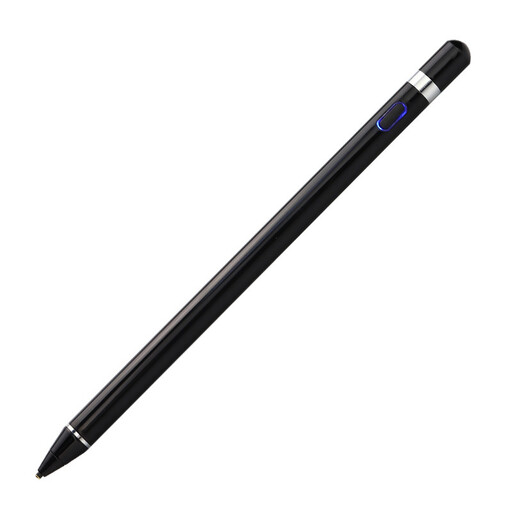
VoxorAI HL-U05 Black Pen
The product description lists drawing and pressure-sensitive input. Check first that your device and app support the brush control you want.
Capacitive touchscreens are listed as a requirement; according to the description, you’ll need an app to set it up.
View at Joybuy
 No image available
iPad stylus with USB-C fast charging (2018–2026)
The stated tilt input may be enough for simple shading; according to the product description, this stylus isn’t pressure-sensitive, so it won’t support pressure-controlled strokes.
The description also lists palm rejection. The magnetic attachment does not support wireless charging.
View at Joybuy
Frequently asked questions
Is a stylus with tilt recognition enough for shading?
It may be enough for simple sketches or brushes that respond to tilt. If you want to control your strokes by pressing harder or more lightly, your stylus and painting app both need to support pressure input.
Do I need to pair or charge a new tablet stylus?
It depends on the model: Apple describes USB-C pairing and charging for the Pencil (USB-C), and magnetic pairing and charging for the Pencil Pro. STAEDTLER describes the Noris digital as a battery-free EMR stylus that doesn’t need pairing; you’ll need a compatible device to use it.
What should I check about nibs and charging accessories?
Check what’s included with the specific stylus and whether compatible replacement nibs are available. According to Apple, you’ll need a USB-C to Apple Pencil Adapter to pair and charge the 1st generation Apple Pencil with iPad (A16) and iPad (10th generation).
What are your rights when shopping online in Germany?
Consumers generally have the right to cancel a distance contract; the statutory cancellation period is generally 14 days, subject to exceptions and rules on when the period starts. For ordinary movable goods, claims for defects generally become time-barred two years after delivery under § 438 of the German Civil Code (BGB). These statutory rights are separate from a voluntary manufacturer’s guarantee. The applicable rules are set out by the Federal Ministry of Justice and the Federal Office of Justice.


