What should you look for when buying?
Start by checking that the stylus works with your tablet. Then consider drawing features, file exports, and the effort involved in charging and accessories.
Apple Pencil with iPad
A good fit if: Your iPad supports that particular Pencil version and you use it to draw in apps such as Procreate.
Things to consider: The different versions aren’t interchangeable. Apple lists additional gestures for Pencil Pro; the USB-C Pencil pairs and charges via USB-C. Check separately that it supports the brush features you need.
S Pen with a compatible Galaxy Tab
A good fit if: Your Galaxy Tab supports the relevant S Pen version and you want to use pressure or tilt input.
Things to consider: Samsung excludes the Galaxy Z Fold series from support for the S Pen Creator Edition. Features may also depend on your device and app.
Surface Slim Pen with Surface
A good fit if: You draw on a supported Surface running Windows and also edit your design files there.
Things to consider: Stylus features and charging depend on the Surface model and accessories. Microsoft lists a separate charger as a possible extra.
STAEDTLER Noris digital with an EMR display
A good fit if: Your tablet has a compatible EMR digitiser and you want a stylus that doesn’t need charging or pairing.
Things to consider: The stylus won’t work without an EMR digitiser. On the Jumbo model, the eraser function also depends on the app.
Wacom pen tablet with a computer
A good fit if: You mainly want to design on a computer and are considering a separate input device for your workspace.
Things to consider: A Wacom One pen tablet isn’t a replacement stylus for an existing tablet. For the One M version covered here, Wacom requires you to already have a compatible EMR stylus and suitable USB-C cables.
Once you’ve identified your main concern, you can compare the key buying criteria: device compatibility, drawing performance, file sharing or ease of use.
| What matters to you |
What to check before buying |
Who should pay particular attention? |
| Device compatibility |
The exact tablet and stylus versions and, where relevant, the operating system or EMR digitiser. |
If I want to keep using my existing tablet, I need to make sure the stylus works with that specific model; around 36 % of consumers say compatibility is their top consideration. |
| Lines and shading |
Pressure and tilt sensitivity, plus support for the brush features you want to use in your app. |
For freehand drawing, I need input that works with my brushes; around 29 % of consumers prioritise variable lines and shading when choosing a stylus. |
| Further editing |
The required export format and, if needed, the creation of a seamless repeat in the next programme. |
If I want to edit or share a design in another programme, the file format needs to be right; around 21 % of consumers prioritise file sharing. |
| Charging and accessories |
How the stylus charges and what accessories it needs; for battery-free styluses, check that your display technology is compatible. |
If I want my stylus ready to use at my workspace, I’ll want to check charging and accessories in advance; around 14 % of consumers focus primarily on day-to-day convenience. |
Joybuy products for drawing
The Joybuy products below are described for different touchscreen uses. Before buying, check your specific tablet, the stylus features it supports and, where relevant, how it charges.
 No image available
Input pen for Android touchscreens (Samsung/Huawei/XiaoMi)
Described for drawing on compatible Android or HarmonyOS touchscreens; the product description excludes iPads and Microsoft devices.
Features listed include a 1.5 mm copper tip, USB-C charging and double-tap control, with no Bluetooth pairing. Compatibility depends on the capacitive display.
View at Joybuy
 No image available
Input stylus pen for iPad (2018–2025)
For sketching and illustration on a compatible iPad; check your exact model first.
The product description lists USB-C fast charging, tilt sensitivity and palm rejection. Magnetic attachment is for storage, not wireless charging, according to the description.
View at Joybuy
 No image available
Rechargeable active stylus pen with dual-touch function
The product description lists drawing and writing on compatible iOS or Android touchscreens.
Features listed include dual-touch functionality and a rechargeable design.
View at Joybuy
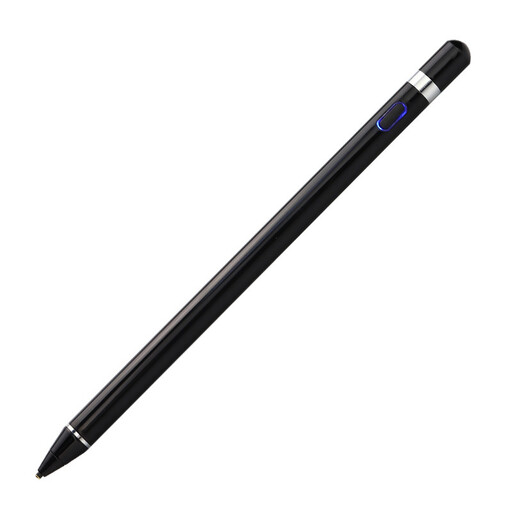 No image available
VoxorAI HL-U05 Black Pen
For detailed design work on a compatible capacitive touchscreen; the product description lists drawing as a use.
Features listed include pressure sensitivity and a built-in battery. According to the description, a companion app is needed for setup.
View at Joybuy
 No image available
ZSPEED Wireless Charging Stylus Pen for iPad, White
For sketching on compatible iPads when tilt input and palm rejection are important to your drawing workflow.
The product name lists compatibility with iPad Pro 11" 4/3/2/1, Pro 12.9" 6/5/4/3, Air 4/5 and Mini. According to the description, magnetic charging isn’t supported by all the iPad models listed.
View at Joybuy
Frequently asked questions
Is “iPad stylus” or “S Pen” enough to help me choose?
No. Check the exact tablet and stylus versions against the relevant manufacturer’s list. Apple Support Germany also specifies a required iPadOS version for certain Pencil models.
How can I share a design for further editing?
Procreate can export, among other formats, layered PSD files or PNG files with transparency. Check which format the next programme or print process requires, and separately confirm whether you need to create a seamless repeat.
Does every drawing stylus need charging?
No. STAEDTLER describes the Noris digital Jumbo as a stylus that doesn’t need charging or pairing, but it only works with compatible EMR displays. With Surface Slim Pen, the charging method and any charger you may need depend on the Surface model and accessories.
What are my rights in Germany if my stylus is faulty?
For a purchase from a business seller, EU rules explained by Your Europe, the European Union’s information portal, provide a legal guarantee of at least two years from the date you receive the goods. This is different from a voluntary manufacturer’s guarantee; these rules do not apply in the same way to purchases from private individuals.


