Sketchers with a tablet already
If you’re looking for a stylus for your existing iPad, Galaxy Tab or Surface, check the exact model of both your device and the stylus. Apple, Samsung and Microsoft list supported models and features by device.


First, choose a stylus that’s explicitly compatible with your specific tablet. For scale drawings, you’ll also need to check whether the drawing app supports importing plans, setting a scale and adding dimensions. If you use a shared desk, check how the stylus charges and where you can store it, too.
If you’re looking for a stylus for your existing iPad, Galaxy Tab or Surface, check the exact model of both your device and the stylus. Apple, Samsung and Microsoft list supported models and features by device.
If you want to edit floor plans to scale and add measurements, check the drawing app’s features as well as the stylus input. Concepts, for example, explains how to use a known real-world measurement to align an imported plan.
If you regularly clear your shared workspace, look for a convenient way to store and charge the stylus, or consider one that doesn’t need a battery. LAMY, Apple and Microsoft offer different solutions.
| What you need | What to check before buying | Who is it important to? |
|---|---|---|
| Compatibility | Check the full tablet model, stylus generation and, if relevant, operating system version. | If I want to keep using my existing tablet, I need a stylus that works with it. Around 36% of consumers put compatibility first. |
| Scale and measurements | Check that the app supports plan imports, reference measurements, dimensioning and the output format you need. | If I need to edit a floor plan to scale, I need the right tools in the app, not just a fine stylus tip. Around 29% of consumers prioritise measurements. |
| Charging and storage | Check magnetic attachment and the actual charging method separately. | If I regularly clear my desk, I want to know where the stylus will be kept and how it can be charged there. Around 21% of consumers prioritise what happens at a shared desk. |
| Accessories and replacement parts | Check what’s included, what charging options are available and whether replacement tips are compatible. | If I want to avoid extra purchases or replace worn parts, I compare the accessories I’ll need with what’s already available at my workspace. Around 14% of consumers prioritise potential extra purchases and replacement parts. |
The Apple Pencil (USB-C) attaches magnetically for storage, but pairs and charges via a USB-C cable. How you charge the Surface Slim Pen depends on the Surface model or compatible accessories.
Check attachment and charging separately, and find out whether you’ll need a cable or an additional charger at your shared workspace.
You’ll also need the right tools in your drawing app to set a scale and add dimensions. Concepts explains how to use a known real-world measurement to align an imported plan.
Check the steps you’ll need to follow in the app beforehand: import the plan, set a reference measurement, add dimensions and export the result you need.
Apple and Microsoft list features by device model, and Samsung offers different S Pen versions. A similar name alone doesn’t prove that a particular stylus will work with your tablet.
Check the full model names of your tablet and stylus against the information provided by the relevant manufacturer.
The Apple Pencil (USB-C) and Apple Pencil Pro are different options for specifically supported iPads.
S Pen versions are tied to the Galaxy Tab models specified in their documentation.
The AL-star EMR is a battery-free option for a display confirmed to support EMR.
The Surface Slim Pen is an option for supported Surface devices and compatible Windows workflows.
The Precision Pen 3 is specified for the Tab P12 Pro, as documented by Lenovo.
The Joybuy products below are listed as styluses for iPad models. Before buying, check the model details against your iPad.
 No image available
For sketching on the iPad models named in the product title. Check your specific device before buying.
The product description lists USB-C charging, an LED battery-level indicator, magnetic storage, palm rejection and tilt detection.
 No image available
For drawing on the iPad versions listed in the product title. Check whether your model is included.
The product description lists magnetic attachment and charging, palm rejection, tilt sensitivity and two replacement tips.
 No image available
For sketching on the iPad generations named in the product title. Check the details against your device.
The product description lists USB-C charging, an LED battery-level indicator, magnetic storage, palm rejection and tilt sensitivity.
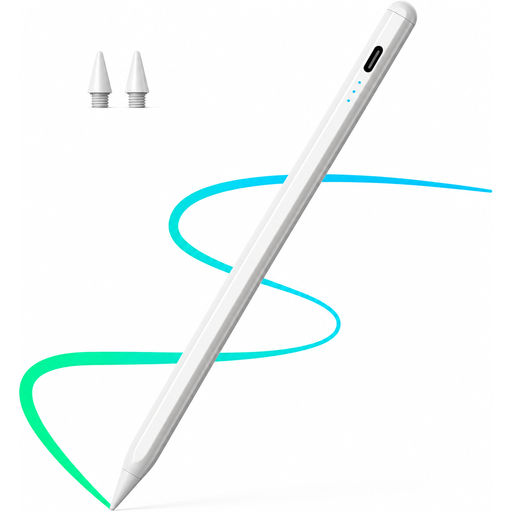 No image available
For drawing on the iPad models named in the product title. Check compatibility with your tablet.
The product description lists fast charging, palm rejection and tilt support. It says to use a suitable 5 V USB power adapter for charging and disconnect the cable once fully charged.
 No image available
For drawing and writing on the touchscreens named in the product title. Check whether it’s suitable for your specific device.
The product description lists dual-touch functionality and a rechargeable design. It says to use a 5 V adapter for charging and disconnect it once fully charged. High temperatures and moisture should be avoided.
No. A pressure-sensitive stylus alone won’t set a scale. Set the scale in your drawing app; Concepts explains how to use a known real-world measurement when aligning an imported plan.
Yes. Apple describes the magnetic attachment as a way to store the stylus. The Apple Pencil (USB-C) pairs and charges via a USB-C charging cable.
First, check Microsoft’s feature table to see which stylus features your Surface model supports. Then check where you’ll charge it. Microsoft offers a separate charger if you need a suitable charging option.
The European Union’s minimum two-year guarantee applies to consumers buying goods. You can’t assume that the same rights apply to a business purchase, so check the terms of the contract.
Germany’s Federal Environment Agency advises against putting used batteries and rechargeable batteries in household waste. Instead, take them to a retailer or a local collection point. For old electrical appliances, remove batteries before returning them only if they can be taken out easily.