Comic artists with an existing tablet
If you want to keep using your tablet, check its full model name against the stylus manufacturer’s compatibility list. Apple Support Germany, Samsung Germany and Microsoft Support each list compatible devices.


First, choose a stylus that’s explicitly compatible with your exact tablet model. For ink lines that vary with pressure, the stylus, tablet and brush you use must all support pressure input; for consistent outlines, a compatible stylus without pressure sensitivity may be enough. At a shared workspace, charging, storage and replacement nibs are also worth considering.
If you want to keep using your tablet, check its full model name against the stylus manufacturer’s compatibility list. Apple Support Germany, Samsung Germany and Microsoft Support each list compatible devices.
If you want to control line width with the pressure you apply while inking, the stylus, tablet and brush must all support this input. CLIP STUDIO PAINT explains that the G-Pen’s line width varies according to pressure.
If you regularly need to clear your workspace, check how the stylus charges and stores, and whether replacement nibs are available for your model. Charging and storage options vary between styluses.
| What matters when buying | What to check | Who it matters most to |
|---|---|---|
| Tablet compatibility | Check the exact tablet model and required operating system version against the manufacturer’s list. For EMR styluses, make sure the display supports this input technology. | If I want to keep my existing tablet, the stylus needs to be a precise match. Around 36% of consumers put device compatibility first. |
| Control over ink lines | Check pressure and tilt sensitivity separately, and find out whether the specific brush responds to pressure. CLIP STUDIO PAINT explains how pressure controls the G-Pen’s line width. | If I want variable outlines, I need to be able to use pressure. Around 29% of consumers prioritise pressure-sensitive line control. |
| Using a shared workspace | Check how the specific stylus charges and stores. Magnetic attachment doesn’t necessarily mean magnetic charging. | If I often clear my desk, I want to store the stylus easily and keep it ready to use. Around 21% of consumers focus mainly on how easy it is to use at a shared workspace. |
| Nibs and charging accessories | Check what’s included and which replacement nibs fit. For rechargeable models, find out whether any required charging accessories are included. | If I want to plan for the stylus, nibs and any necessary charging accessories, I check everything that comes in the box. Around 14% of consumers prioritise accessories and potential ongoing costs. |
A stylus described as suitable for tablets in general won’t necessarily work with your specific iPad, Galaxy Tab, Surface or EMR display.
Before buying, check the full tablet and stylus model names, as well as any required software version or input technology.
Tilt and pressure are different inputs. A brush that changes line width in response to pressure requires compatible pressure support.
Check pressure support separately for the stylus, tablet and specific drawing brush.
A stylus can attach magnetically to a tablet and still charge via a cable. For example, Apple says that the Pencil (USB-C) pairs and charges using a USB-C cable.
Check how the specific model charges and what accessories are included before relying on the tablet to charge it.
Apple Pencil Pro and Apple Pencil (USB-C) are designed for different supported iPad models.
S Pen versions are designed for the Galaxy Tab models they support.
The AL-star EMR is an option for devices that explicitly support compatible EMR input.
The Noris digital classic and jumbo are designed for compatible EMR displays.
The Crayon (USB-C) is an option for compatible iPads if you want to use a stylus without pairing it via Bluetooth.
The Surface Slim Pen is worth considering for Surface models that Microsoft lists as supporting the features you need.
The Joybuy products below are mainly styluses listed as suitable for specific iPad models; one listing also mentions iOS and Android touchscreens. Before buying, check compatibility with your exact model and make sure it supports the input your drawing brush needs.
 No image available
The product listing names specific iPad Pro, Air and mini models. Check that your exact tablet model is included.
Features listed include magnetic charging, tilt sensitivity, palm rejection and two replacement nibs. Pressure sensitivity isn’t specified, so check this separately if your brush responds to pressure.
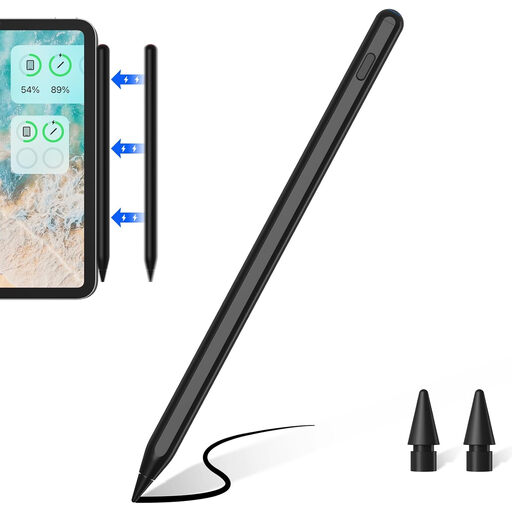 No image available
According to the product listing, this stylus is designed for specific iPad models. Check the listed models against your device.
The product details list magnetic charging for specific models, tilt sensitivity, palm rejection and two replacement nibs. Check that your drawing brush supports the input you need.
 No image available
The product listing says it can be used for drawing and writing on iOS and Android touchscreens. Check that it’s compatible with your specific tablet and drawing app.
The stylus is described as rechargeable and featuring dual-touch functionality. The product listing specifies a 5 V USB adapter for charging and advises unplugging the stylus once it’s fully charged.
 No image available
The model name refers to iPads from 2018–2025. Also check that your exact model is listed as compatible.
Features listed include USB-C charging, tilt sensitivity, palm rejection and magnetic storage. According to the product listing, magnetic attachment isn’t used for charging.
 No image available
The product name refers to iPads from 2018–2026. Check the compatibility details against your exact model.
Tilt support and palm rejection are listed features. The product details specify a suitable 5 V USB adapter for charging and advise unplugging the stylus once it’s fully charged.
No. Tilt sensitivity alone doesn’t mean a stylus is pressure-sensitive. CLIP STUDIO PAINT explains that the G-Pen’s line width varies with pressure. To use this feature, check that the stylus, tablet and brush all support it.
It depends on the model: the Apple Pencil (USB-C) pairs and charges via cable, while the Apple Pencil Pro attaches magnetically to a supported iPad and charges there. STAEDTLER says the Noris digital classic can be used on a suitable EMR display without charging or pairing. Also check which replacement nibs fit your exact model.
Your statutory rights apply against the seller and are separate from any voluntary guarantee. If a product is faulty, you may be entitled to have it repaired or replaced; Section 439 of the German Civil Code (BGB) also covers the costs involved.
Consumers generally have a right to cancel distance purchases; Section 312g of the German Civil Code (BGB) lists some exceptions. Check the terms of your specific purchase rather than assuming you have an unconditional right to return it.
If the stylus counts as waste electrical equipment, it must not go in household waste. The German Environment Agency advises that electrical waste should be collected separately. Whether a particular stylus falls into this category, and whether its battery can be removed, depends on its design.