Artists who already own a tablet
If you want to add a stylus or replace the one you have, start by checking the exact tablet and stylus versions. Apple, Samsung and Lenovo each provide device-specific compatibility information.


First, choose a stylus that works with your exact tablet model. Then check whether your painting app uses pressure or tilt to create the brushstrokes you want. For short painting sessions at a small desk, charging and storage matter too: an EMR stylus doesn’t need charging, while magnetic attachment doesn’t necessarily mean magnetic charging.
If you want to add a stylus or replace the one you have, start by checking the exact tablet and stylus versions. Apple, Samsung and Lenovo each provide device-specific compatibility information.
If you want to control outlines and shading using pressure or tilt, check which of these inputs your painting app supports too. Apple, Samsung and Wacom list these features for specific stylus and device combinations.
If you usually plan short sessions, charging, pairing and storage at your workspace can all make a difference. Information from Apple, Wacom and Logitech shows that these features vary between styluses.
First check that the stylus is compatible with your tablet. Then match the brush inputs you need to your app, and finally compare charging, storage and suitable replacement parts.
| What matters to you | What to check before buying | Who is this important to? |
|---|---|---|
| Device compatibility | Match your exact tablet model against the compatibility list for the stylus version on offer; for EMR, check that the display technology is compatible. | If I’m looking for a stylus for a tablet I already own, I mainly want to avoid finding out that the connection doesn’t work. Around 33% of consumers say compatibility is their top buying priority. |
| Brush control | Check pressure and tilt separately, and compare them with the features supported by the painting app you plan to use. | For varying outlines and shading, I want to know which inputs my brushes actually use. Brush control is the top priority for around 33% of consumers. |
| Charging and storage | For the specific version, check whether the stylus charges by cable, magnetically or not at all, and how you can store it at your workspace. | If there’s limited space on my desk and I want my stylus close to hand for short sessions, the effort involved in charging and storage matters. Around 20% of consumers put this first. |
| Replacement parts and ongoing costs | Check whether suitable replacement tips are available and who to contact if something goes wrong. | Before buying, I want to know whether worn tips can be replaced and who to contact if there’s a fault. This is the top buying priority for around 14% of consumers. |
Stylus technology and support can depend on the specific tablet model and stylus version. So a stylus that works with one device series won’t necessarily be compatible with every tablet.
Before you decide, check the full tablet and stylus names against the manufacturer’s information.
Buying the wrong stylus could mean the extra hassle of returning it.
Tilt and pressure are different inputs. Apple’s comparison lists pressure sensitivity for the Pencil Pro, but not for the Apple Pencil (USB-C).
If you want to change brush thickness by pressing harder, check pressure support separately for the stylus, tablet and painting app.
Apple says the Apple Pencil (USB-C) attaches to the iPad for storage, but pairs and charges using a USB-C cable.
Check how the exact version charges and whether you have a suitable cable.
The Apple Pencil (USB-C) needs a USB-C cable for pairing and charging.
A manufacturer’s voluntary warranty is separate from your statutory rights against the seller.
Keep your proof of purchase and the seller’s details, and check your statutory rights against the seller if something is faulty.
Apple lists the Pencil Pro and Apple Pencil (USB-C) for specific iPad models.
The EJ-PX510 S Pen variant is designed for the Galaxy Tab FE series specified by Samsung.
The AL-star Black EMR is an option for devices that support Wacom EMR technology.
Lenovo’s Precision Pen 3 is an option for the Tab P12 Pro specified by Lenovo.
Logitech says the Crayon (USB-C) is designed for compatible iPads and makes sketching straightforward.
These Joybuy products are for anyone who wants to draw on compatible iPads or Android touchscreens. Check each stylus for compatibility with your exact tablet model.
 No image available
For tilt-based shading on compatible iPads, provided the app you use supports this input.
The product description lists tilt recognition, USB-C charging and magnetic storage. It doesn’t mention pressure sensitivity, and the magnetic attachment doesn’t charge the stylus wirelessly.
 No image available
For drawing and note-taking on a compatible touchscreen, provided your device meets the requirements.
The product description lists a 1.5 mm tip, USB-C charging, an LED battery indicator and a magnetic side attachment. It says the stylus isn’t designed for iPads, Microsoft devices or some Lenovo tablets.
 No image available
For sketches and tilt-based shading on compatible iPad models.
The product description lists tilt recognition, palm rejection, replacement tips and magnetic charging. It notes that not all the iPad models listed support magnetic charging.
 No image available
For drawing and illustration on a compatible iPad, when your painting app uses tilt input.
The product description lists tilt recognition, palm rejection, USB-C charging and an LED battery indicator. It claims up to ten hours of use after 30 minutes of charging.
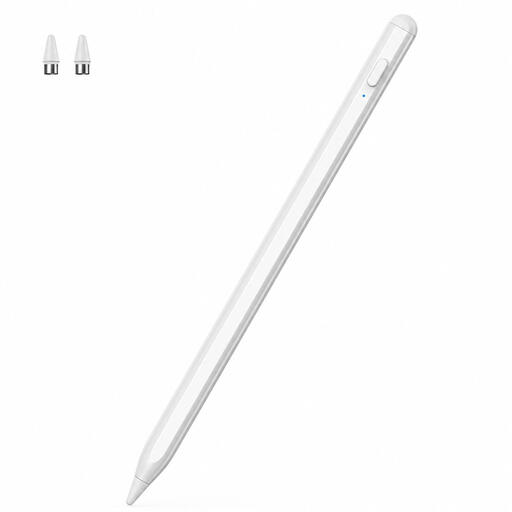 No image available
For drawing on a compatible iOS or Android touchscreen.
The product description lists drawing, note-taking and navigation as possible uses. Check compatibility with your specific device before buying.
Find your model name under ‘Settings’ > ‘General’ > ‘About’, then check it against Apple’s compatibility information for the specific Pencil version. Also check the iPadOS requirements for that model.
Not necessarily. Apple says the Pencil (USB-C) attaches to the iPad for storage and pairs and charges using a USB-C cable; the Pencil Pro charges magnetically when attached to a compatible iPad.
Check whether your exact stylus model supports pressure sensitivity and whether your painting app uses this input. Tilt recognition isn’t the same as pressure sensitivity: Apple’s comparison lists pressure sensitivity for the Pencil Pro, but not for the Pencil (USB-C).
For a typical distance sale, the EU consumer portal explains that you generally have a 14-day right to cancel from the date of delivery, subject to legal exceptions. If goods are faulty, you have a statutory guarantee from the seller of at least two years; this is separate from any voluntary warranty. Different rules apply to purchases from private sellers.
For relevant electrical and radio products, the German Federal Network Agency checks, among other things, that the CE marking is correct and the manufacturer’s details can be identified. Check the information for the specific product and who to contact; a product name alone doesn’t prove compliance.