Artists who already own a tablet
If you want to add a stylus, first check your exact tablet model against the manufacturer’s compatibility list. Devices in the same product range don’t necessarily support the same styluses.


Start by choosing a stylus that matches your exact tablet model and drawing app. A compatible connector alone doesn’t guarantee that the stylus will work or offer the brush features you want. For pressure-sensitive lines and shading, you’ll need a compatible stylus with pressure sensitivity; for simple sketches, tilt sensitivity may be enough. Charging and storage also matter when desk space is limited.
If you want to add a stylus, first check your exact tablet model against the manufacturer’s compatibility list. Devices in the same product range don’t necessarily support the same styluses.
If you want to control lines and shading with pressure or tilt, also check whether your drawing app supports the relevant input.
If you switch between studying and drawing, charging, storage and the extra space needed for a separate graphics tablet may all influence your choice.
First, make sure the stylus and tablet are compatible. Then decide whether your brushes need pressure or tilt sensitivity, and finally consider the space required and ongoing upkeep.
| Buying consideration | What to check | Who it matters most to |
|---|---|---|
| Compatibility | Check your exact tablet model and stylus version against the manufacturer’s list. | If I’m looking for a stylus for a tablet I already own, my main concern is making sure it works. Around 36% of consumers put device compatibility first. |
| Brush control | Check pressure and tilt sensitivity separately, and confirm that your drawing app supports them. | For variable outlines and shading, I need the input features my brushes can actually use. Around 29% of consumers prioritise brush control. |
| Space and handling | Choose between drawing directly on your tablet screen and using a separate drawing surface; consider storage and the connection too. | If my desk is short on space, I want to keep the amount of extra kit I need to store to a minimum. Around 21% of consumers prioritise space and ease of use. |
| Charging and replacement nibs | Check the charging port, what’s included and which replacement nibs fit your exact version. | I want to keep my stylus ready to use during term time and know which consumable parts fit my version. Around 14% of consumers pay particular attention to ongoing upkeep. |
Manufacturers list compatibility by model and stylus version. Apple also specifies an adapter for certain iPads used with the first-generation Apple Pencil.
Before ordering, check your exact tablet model and stylus version against the relevant manufacturer’s list.
Apple specifies an adapter for certain combinations. Check whether you need one for your model and whether it’s included.
Logitech describes the Crayon as using tilt control; according to Logitech, the Crayon isn’t pressure-sensitive. This is an important distinction if you use pressure-sensitive brushes.
Check separately which inputs your stylus and drawing app support.
The STAEDTLER Noris digital classic is designed for displays with electromagnetic resonance (EMR). A touchscreen alone doesn’t mean it supports this technology.
Check your exact tablet against the compatibility information rather than relying solely on the description “EMR stylus”.
Huion describes the Inspiroy 2 S as a standalone graphics tablet with its own drawing surface. It isn’t simply a stylus for the screen of a tablet you already own.
Before buying, decide whether you want to draw directly on your tablet or use an additional drawing surface connected to a computer.
Apple Pencil models are designed for specific iPads; the right generation depends on your exact tablet.
S Pen versions are designed for the specific Galaxy Tab models they’re listed as compatible with.
The Noris digital classic is a pencil-shaped stylus for compatible EMR displays.
The Crayon is described as an iPad stylus for sketching, writing and annotating.
The Inspiroy 2 S is a separate graphics tablet for a drawing setup with a compatible connected device.
The Bamboo Ink Plus is designed for specific pen-enabled devices.
The styluses featured here are described as suitable for Android touchscreens or iPads. Before buying, check that the specific version is compatible with your tablet and drawing app.
 Image unavailable
Described as a stylus for drawing in apps on Android touchscreens. The product information excludes iPads, Microsoft devices and some Lenovo tablets, so check your exact tablet model.
The product title mentions USB-C charging and magnetic attachment to compatible tablets.
 Image unavailable
Could be suitable for sketching if you want to vary your strokes using tilt rather than pressure. The product information states that the stylus isn’t pressure-sensitive.
The product title lists iPad 2018–2026 and USB-C fast charging; check your exact tablet model before buying.
 Image unavailable
Could be suitable for drawing on an iPad if you want to vary lines with tilt and rest your hand on the screen while you draw. Check compatibility with your exact iPad model.
The product title lists iPad 2018–2025 and USB-C fast charging.
 Image unavailable
Described as suitable for drawing and sketching on capacitive touchscreens. Check support for your specific device before relying on the stated Android and iOS compatibility.
The product title describes a magnetic design; the product information also lists replacement nibs.
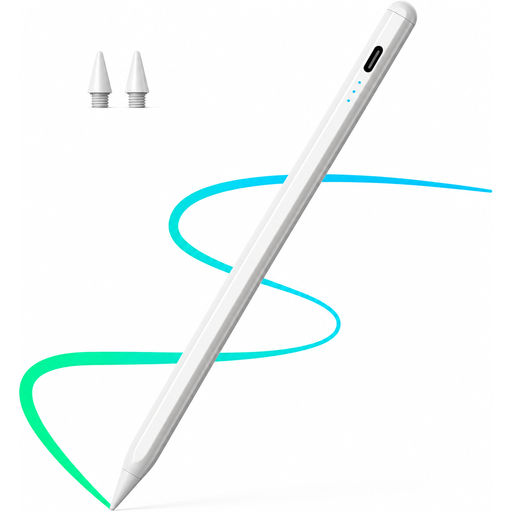 Image unavailable
Could be suitable for drawing on an iPad if you want to use tilt for shading and rest your hand on the screen as you draw. Check compatibility with your exact tablet model.
The product title lists iPad 2018–2026 and fast charging.
No. Apple lists different iPad models and, in some cases, operating system requirements for each Apple Pencil generation. Find your exact iPad model and check it against Apple’s compatibility list.
It depends on how you want to control your brushes and lines. With a compatible stylus and a supporting app, pressure sensitivity can affect how you shape your lines; tilt sensitivity offers a different kind of input. Logitech, for example, states that the Crayon isn’t pressure-sensitive. Check the features available in your drawing app.
According to Apple, connect it to a compatible iPad using a USB-C cable to pair and charge it. The product description says the magnetic attachment is for storage; Apple specifies the cable for charging.
Not as a straightforward substitute: Huion describes the Inspiroy 2 S as a separate graphics tablet with its own drawing surface, not a replacement stylus for any tablet screen. Decide whether you want to draw directly on your tablet or use an additional drawing surface.
For a distance contract with a consumer, § 312g BGB generally provides a right of withdrawal; § 355 BGB specifies a 14-day period. Statutory exceptions apply, and you should check when the relevant period begins for your particular purchase.