Teachers with an EMR tablet
If you mark work for long periods and don’t want to charge your stylus, check whether your tablet actually has an EMR digitiser. STAEDTLER specifies EMR as a requirement for the Noris digital jumbo.


When plug sockets are in short supply, a stylus that doesn’t need charging can be useful – but only if your tablet supports a compatible digitiser. First, check the exact tablet model and marking app. Depending on the version, iPad styluses charge via USB-C or from the iPad, while a passive EMR stylus only works with an EMR display.
If you mark work for long periods and don’t want to charge your stylus, check whether your tablet actually has an EMR digitiser. STAEDTLER specifies EMR as a requirement for the Noris digital jumbo.
For handwritten comments, you’ll need a stylus model that’s compatible with your iPad. Apple says the Pencil (USB-C) charges via cable, while the Pencil Pro charges from a compatible iPad.
If you’re looking for a replacement or spare stylus, check the exact Galaxy Tab and S Pen versions. Samsung Germany lists the EJ-PX510BWEGEU for the Tab S9 FE and Tab S10 FE series.
First check that the stylus is compatible with your tablet and app. Then compare the charging method, writing features and replacement nibs for your marking routine.
Suitable if: your tablet is confirmed to have an EMR digitiser and you want to work without a stylus battery or pairing.
Bear in mind: A touchscreen alone isn’t enough; the eraser function depends on the app.
Suitable if: you want to make simple marks on a standard touchscreen without charging the stylus.
Bear in mind: Touchscreen input doesn’t automatically guarantee dedicated writing features or that small comments will be easy to read in your app.
Suitable if: your iPad is compatible with the model you’ve chosen and you want to add handwritten comments to documents.
Bear in mind: You’ll need a USB-C cable and somewhere to charge it. The Apple Pencil (USB-C)’s magnetic attachment is for storage, not charging.
Suitable if: you have a specifically compatible iPad and want to use the extra features of Apple Pencil Pro.
Bear in mind: The stylus charges from the iPad, using some of its battery, and is compatible with selected models only.
Suitable if: you’re looking for a replacement or spare stylus for a compatible Galaxy Tab.
Bear in mind: S Pen versions aren’t interchangeable with every device. Samsung’s information on charging differs for the FE styluses mentioned here.
| What you need | What to check before buying | Who is it important to? |
|---|---|---|
| Work without a separate charging routine | Check whether the stylus is passive, charges via USB-C or charges from the tablet. STAEDTLER describes the Noris digital jumbo as requiring no charging; Apple distinguishes between cable charging for the Pencil (USB-C) and iPad charging for Pencil Pro. | If you don’t want to add another stylus charging routine when plug sockets are scarce, the charging method matters particularly. Around 31% of consumers put this first. |
| Choose a stylus that works with your tablet and app | Check the exact tablet model, any required operating system version, the stylus model and the app features you need. Apple lists compatible Pencil models; STAEDTLER specifies an EMR digitiser as a requirement for the Noris digital jumbo. | If you’re looking for a stylus for your existing tablet that works with your marking app, compatibility is the priority. Around 31% of consumers prioritise this. |
| Add lots of handwritten comments | Check palm rejection, nib shape and, where relevant, the digital eraser in the app you plan to use. Logitech and Samsung describe features for their respective Crayon and S Pen models; with STAEDTLER, the eraser depends on the app. | If you regularly mark work by hand, make sure the stylus works well with your app for these tasks. Around 25% of consumers prioritise handwritten marking. |
| Consider nibs and replacements | Check what’s included and whether replacement nibs are compatible with the exact stylus version. STAEDTLER lists five replacement nibs with the Noris digital jumbo; Logitech says a replacement nib for the Crayon is available separately. | If you write regularly, it’s worth checking that suitable replacement nibs are available and what’s included. Around 13% of consumers pay particular attention to this. |
An EMR stylus needs a display with an EMR digitiser, while Apple Pencil only works with the devices listed as compatible. Basic capacitive input doesn’t guarantee any additional stylus features.
Check the full tablet and stylus model names, as well as the features you need in your marking app. If the stylus isn’t compatible, you may need to buy a compatible model as well.
Apple describes the Pencil (USB-C)’s magnetic attachment as a way to store it; this version charges via a USB-C cable.
Check the charging method for the exact version instead of relying on the magnetic attachment alone.
With STAEDTLER, the eraser function depends on the app. Samsung models and their extra features vary, and Samsung’s information on charging for the FE styluses is inconsistent.
Before relying on a particular feature, check that it works with your device, stylus version and marking app.
The Noris digital jumbo is designed for compatible displays with an EMR digitiser.
Apple Pencil (USB-C) and Apple Pencil Pro are each designed for specific compatible iPads.
S Pens designed for specific models may be suitable as replacement or spare styluses for compatible Galaxy Tabs.
The Crayon (USB-C) is an iPad stylus with USB-C charging, designed for writing and marking up documents.
The Mini 4 is a passive stylus with a disc tip for simple touchscreen marking.
The options below are mostly iPad styluses with different charging methods. A rechargeable Active Stylus is also listed for iOS and Android touchscreens. Check exact compatibility and charging requirements against your tablet.
 No image available
For a compatible iPad, if you want palm rejection and tilt input when writing by hand.
The product title lists magnetic charging, palm rejection and tilt sensitivity. Compatible iPad versions listed include Pro 11" 4/3/2/1, Pro 12.9" 6/5/4/3, Air 4/5 and Mini.
 No image available
For handwriting, if your iPad is among the listed models and you can charge via USB-C.
The product title lists USB-C fast charging and iPad models from 2018–2026. According to the product details, the magnetic attachment isn’t for wireless charging.
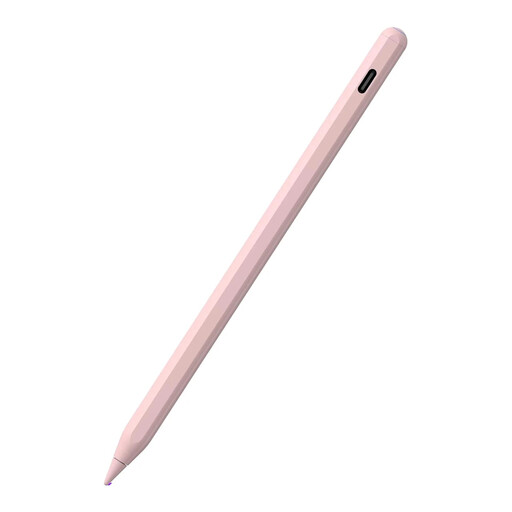 No image available
For handwriting on an iPad that supports the listed charging feature.
The product title lists magnetic charging, palm rejection and tilt sensitivity. Compatible iPad versions listed include Pro 11" 4/3/2/1, Pro 12.9" 6/5/4/3, Air 4/5 and Mini 5/6. According to the product details, not all the listed iPads support magnetic charging.
 No image available
For writing, taking notes or drawing, as long as your iPad is among the listed models and you have somewhere to charge it.
The product title lists 2X Fast Charging, palm rejection and tilt input. It lists iPad models from 2018–2026 as compatible; the built-in battery needs charging.
 No image available
For writing and drawing on the iOS and Android touchscreens listed in the product title, if you can make provision for charging.
The product title lists a dual-touch function and a rechargeable stylus for iPad, iPhone and Samsung devices.
No. Apple describes the magnetic attachment on this version as a way to store it; it pairs and charges via a USB-C cable. Also check your iPad model against Apple’s compatibility list.
According to STAEDTLER, the Noris digital jumbo 180J 22 doesn’t need to be paired or charged. The display must have an EMR digitiser, and whether the eraser works in your marking app depends on the app.
Only use replacement nibs that are compatible with the exact stylus version. STAEDTLER lists five nibs included with the Noris digital jumbo; Logitech says a replacement nib for the Crayon is available separately and warns that a damaged nib can damage the display.
There’s no straightforward yes or no without knowing the federal state, school rules, device and app. The Hessian Commissioner for Data Protection and Freedom of Information explains that schools are responsible for processing personal data. A decree in Lower Saxony sets specific restrictions on personal mobile devices. Check with your school which processing and apps are permitted before saving or uploading work containing personal data. The Lower Saxony rule shouldn’t be assumed to apply elsewhere.
In Germany, electrical and electronic waste shouldn’t go in household rubbish. The German Environment Agency recommends using suitable collection points and keeping batteries separate. Remove batteries or rechargeable batteries before disposal if this can be done easily.