Note-takers with an existing tablet
You’re looking for a replacement or spare stylus and want to make sure its input technology is compatible with your tablet generation.


First, choose a stylus that’s confirmed to work with your exact tablet model. Then check palm rejection, how it feels to hold, and how it charges and can be stored. A battery-free EMR stylus can save you from charging breaks, but it only works with a compatible EMR display. Magnetic attachment doesn’t automatically mean the stylus charges. For longer note-taking sessions, your standing desk setup matters too: a stylus alone won’t make up for poor posture.
You’re looking for a replacement or spare stylus and want to make sure its input technology is compatible with your tablet generation.
For longer note-taking sessions, reliable stylus control and a well-adjusted workstation both matter. The Federal Institute for Occupational Safety and Health notes that standing can be less suitable for tasks requiring fine motor skills.
You switch between standing and sitting and want to put your stylus down and pick it up again quickly, without being interrupted by an unexpected charging break.
| What you need | What to check before buying | Who it matters to most |
|---|---|---|
| Compatibility | Check the exact tablet generation and full stylus model number against the manufacturer’s list. For EMR, also check the digitiser in the specific display version. | If I want to take handwritten notes on my existing tablet, the stylus needs to work with it. For around 33% of consumers, compatibility comes first. |
| Resting your hand while writing | Check that palm rejection works with your specific device and app combination. Check additional features, such as an eraser or tool switching, separately. | When taking longer notes, I want to rest my hand on the display without disrupting my writing. Around 27% of consumers prioritise reliable palm rejection. |
| Ready to use and easy to store | Check how the model charges, whether magnetic attachment also charges it, and whether you need a compatible charger. | If I often switch between writing positions, I want to put the stylus down easily and carry on writing without a charging interruption. For around 20% of consumers, being ready to use is the top priority. |
| Grip and posture | Try the stylus shape and grip for yourself. Consider desk height, tablet position and regular changes between sitting and standing. | When taking longer notes, I want a stylus that feels comfortable in my hand and a workstation that suits my writing position. Around 20% of consumers put writing comfort and posture first. |
Depending on the display version, a device may or may not have an EMR digitiser. An EMR stylus only works on a suitably equipped display.
Before buying, check the input technology used by your specific tablet and display version.
Storage and power are separate product features. Apple says the Apple Pencil (USB-C) attaches magnetically for storage and uses USB-C for pairing and charging. The Surface Slim Pen may also need a separate charger.
Check how the stylus charges and what accessories it needs, regardless of whether it attaches magnetically to your tablet.
Depending on the model, you may need to have a charging cable or compatible separate charger to hand.
The Federal Institute for Occupational Safety and Health highlights the limitations of standing for long periods when carrying out tasks requiring fine motor skills. A comfortable stylus grip is no substitute for a well-adjusted workstation and changing your posture.
Check how the stylus feels in your hand, position your work surface and tablet comfortably, and plan to switch between sitting and standing.
The Apple Pencil (USB-C) and Pencil Pro are designed for the iPads listed for each model.
The S Pen EJ-PX710 is a device-specific stylus for the Galaxy Tab S9 and S10 ranges listed.
The AL-star EMR may suit users with a confirmed compatible EMR display who want a stylus that doesn’t need charging.
The Noris digital and Noris digital jumbo are designed for displays with an EMR digitiser.
The USB-C Crayon is designed for the iPads listed on the product page.
The Surface Slim Pen is designed for specifically supported Surface devices and compatible charging options.
This selection includes styluses for taking notes on an iPad and for capacitive touchscreens. Before buying, check compatibility with your specific tablet and note-taking app.
 No image available
For taking notes on an iPad with your hand resting on the screen: the description mentions palm rejection.
USB-C charging and tilt detection are listed. Magnetic attachment is for storage and doesn’t charge the stylus wirelessly. Check compatibility with your exact iPad before buying.
 No image available
For taking notes on a compatible touchscreen; the description mentions palm rejection.
USB-C charging, tilt detection and magnetic attachment are listed. Check compatibility with your specific tablet rather than relying on the general device description alone.
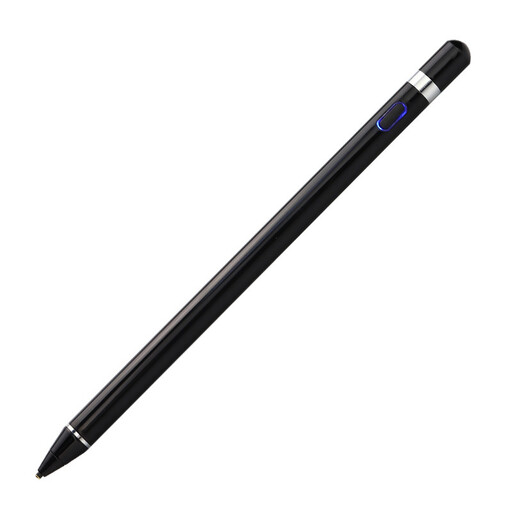 No image available
For taking notes on a capacitive touchscreen; the description also mentions converting handwriting to text.
The description says the stylus has a built-in battery and pressure sensitivity. You’ll need a capacitive touchscreen. To get started, install the companion app and set up the connection as instructed.
No. Check the exact device generation and full stylus model number against the manufacturer’s list. For the Noris digital, your specific display must have an EMR digitiser.
Not necessarily. Apple says the Pencil (USB-C) attaches magnetically for storage and uses USB-C for pairing and charging. Charging methods and accessories vary by model.
Plan to switch between standing and sitting. The Federal Institute for Occupational Safety and Health notes that standing can be less suitable for tasks requiring fine motor skills. Set up your workstation to suit you rather than expecting a stylus alone to provide an ergonomic solution.
Your statutory rights against the seller are separate from any voluntary guarantee. Many online purchases generally come with a 14-day right to cancel, although exceptions and the terms of your specific contract apply.