What should you look for when buying?
First check that your tablet model is compatible with the stylus. Then decide what kind of line control and scan workflow matter most to you.
| Buying priority |
What to check before buying |
Who is this most important to? |
| Compatibility |
Exact tablet model and stylus version; for EMR styluses, check the display technology too. |
If I want to keep using my existing tablet, the stylus needs to work with that exact model. Compatibility is the top priority for around 36% of consumers. |
| Line control |
Pressure and tilt response for the specific stylus version, and support for these features in the app’s brush. |
If I want to vary outlines using pressure or tilt, the stylus and app need to work together. Around 29% of consumers prioritise variable linework and input control. |
| Scan workflow |
Image import, separate layers and opacity controls in the drawing app you plan to use. |
If I want to keep a scanned image underneath my outlines and edit it separately later, I need the right layer features. This workflow is the main priority for around 21% of consumers. |
| Getting started and accessories |
What’s included, charging method, any adapters required and replacement nibs for the specific model. |
If I want to keep set-up at my desk to a minimum and avoid extra accessories, charging and pairing matter as much as whether a stylus is already included. Around 14% of consumers say ease of getting started is the deciding factor. |
Joybuy products
The models below include styluses for specific iPad models, as well as options for reMarkable, Kindle Scribe and other listed touchscreen devices. Before deciding, check that the specific stylus is compatible with your tablet and drawing app.
 No image available
ZSPEED Wireless Charging Stylus Pen for iPad Pro 11" 4/3/2/1, Pro 12.9" 6/5/4/3, Air 4/5, Mini White
An option if you use one of the iPad models listed in the product name and want palm rejection and tilt control when drawing.
The product name lists magnetic charging, palm rejection and tilt sensitivity. Check your exact iPad version before buying.
Joybuy
 No image available
EMR Pen for reMarkable 1/2 and Kindle Scribe
This could be an option if you use one of the listed devices and want a stylus with pressure levels and palm rejection.
The product name lists 4,096 pressure levels, an eraser and palm rejection. According to the product information, the stylus isn’t compatible with reMarkable PAPER PRO.
Joybuy
 No image available
Stylus for iPad, 2018–2025 models, with USB-C fast charging
A possible choice if you draw on a compatible iPad and want to use tilt input and palm rejection.
The product name lists USB-C fast charging. Before buying, check that your exact iPad model is among the supported devices.
Joybuy
 No image available
Universal touchscreen stylus for Android and iOS devices
This option may appeal if you’re looking for a stylus for a listed Android or iOS device. Check that it’s compatible with your specific tablet first.
The product name lists fast charging, an LED indicator and a magnetic design.
Joybuy
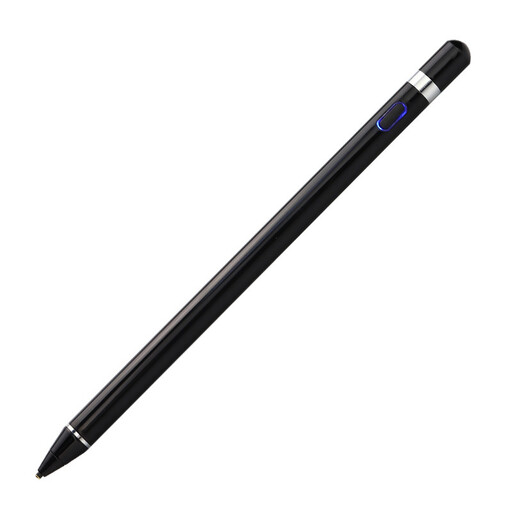 No image available
VoxorAI HL-U05 Black Pen
An option if you’re looking for an active stylus for one of the iOS, iPad or Android devices listed in the product name.
If pressure-sensitive strokes matter to you, check whether the stated feature is supported by your specific tablet and drawing app. According to the product information, you’ll need to scan a QR code to download an app and then pair the stylus through the app.
Joybuy
Frequently asked questions
How do I trace a scanned sketch on a tablet?
Import the scan or a photo into a drawing app, then add a new layer above it for your outlines. ibisPaint documents this process. Check that your app supports image import, separate layers and opacity controls.
Why isn’t my new stylus working or pairing?
First, check your exact tablet model against the compatibility list for your stylus version. For pairing problems, Apple Support Germany also recommends checking your software version and charge level, and finding out whether you need an adapter.
Can I return a tablet stylus bought online?
According to Verbraucherzentrale, online purchases in Germany generally come with a 14-day right to cancel from the date you receive the goods. Exceptions may apply, and you must notify the retailer that you wish to cancel. This statutory right to cancel is separate from any voluntary returns policy offered by a retailer.
Can I trace someone else’s drawing and publish the result?
Not automatically: under § 23 UrhG, you generally need the copyright owner’s consent to publish or exploit an adaptation, unless the new work is sufficiently distinct from the original. For certain cases listed in the law, consent may be required even to create the adaptation. The same question of someone else’s copyright doesn’t arise in the same way if you’re using your own reference image.


