Stylluses for tracing
The products below are styluses for iPads or touchscreen tablets. Check compatibility with your exact tablet model before buying. Several models on the list charge via USB-C, and tilt recognition is not the same as pressure sensitivity.
 No image available
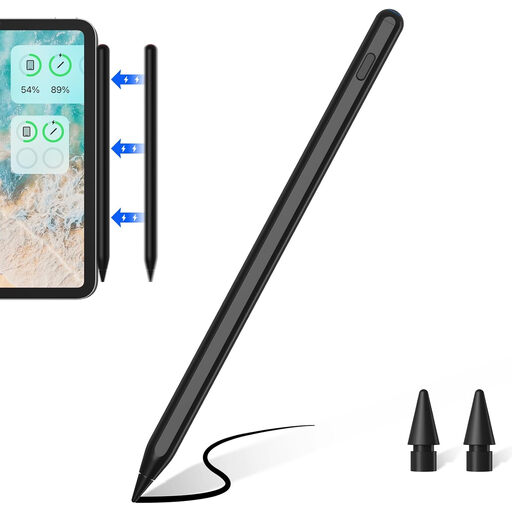
Input Pen Stylus for iPad, USB-C charging
Could suit outlining and shading if your iPad supports the exact stylus model and tilt input is enough for your drawing style.
The product title lists iPad models from 2018–2026. The description mentions tilt and palm rejection, but says the stylus isn’t pressure-sensitive; it charges via USB-C.
Joybuy
 No image available
ZSPPED Wireless Charging Pencil, 2nd Generation, Black
Could suit tilt input and palm rejection if your specific iPad is among the models listed for the product.
The description says that magnetic charging is available only for certain iPad models; a USB-C charging cable is provided for other listed models. Check compatibility and the charging method for your device.
Joybuy
 No image available
Input Stylus Pen for iPad, USB-C charging
Could suit outlining and shading if your iPad is supported and tilt input works for the way you draw.
The description lists several iPad ranges, palm rejection and tilt sensitivity. It says the stylus charges via a USB-C cable and suitable power sources; check that your exact model is supported.
Joybuy
 No image available
Stylus for Apple iPad 2018–2026, 2X Fast Charging
Could suit outlining and shading if your iPad model is supported and tilt input is enough for you.
The title lists iPad models from 2018–2026; the description mentions tilt support and palm rejection. It specifies a 5 V USB adapter for charging and recommends unplugging the cable once charging is complete. Check compatibility with your device.
Joybuy
 No image available
Active Stylus Pen with dual-touch function
Could be an option if you’re looking for a rechargeable stylus for drawing or writing and have confirmed that your tablet supports it.
The product title lists iOS and Android touchscreens and a rechargeable design. The description doesn’t explain the dual-touch function in detail, so check in advance that it works with your device and app.
Joybuy
Frequently asked questions
How can I trace a scanned drawing without overwriting the original?
Import the scan into a drawing app and add your new lines on a separate layer. Procreate documents importing an image as a layer; ibisPaint also describes a layering workflow and explains how to adjust the opacity of a reference layer.
Does the Apple Pencil (USB-C) need a spare power socket?
Not necessarily: Apple says it pairs and charges via a USB-C cable connected to a compatible iPad. According to Apple, this model attaches magnetically for storage, not charging.
What should I do if the tip is worn or the stylus is faulty?
Check which replacement tips are designed for your exact stylus model. STAEDTLER includes five replacement tips and a tool with the Noris digital classic. If you buy from a business seller in the EU, faulty goods are generally covered by a statutory legal guarantee for at least two years from receipt; this is separate from any voluntary warranty.
Can I publish traced scans of other people’s drawings?
You can’t assume you have the right to do so just because you traced the lines yourself. The German Patent and Trade Mark Office explains that drawings eligible for protection may be covered by copyright, with rights relating to reproduction and making them publicly available. If you’re using someone else’s work, check what permissions you need and consider the specific circumstances; the situation is different for your own drawings.
How should I dispose of a rechargeable stylus that’s no longer working?
Don’t put old electrical devices in your household waste. The German Environment Agency says that used batteries and rechargeable batteries should be taken to collection points at retailers or local authority facilities. Whether you can remove the battery from a particular stylus depends on the model.


