What to look for when buying
First, decide whether you’ll mainly type or write by hand. Then check that the screen layout, accessories and document workflow suit the way you work in the library.
| What matters to you |
What to check before buying |
Who it matters most to |
| Work on your chapter and summary side by side |
Try it with a chapter you’re entitled to use, and check that the text and note-taking area in your app are both large enough. |
If I want to write down key points as I read, I need enough space for both the source and my notes; around 36% of consumers put working side by side first. |
| Highlight and summarise by hand |
Check the stylus compatibility for the exact tablet model, what’s in the box and how well it works in your document app. |
If I prefer to highlight and write things down by hand, a compatible stylus is essential; around 29% of consumers prioritise stylus input. |
| Read with focus and take notes |
Check document import, how your chapter appears on screen, the reading light and which apps you actually need. |
If I mainly want to read and take notes, the document workflow needs to suit my files; around 21% of consumers prioritise focused reading. |
| Consider the complete set-up |
Compare the tablet, the stylus and keyboard you need as a complete set-up, rather than looking at the tablet alone. |
If my way of working calls for extra input accessories, the full set-up matters to me; around 14% of consumers focus on the cost of these. |
Joybuy products for typed summaries
The following Joybuy offers are tablets with keyboards, suited to typed summaries; some packages also list a stylus.
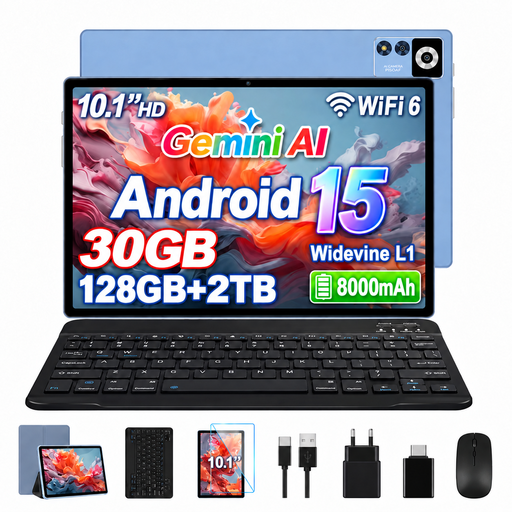 No image available
YESTEL T13, 10.1 inches, 128 GB
The listed Bluetooth keyboard is suitable for typing summaries.
10.1-inch IPS display with 1280 × 800 pixels; 128 GB ROM. The package also lists a wireless mouse and protective case.
View at Joybuy
 No image available
Android 16 tablet, 13.4 inches, 256 GB
The package lists a keyboard for typed notes and a passive stylus for handwritten additions.
13.4-inch FHD+ display; 256 GB storage. The title also lists a mouse and stand case.
View at Joybuy
 No image available
VANWIN YC101T310K30, 10.1 inches
The listed keyboard is an option for typing summaries.
Android tablet with a 10.1-inch IPS touchscreen; the title lists 32 GB RAM, 256 GB/1 TB TF, a keyboard and case.
View at Joybuy
 No image available
UXD Android 16 tablet, 13.4 inches, 128 GB
The package lists a keyboard for typed summaries and a stylus for handwritten notes.
13.4-inch IPS display with 1920 × 1200 pixels and 128 GB storage; the title also lists a mouse and stylus.
View at Joybuy
 No image available
UXD Android 16 tablet, 13.4 inches, 256 GB
The package lists a keyboard for typed summaries and a stylus for handwritten notes.
13.4-inch IPS display with 1920 × 1200 pixels and 256 GB storage; the title also lists a mouse and stylus.
View at Joybuy
Frequently asked questions
Should I choose a tablet or a note-taking app first?
First, check whether your chapter is available as a file you can use, then decide whether you want to write your summary by hand or type it. Next, try the process in the app you plan to use: open the chapter, mark important passages and check that you can find your notes again. A screen or stylus specification alone doesn’t guarantee that your particular workflow will work.
How do I set up a stylus for the Xiaomi Pad 7?
For the Xiaomi Focus Pen with the Pad 7, Xiaomi advises aligning it correctly with the magnetic charging strip along the tablet’s long edge. This instruction applies to this device combination and not automatically to other styluses.
What should I know about accessories and faults after purchase?
Before buying, check what’s included with the specific model. If you buy from a trader, the EU consumer rules explained here generally provide a minimum of two years’ legal guarantee from the date you receive the goods; this is separate from any voluntary manufacturer’s warranty.
Can I photograph a chapter from a library book to use in my summary?
There isn’t a blanket yes for every use: under certain conditions, § 53 UrhG allows individuals to make single copies for private use, but restricts, among other things, the distribution of those copies and treats complete copies of books separately. Also check the terms of use for the specific library book; being allowed to make a private copy doesn’t mean you can share the photos.


