Readers who take digital notes
If you’re reading a digital textbook chapter and want to jot down key points alongside it, make sure both the page and your notes remain easy to read on screen.


For summarising a textbook chapter in your hotel room, choose a tablet that suits the way you prefer to work. A compatible stylus is ideal for highlighting and making short handwritten notes, while a keyboard is better for typing longer passages. Check how a typical page and notes window look on your preferred screen size, and test that you can access the files you need offline before you travel. A larger screen gives you more room to work, but takes up more space in your luggage.
If you’re reading a digital textbook chapter and want to jot down key points alongside it, make sure both the page and your notes remain easy to read on screen.
If you prefer to underline, comment on or sketch around passages of text, check that the stylus works with your exact tablet model and that it’s included in the box.
If you want to type longer passages in your hotel room and keep working when your connection is unreliable, test the keyboard, file access and offline features as part of your usual workflow.
| What you need | What to check before buying | Who is this important to? |
|---|---|---|
| See the chapter and notes at a glance | Open a typical textbook page alongside your notes app; consider how much room you have on the hotel desk. | If I want to see the chapter and my notes at the same time, both need to remain readable in the space available. Around 40% of consumers prioritise seeing both together. |
| Highlight and make handwritten notes | Check stylus compatibility, included accessories and how writing works in your preferred app. | If I highlight passages and then organise them by hand, the stylus needs to work with both the model and the app. Around 30% of consumers prioritise annotating by hand. |
| Type longer passages | Check the fit and key layout of a compatible keyboard, as well as what’s included with the specific offer. | If I’m writing several paragraphs, I want to type comfortably without the keyboard and tablet taking over a small desk. Around 20% of consumers prioritise typing longer passages. |
| Keep working without hotel Wi-Fi | Download files in the app you use, then open them in aeroplane mode and test that you can save changes. | If the connection drops, I still want to be able to open my chapter and notes. Around 10% of consumers prioritise offline access. |
A compatible tablet doesn’t automatically come with the right stylus. Without one, you won’t be able to use your planned handwriting workflow as intended.
Check model compatibility and what’s actually in the box separately. Samsung’s statement that an S Pen is included applies to the Galaxy Tab S10 FE, not to other models as a general rule.
The iPad (A16) is an option if you’re looking for a handy device with clearly stated Apple Pencil compatibility.
The Galaxy Tab S10 FE is an Android option if you want to annotate by hand with the S Pen specified for this model.
According to Lenovo, the Tab P12 offers a larger workspace for chapters and notes.
These Joybuy tablets are worth considering for reading digital chapters and writing a summary; accessory details apply only to the specific offer.
 No image available
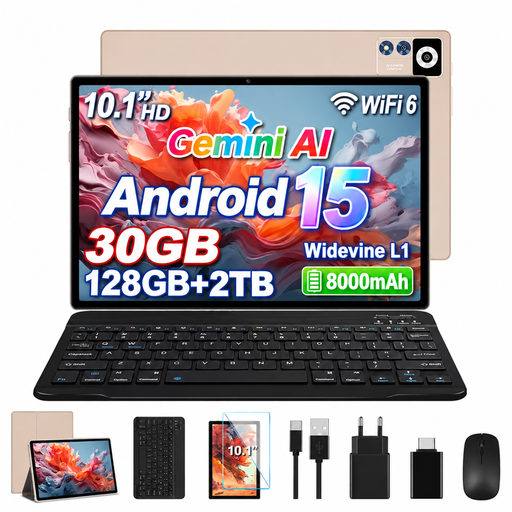
If you’re planning to type a longer summary, check whether the specific offer includes a suitable keyboard or whether you’d like to add one separately.
Listed in the product name: 10.1-inch IPS display with 1280 × 800 pixels, 8 GB RAM plus 22 GB Virtual RAM, and 128 GB ROM.
 No image available
The input devices listed in the product name may be useful if you want to combine typed and handwritten notes; check what’s included with the specific offer.
Listed in the product name: 13.4-inch FHD IPS display with 1920 × 1200 pixels, 20 GB RAM (8 GB + 12 GB Virtual RAM), 256 GB storage, keyboard, mouse and stylus.
 No image available
If you want to switch between typing and handwritten notes as you work on your summary, check that the accessories listed are included with the specific offer.
Listed in the product name: Android 16, Unisoc T310, 36 GB RAM, 256 GB ROM and touch pen.
 No image available
The accessory set listed in the product name may come in handy when typing a summary; check what’s included with the specific offer.
Listed in the product name: 36 GB RAM, 256 GB storage and an accessory set with keyboard, mouse and protective case.
 No image available
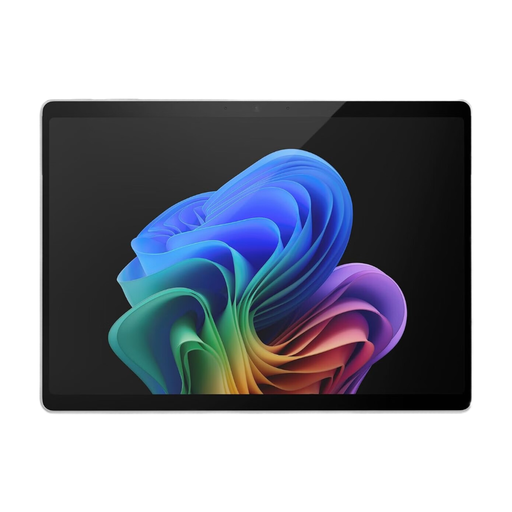
The 13-inch screen may be worth considering if you want a larger reading area; you’ll need to plan for a separate keyboard if you’re typing longer passages.
Listed in the product name: 16 GB RAM and 512 GB storage. The product description lists the tablet without a keyboard.
Download the chapter and your notes file in the relevant apps, open both in aeroplane mode and test whether you can save a change. This lets you check the process with your specific file service and app. For public Wi-Fi and charging points, the German Federal Office for Information Security (BSI) advises caution and recommends using your own cables and power adaptors.
No. Stylus compatibility doesn’t automatically mean one is included. Apple lists compatible Pencil models for the iPad (A16), but doesn’t include a Pencil in the stated tablet package; Samsung specifically says that an S Pen is included with the Galaxy Tab S10 FE. What matters is what comes with the specific offer.
For an eligible online purchase from a business seller, you generally have 14 days from receiving the goods to cancel; exceptions may apply. According to Your Europe, you may have to pay the return costs if the seller told you about them before you bought. If the goods are faulty, you have separate statutory consumer rights against the seller; a voluntary guarantee doesn’t replace them.