First, check whether your specific edition of the textbook can legally be downloaded in the relevant app and opened without an internet connection; tablet specifications alone don’t prove that it can. Then think about how you work: for handwritten annotations, check that the stylus is compatible and included; for longer texts, you’ll also need a suitable keyboard and enough screen space. In both cases, weigh these up against the tablet’s carrying weight.
Which device suits which type of user?
Offline readers
You want to open the chapter while you’re out and have your notes available on the device. The key question is whether your specific edition of the textbook is available in the relevant app. Apple Support explains how to access files stored locally on an iPad.
Handwritten note-takers
You highlight passages and start by turning them into concise bullet points. Check the note-taking features and whether a suitable stylus is included with the version you choose. Samsung Germany explains that Samsung Notes supports input by keyboard or stylus.
Mobile writers
You’re writing a longer summary, so you’ll need to balance screen space, input method and carrying weight. The manufacturers’ published screen sizes and weights can help you compare the specific models.
What should you look for when choosing?
First, check that you can access your specific textbook, then decide how you want to enter text. Finally, compare the screen size and accessories with the weight you’re happy to carry on your trip.
| Consideration |
What to check before buying |
Who is this important to? |
| Offline access |
Check that you can download, sign in and open your specific edition in aeroplane mode. According to Apple Support, files stored locally on an iPad can be accessed via ‘On My iPad’; Apple also explains how to open and annotate accessible PDFs in Books. |
If I can’t count on having a connection while I’m out, my chapter needs to be available locally and openable in advance. Around 36% of consumers put offline access first. |
| Writing and annotating |
Try highlighting, saving and exporting in the app you plan to use. Samsung Germany says the Galaxy Tab S10 FE includes an S Pen; Apple says the iPad (A16) doesn’t include a Pencil in the stated box contents. The 1st generation Apple Pencil needs an adapter for pairing and charging. |
If I make notes in the margins and turn them into my own bullet points, I need a suitable input method and a reliable way to save my work. Around 29% of consumers put writing and annotating first. |
| Readability and portability |
Compare a textbook page using your usual text size and the lighting conditions you expect. Samsung Germany lists the Wi-Fi Galaxy Tab S10 FE at 10.9 inches and 497 g; Xiaomi Germany lists the Pad 7 at 11.2 inches and 500 g. Lenovo gives the Idea Tab Plus as approximately 530 g with a 12.1-inch screen. |
If I want to read a textbook page comfortably while I’m out, but also need to limit the weight and space in my bag, I care about the balance between screen size and portability. Around 21% of consumers prioritise readability and portability. |
| Accessories and overall cost |
Check what’s included with the exact version. Apple doesn’t include a Pencil with the iPad; Xiaomi doesn’t include a power adapter with the Pad 7. The Lenovo Idea Tab Plus ZAG70060SE includes the Pen in the specified offer, while the Folio Keyboard is sold separately. |
If I need a ready-to-use set rather than just a tablet, I want to know in advance which accessories I’ll still need. Around 14% of consumers first consider what’s involved in putting together a complete set. |
Common mistakes when choosing
-
Assuming PDF support guarantees offline access
A stated PDF feature doesn’t prove that you can download your specific textbook edition or that you’re allowed to open it offline.
Before you set off, open the edition and a sample page in aeroplane mode. Also check that your annotations are still there afterwards.
-
Assuming stylus compatibility means one is included
Apple lists compatible Pencil models for the iPad (A16), but doesn’t include a Pencil in the stated box contents. Samsung Germany, on the other hand, says the Galaxy Tab S10 FE includes an S Pen.
Compare the box contents for the exact version with your preferred input method, and check whether you’ll need an adapter.
-
Relying on an AI summary as your only way to work
For the Galaxy AI assistance features described, Samsung notes that a data connection is required and availability depends on the device and software.
Plan to write your own summary without this feature, and treat AI assistance as an optional extra once you’ve checked that it works for your specific workflow.
Key brands to consider
Samsung
The Galaxy Tab S10 FE is an option for taking stylus notes on a 10.9-inch tablet.
- Samsung Germany says the Galaxy Tab S10 FE includes an S Pen.
- Samsung explicitly qualifies its IP68 rating as applying under limited test conditions; it isn’t a blanket guarantee for every outdoor situation.
Apple
The iPad (A16) can be used with accessible PDFs in Apple’s Books app and compatible Pencil accessories.
- Apple Support explains how to open, save and annotate PDFs in Books; Apple lists two compatible generations of Pencil.
- A Pencil isn’t included in the stated tablet box contents. The 1st generation Pencil needs an adapter for pairing and charging.
Xiaomi
The Pad 7 is an Android option with an 11.2-inch display; check stylus compatibility and what’s actually included separately.
- Xiaomi lists the weight as 500 g and says the Pad 7 series is compatible with the Focus Pen Pro.
- The technical specifications state that the Pad 7 doesn’t include a power adapter. Stylus compatibility doesn’t mean one is included.
Lenovo
In the specified configuration, the Idea Tab Plus ZAG70060SE has a 12.1-inch display and includes a Pen.
- Lenovo lists this configuration at approximately 530 g; the larger screen may be useful when working with textbook pages.
- The Folio Keyboard is sold separately. The Pen is included with the specified offer, but not necessarily with every Idea Tab Plus configuration.
Joybuy products
The following Joybuy models include compact tablets and sets with a keyboard or touch pen. Before your trip, check in particular that your specific textbook edition is available offline and can be used as you wish on the model you choose.
 No image available
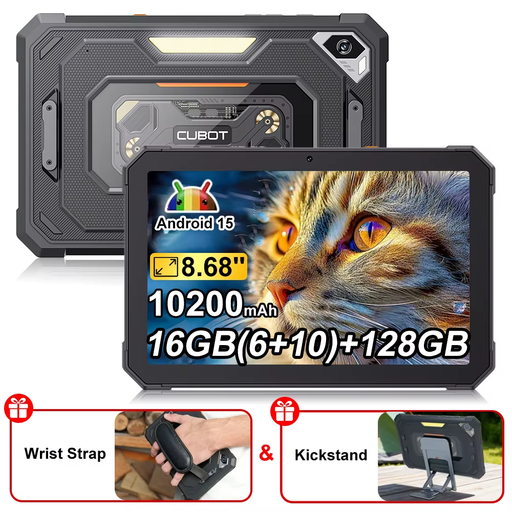
CUBOT Tab KingKong Mini
The 8.68-inch format is a compact option for taking with you; check that it’s compatible with your textbook app beforehand.
Android 15; 8.68-inch display with 90 Hz; 16 GB RAM (6 + 10 GB); 128 GB storage; 10,200 mAh.
View at Joybuy
 No image available
MEBERRY M8, 10.1 inches
The keyboard mentioned in the product name could come in handy for typing a longer summary; check that the textbook and note-taking apps you plan to use have the features you need.
10.1-inch HD IPS display; 128 GB internal storage; keyboard, mouse and protective case listed as set accessories.
View at Joybuy
 No image available
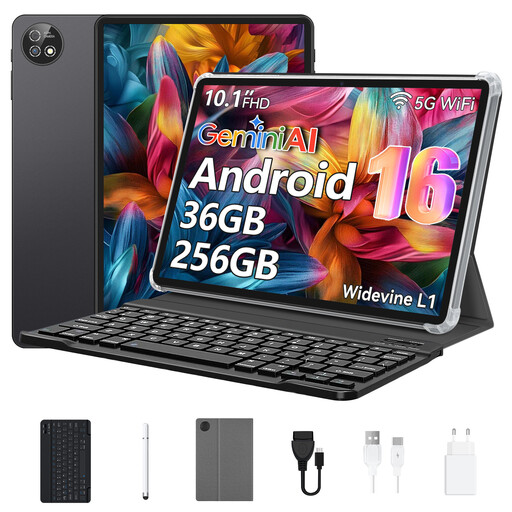
10.1-inch touchscreen tablet, Android 16
The listed keyboard could be useful for longer texts. Check that the device and apps work with your textbook edition.
Android 16; Unisoc T310; 256 GB storage; keyboard and protective case listed as accessories.
View at Joybuy
 No image available
Android tablet, 10.1 inches, 256 GB
The set includes both a keyboard and a touch pen for typing and handwriting. Before buying, check that the stylus input works with the apps you prefer.
Android 16; Unisoc T310; 36 GB RAM; 256 GB ROM; keyboard and touch pen listed as accessories.
View at Joybuy
 No image available
10.1-inch tablet with keyboard and stylus
The listed stylus and keyboard could suit handwritten annotations and longer texts. Check that they work with the app you plan to use.
Android 16; 36 GB RAM; 256 GB ROM; 6000 mAh; keyboard and stylus listed as accessories.
View at Joybuy
Frequently asked questions
Can I work on my textbook chapter without an internet connection?
You may be able to, if your specific edition is saved locally and opens offline in your app. Before your trip, check the download, the terms of use and that it opens in aeroplane mode. General tablet features don’t confirm that you can access your edition.
How do I set up a simple workflow for summarising a chapter?
Open an accessible sample page, highlight key passages, then save your own bullet points or a written summary. Apple Support explains how to open and annotate PDFs in Books; Samsung Germany describes keyboard and stylus input, as well as export formats, for Notes. Check that your actual app supports the export format you need.
Can built-in AI create a summary without an internet connection?
Only rely on this if you’ve checked that your specific workflow works offline. For the Galaxy AI assistance features described, Samsung notes that a data connection is required and availability depends on the model and software. So plan to work without this feature while you’re out.
Who should I contact if my tablet is faulty?
According to consumer information from the European Union, when you buy from a business seller, you’re entitled to a legal guarantee of at least two years from the date you receive the goods; the seller is responsible for handling these rights. This is separate from any additional manufacturer’s warranty.
Can I copy a textbook chapter to take with me and share the file?
Not as a blanket rule. Under certain conditions, Section 53 of the German Copyright Act (UrhG) allows individual copies for private use; as a general rule, these copies must not be distributed. Check the terms of use for your specific edition rather than assuming that owning a book gives you general permission to share it.


