On-the-go chapter summariser
You want to open a chapter during a short break, note down the key points and pick up your summary later. A compatible file and note-taking workflow is essential, as is a format you can comfortably take with you.


First, check whether you can open your specific textbook on the device, make annotations and then use your notes elsewhere. A compact tablet with a suitable stylus or keyboard is a practical option for short breaks; an e-paper device is a better fit if reading and handwritten notes matter more to you than a wide range of apps. A larger display gives you more room to work, but is less convenient to carry around.
You want to open a chapter during a short break, note down the key points and pick up your summary later. A compatible file and note-taking workflow is essential, as is a format you can comfortably take with you.
You get to grips with the material by highlighting passages and making handwritten notes directly in the chapter. Check that the stylus is compatible, see what’s included and make sure the annotation features work with your file.
You mainly want to read and write handwritten summaries, rather than use several tablet apps. Your textbook format needs to work with the device you choose.
| What you need | What to look for | Who this matters to |
|---|---|---|
| Textbook access and notes | Try your own chapter file in the app you plan to use. Opening, annotating and using it later should all fit your workflow. Rakuten Kobo says the Stylus 2 supports notes in EPUBs and unprotected PDFs; copy protection may limit what you can do. | If I can’t open a chapter and use it to make my summary, the right display won’t help much. Around 31% of consumers put their file workflow first. |
| Convenience between appointments | Compare screen size and device weight, including the case. Apple lists the 11-inch Wi-Fi iPad Air M4 at 464 g and the 13-inch version at 616 g, both without accessories. | If I want to have my device with me for short breaks, a compact format matters more to me than having the biggest possible screen. Around 25% of consumers prioritise portability. |
| Handwriting and annotations | Check stylus compatibility and what’s included with the exact version. Apple lists Pencil Pro and Pencil USB-C as compatible with the iPad Air M4, but not as included in the stated box contents; Samsung lists an S Pen as included with the Galaxy Tab S10 FE. | If I want to note down key points directly on the text, the device, stylus and file format all need to work together. Around 25% of consumers prioritise handwritten notes. |
| Total cost and services | Consider the device, any stylus you need and the extra features you’ll actually use as a package. reMarkable includes certain cloud and app features with its Connect subscription. | If I only want to pay for accessories or services I really need, I compare the full package. Around 19% of consumers pay particular attention to the total cost. |
The file format, copy protection and import method can all affect whether you can highlight and annotate a chapter as planned.
Before you decide, test a file from your specific edition of the textbook using the reading and note-taking features you intend to use.
Apple lists compatible Pencil models for the iPad Air M4, but no Pencil in the stated box contents. Samsung lists an S Pen as included with the Galaxy Tab S10 FE.
Check what comes with the exact version and consider the input method you need for your notes.
You may need to buy a compatible stylus separately to take handwritten notes.
A larger screen can make reading easier, but the device is less convenient to carry around.
Choose a size that suits how you’ll carry it during your breaks and read your chapters.
reMarkable includes unlimited cloud storage and certain syncing and app features with its Connect subscription.
Check whether local reading and exporting are enough for you, or whether you need those specific extra features.
If your workflow depends on particular subscription features, factor the ongoing subscription cost into your decision.
An iPad could suit you if you want to work on your chapter and summary in a versatile app-based workflow.
Galaxy Tab models offer an Android tablet option for handwritten work and other tasks on the go.
Paper Pro is designed for an e-paper workflow, with imported documents and handwritten notes.
Compatible e-readers such as the Elipsa 2E can be a good option for reading and taking notes, provided your textbook format is supported.
This selection includes Android tablets for app-based work, keyboard use or stylus notes, as well as an E Ink note-taking device. Before you buy, check your textbook’s file format and copy protection, along with the input method you need.
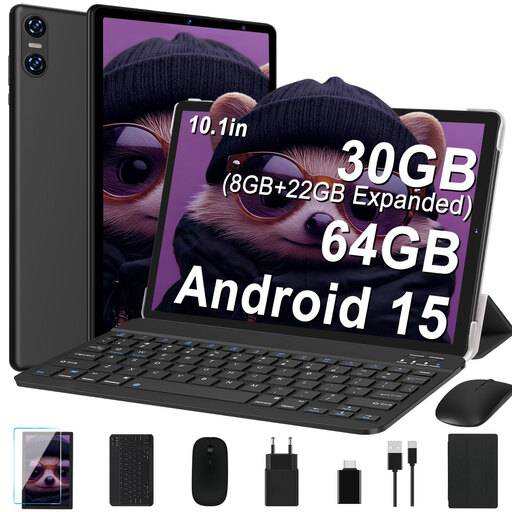 Image unavailable
An option to consider if you’d rather type up your summary during short breaks.
 Image unavailable
A good fit if you want to switch between handwritten notes and typed summaries.
 Image unavailable
An E Ink option if you mainly want to read and make handwritten notes in a focused note-taking workflow.
 Image unavailable
The larger format could suit you if you want more room to read and annotate by hand; it’s less convenient to carry around than a smaller device.
 Image unavailable
A versatile tablet option if you want to work on your textbook and summary in apps. Before you buy, check that your textbook file works with the app you want to use.
No. A general claim of PDF or EPUB support isn’t enough. Rakuten Kobo says the Stylus 2 supports notes in EPUBs and unprotected PDFs; copy protection and the specific import method can make all the difference. Check your edition in the app you plan to use.
Beforehand, test whether you can open and edit the chapter and your notes on the device without an internet connection. If you need cloud syncing, also check when and how your notes will sync later.
It depends on the specific device combination: Samsung lists an S Pen as included with the Galaxy Tab S10 FE, while Apple doesn’t list a Pencil as included with the iPad Air M4. reMarkable includes certain cloud and app features with its Connect subscription. Check which of these features you actually need.
Your statutory rights are separate from any voluntary guarantee; in the event of a fault, the seller is generally responsible for meeting their statutory obligations. According to the Verbraucherzentrale, online purchases also generally come with a 14-day right to cancel. The start of the cancellation period and any exceptions depend on the specific terms and conditions.
You can’t determine that from the tablet model alone. If you process customers’ personal data, you need to take account of the data protection requirements that apply to your area of responsibility, as well as appropriate technical and organisational measures. The Datenschutzkonferenz treats measures under Art. 32 GDPR as legal obligations; the Federal Office for Information Security notes that encryption options vary depending on the operating system and version.