What should you consider when choosing?
First decide what matters most to you: access to the specific app, ease of handling, screen size, power or family controls.
| What to consider |
What to check before buying |
Most important for |
| App access and offline use |
Check that your specific app is available, then test before setting off whether it launches without a connection and offers the features you need. |
If you won’t have a reliable connection on the move, you’ll still want to be able to launch and play your chosen game. Around 28% of consumers make offline access their top priority. |
| Ease of handling |
Compare the size and weight of the exact model variant; a smaller screen gives you less room to play. |
If you’ll be holding the tablet yourself as a passenger, it needs to fit the space you have available. Around 22% of consumers prioritise a compact, easy-to-handle device. |
| How easy the playing area is to see |
Weigh up a compact screen against a larger one and, if possible, check how your game looks on it. |
If you find small tiles hard to see, a larger playing area may matter more than a particularly compact design. Around 22% of consumers prioritise visibility. |
| Power |
Compare figures only when they’re based on the same criteria, and check whether a power adapter is included. |
For longer stretches without a charging stop, you’ll want to plan for a suitable way to recharge. Around 17% of consumers make power their top priority. |
| Family controls |
Check the settings for the account and app store you plan to use; Google Play purchase approvals apply only to purchases made through its billing system. |
If a child will be playing, you’ll want to manage app access and potential purchases appropriately. Around 11% of consumers put family controls first. |
Joybuy tablets with larger screens
The following models have larger screens for passengers who prefer more room to play tile games. Before buying, check that your specific app is available on the Android tablet you choose and will launch offline.
 No image available
Samsung Galaxy Tab A11+ X230, 11-inch, Wi-Fi, 6 GB RAM, 128 GB, grey
A larger-screen option for passengers who prefer more room to play; check that your specific app is available on this Android tablet.
11-inch screen, Wi-Fi, 6 GB RAM and 128 GB storage.
View at Joybuy
 No image available
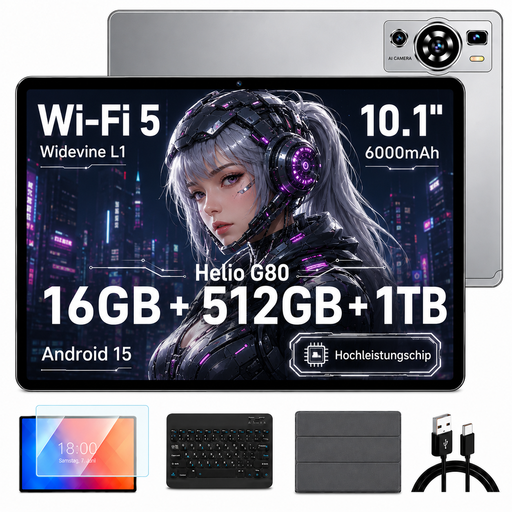
UXD A5 Android 15 tablet, 10.1-inch, HD IPS, 16 GB RAM, 512 GB storage, keyboard, mouse and case, grey
A larger-screen option for passengers; check that your specific game app is available on this Android tablet and will launch offline.
10.1-inch HD IPS screen, 16 GB RAM (8 GB + 8 GB virtual), 512 GB storage and stated expandability up to 1 TB.
The product description also lists a keyboard, mouse and case.
View at Joybuy
 No image available
TECLAST T65, 13.4-inch, 120 Hz, Android 16, 6 GB RAM plus 20 GB virtual, 128 GB storage
The larger screen could suit passengers who value playing space over an especially compact design; check that your specific app is available.
13.4-inch screen with 120 Hz, Android 16, 26 GB RAM (6 GB + 20 GB virtual) and 128 GB storage.
The product description also lists Dual SIM, 4G and Wi-Fi 5.
View at Joybuy
 No image available
Teclast P50, 11-inch, 90 Hz, Android 15, 8 GB RAM, 128 GB storage
A larger-screen Android option for passengers; check in advance that your specific game app works on the device and can be used offline.
11-inch screen with 90 Hz, 8 GB RAM and 128 GB storage.
The product description also lists Dual SIM, 4G LTE and Wi-Fi 5.
View at Joybuy
 No image available
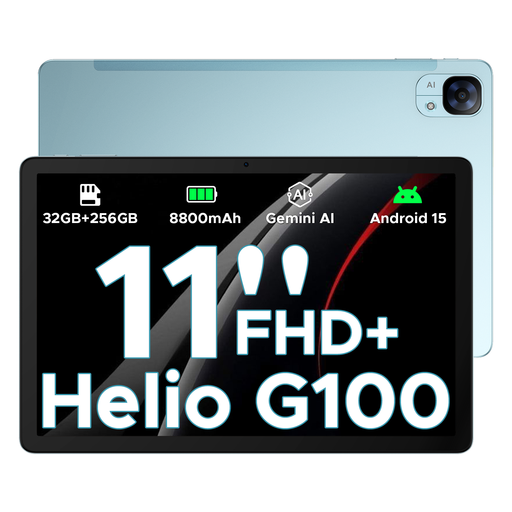
DOOGEE Tab E3, Android 15, 11-inch FHD+, 90 Hz, 32 GB plus 256 GB storage, blue
A larger-screen option for passengers who want more room to play; check that your specific app is available on this Android tablet.
11-inch FHD+ screen with 90 Hz, Android 15 and 32 GB RAM plus 256 GB storage; the product description lists expandability up to 2 TB.
View at Joybuy
Frequently asked questions
Can I play any tile game offline after downloading it?
No, that can’t be guaranteed across the board. Google Play Help specifically says that only some games can be played offline. So check your specific app and test it without a connection before setting off.
Do I need a tablet with a SIM card for a car journey?
Not if your game works offline with all the features you need. If it requires an online feature, check the connection along your route; that still doesn’t replace a separate offline test.
How can I prevent children from making accidental in-app purchases?
Set up suitable family controls and purchase approvals before you set off. According to Google Play Help, purchase approvals apply only to purchases made through the Google Play billing system; Apple Support Germany explains how to manage settings for supervised child accounts through Screen Time.
Can the driver play tile games on a tablet while driving?
No: a tile game that needs constant interaction isn’t suitable for the driver while the vehicle is moving. Under Section 23 of the German Road Traffic Regulations (StVO), as explained on Gesetze im Internet, drivers are subject to strict conditions when using electronic devices. These include not picking up or holding a device, and only taking brief glances that are appropriate to the traffic conditions. The exception for a stationary motor vehicle generally requires the engine to be completely switched off.
What rights do I have when buying online or if a product develops a fault?
When you buy online from a trader, you generally have 14 days from receiving the goods to cancel the purchase; exceptions and any return postage costs should be taken into account. According to the EU’s Your Europe consumer information, faulty goods are covered by a minimum two-year legal guarantee from the seller, starting from the date you receive them. These rights are separate from any additional manufacturer’s warranty.


