Playing offline in a hotel
If you want to keep playing when the hotel Wi-Fi drops out, check that your specific app works offline before you travel. You can’t tell this from the tablet model alone.


First, choose a tablet that supports the game you want to play. Then pick a size that suits the way you like to play: a more compact device is easier to hold, while a larger one gives you more screen space. Before travelling, check that the game will start and work without an internet connection. A high refresh rate alone won’t necessarily benefit your app.
If you want to keep playing when the hotel Wi-Fi drops out, check that your specific app works offline before you travel. You can’t tell this from the tablet model alone.
If you enjoy longer sessions in bed or in an armchair, weigh up how easy the tablet is to hold against how clearly you can see the tiles. Compare the screen size and weight of the exact model you’re considering.
If you’ll be propping the tablet up in your room, a larger playing area may matter more than keeping the device as compact as possible. Check that the screen size suits the way you play.
| What matters | What to check | Who will find this especially important |
|---|---|---|
| App and offline use | Check that the game is available in the relevant app store and is compatible with the device. Test downloading and launching it, and check that you can play in aeroplane mode. | If I want to play in a hotel even when the Wi-Fi is weak, I check the app before travelling. Around 25% of consumers put app access and offline use first. |
| Ease of handling | Compare the screen size and weight of the exact model, and consider whether you’ll usually be holding the tablet while you play. | For playing in bed or in an armchair, I want a device that’s comfortable to hold. Around 20% of consumers prioritise ease of handling when gaming. |
| Playing area | Compare the screen size and resolution. How the tiles appear also depends on the app. | If I’m using the tablet at a table, I want the tiles to be easy to see. Around 20% of consumers prioritise screen space and gaming comfort. |
| Battery and charging | Check what’s included and the charging details, and consider whether you already have a suitable power adapter. | For longer sessions and trips, I want to be able to plan for charging. Around 15% of consumers prioritise battery life and charging options. |
| Total cost | Factor in the price and any potential in-app purchases for the game, as well as accessories and what’s included. | Before buying, I want to know whether I might need to spend extra on the app or accessories. Around 20% of consumers pay particular attention to the total cost. |
According to Amazon, tablets running the Fire operating system don’t support Google Play. If your chosen game is available there, you can’t assume it will automatically install on a Fire tablet.
Before choosing a model, check whether the game is available through the selected device’s app store.
Xiaomi states that supported apps and games can run at up to 90 Hz. However, a display specification doesn’t tell you how smoothly a particular app will run. And a battery capacity isn’t the same as a measured battery-life test for your game.
Use technical specifications as a guide, and check your app’s performance and your charging needs separately.
Even free apps can offer in-app purchases or subscriptions, as Apple explains. Xiaomi states that the Redmi Pad 2 doesn’t include a power adapter.
Check what your specific game offers and what’s included with the model you choose. Depending on the app, you may need to pay for in-app purchases or a subscription. If you don’t already have a power adapter, remember to budget for one separately for the Redmi Pad 2.
The Galaxy Tab A11 is a compact 8.7-inch option, while the Galaxy Tab A11+ has an 11-inch display. Both are part of Samsung’s Android range.
The iPad (A16) is an 11-inch option for games that are compatible with the iPad app ecosystem.
The Redmi Pad 2 is an 11-inch Android option. Its display specifications, weight and what’s included are all worth considering before you buy.
The Lenovo Tab adds a 10.1-inch Android configuration to the range, sitting between more compact and larger screen sizes.
This selection includes compact and larger Android tablets for gaming in a hotel room. Before buying, check that your chosen game is available through the app store on the device you’re considering.
 No image available
The stated 8.68-inch display class makes this a compact option for handheld gaming. Check that your game is compatible through the relevant app store.
8.68-inch display, Android 15, 128 GB ROM and 6,600 mAh. The stated 24 GB of expandable RAM comprises 6 GB RAM and 18 GB virtual RAM.
 No image available
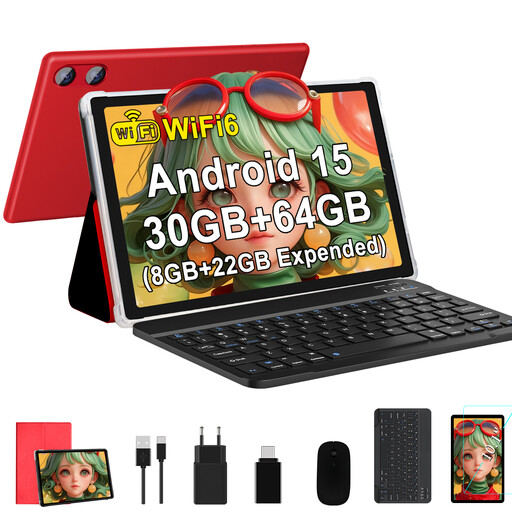
The 10.1-inch display gives you a larger screen than compact tablet models. Check that your game is supported through the app store.
10.1 inches, 1280 × 800 pixels, 64 GB ROM and 6,000 mAh. The stated RAM is 30 GB (8 GB + 22 GB virtual RAM); GMS is listed.
 No image available
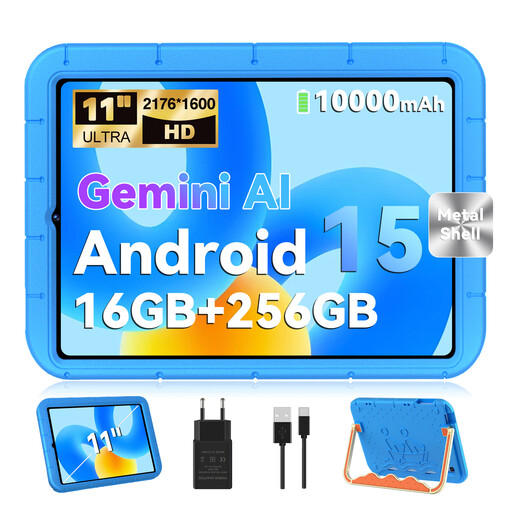
The 11-inch display is a larger option for gaming in your room. Check in advance that your chosen game is available on the device.
11 inches, 2176 × 1600 pixels, 256 GB ROM and 10,000 mAh. The stated RAM is 16 GB (8 GB + 8 GB virtual RAM); an EVA case is listed.
 No image available
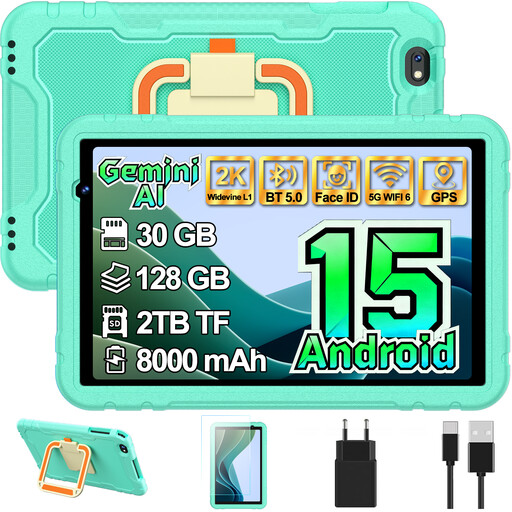
The listed case with a rotating stand lets you prop the tablet up in your hotel room. Check that your chosen app is compatible with the specific device.
10.1-inch display, 128 GB storage and 8,000 mAh. The stated RAM is 30 GB (8 GB + 22 GB virtual RAM); a protective case with a rotating stand is listed.
 No image available
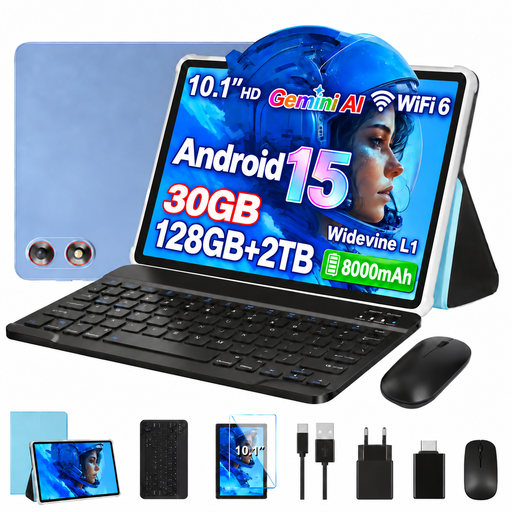
The included keyboard and mouse are suited to using the tablet at a table. For tile-matching games, also check that the app is available on the tablet.
10.1 inches, 1280 × 800 pixels, 128 GB ROM and 8,000 mAh. The stated RAM is 30 GB (8 GB + 22 GB virtual RAM); a keyboard and mouse are listed.
It depends on the game. Google confirms that only some games work offline. Download the game you want before travelling, then test in aeroplane mode to see whether it starts and lets you play. According to Apple, you need an internet connection and an Apple Account to download from the App Store.
Performance isn’t the only thing to consider. First check that the app is compatible, then decide which screen size and level of portability suit the way you play. A manufacturer’s claim of up to 90 Hz doesn’t guarantee that every game will display at that rate.
Check whether your game offers in-app purchases or subscriptions, and what’s included with the tablet and any accessories you’ll need. Apple notes that free apps can also offer in-app purchases; Xiaomi states that the Redmi Pad 2 doesn’t include a power adapter.
For a qualifying distance purchase from a trader, you generally have a 14-day right to cancel, starting from delivery. Exceptions and rules on return postage apply. If goods are faulty, you’re entitled to a statutory guarantee from the seller for at least two years from the date you receive them. Your Europe, the European Union’s consumer portal, distinguishes these rights from a voluntary manufacturer’s warranty.