Travellers who write a lot
If you want to add longer entries while you’re in your hotel, pay particular attention to a suitable keyboard, your writing app and having enough room to work.


For keeping a travel diary in your hotel, start by choosing the input method you prefer: a suitable keyboard for longer entries or a compatible stylus for handwriting. If you want to add photos or carry on writing without reliable Wi-Fi, also check the storage, app workflow and offline availability. A larger display gives you more room to work, but takes up more space in your luggage.
If you want to add longer entries while you’re in your hotel, pay particular attention to a suitable keyboard, your writing app and having enough room to work.
If you sketch your impressions or record them by hand, check which stylus works with the specific tablet variant and whether it’s included.
If you want to add photos taken on your travels to your entries, check how to import photos, how much storage is available and whether you can access them without reliable Wi-Fi.
| Buying priority | What to check before buying | Who this matters most to |
|---|---|---|
| Typing longer entries | Check the compatible keyboard model, German layout and what’s included. | If you write longer entries in the evening, a suitable keyboard matters more to you than a general performance rating. Around 29% of consumers put extended typing first. |
| Handwriting and sketching | Check the stylus compatibility and what’s included, as well as the diary app’s features. | If you prefer to write down or sketch your thoughts by hand, the stylus should suit your specific model and writing workflow. For around 23% of consumers, handwriting is the top priority. |
| Adding travel photos | Import a photo into the diary app, and check the available storage and any ports you may need. | If you want your entries to include photos, you’ll need a reliable way to import them and enough space for your files. Around 18% of consumers prioritise adding photos. |
| Writing without Wi-Fi | Make files available offline in advance, then test opening, editing and syncing them later without Wi-Fi. | If you want to work on your entries even when your connection is unstable, it’s essential to have tested how your app works offline. Around 18% of consumers prioritise offline access. |
| Taking your device and accessories with you | Compare the dimensions and weight of the specific variant, including its case, stylus and any keyboard. | If you often pack and unpack your tablet, you’ll want to weigh up screen space against the space it takes up in your luggage. Around 12% of consumers put portability first. |
What’s included varies by model: Samsung says the Galaxy Tab S10 FE comes with an S Pen, while HONOR states that the stylus is not included with the Pad 10.
Check both stylus compatibility and what’s included for the exact tablet variant.
Google explains that, in Docs on Android, you need to take a separate step to make specific files available offline. Having the app installed alone doesn’t guarantee access without an internet connection.
Save your entry and any photos you need to your device in advance, then test the process with Wi-Fi switched off.
Lenovo says the Idea Tab Pro supports a detachable keyboard; the Keyboard Pack is listed separately.
Check what’s included in the specific offer, the keyboard layout and the weight of the complete set.
For the requirements that have applied since 20 June 2025, the European Commission distinguishes affected slate tablets from tablet computers classified differently.
Check the device type and the requirements for the specific variant, rather than assuming that something labelled a “tablet” must carry an energy label.
The information about styluses, keyboards, displays and storage applies to the models and configurations mentioned.
The iPad (A16) is an 11-inch option that supports a compatible Apple Pencil and the Magic Keyboard Folio.
The Galaxy Tab S10 FE has a 10.9-inch display and is worth considering for handwritten entries.
The Idea Tab Pro combines a 12.7-inch display with a Tab Pen Plus, which Lenovo says is included.
The Pad 7 is an 11.2-inch Android option for entries with text and images.
The Pad 10 has a 12.1-inch display, giving you room for a diary with images and text.
This selection from Joybuy includes tablets and 2-in-1 devices for diary entries using a keyboard, touchscreen or stylus; check each offer to see which features and accessories come with the specific variant.
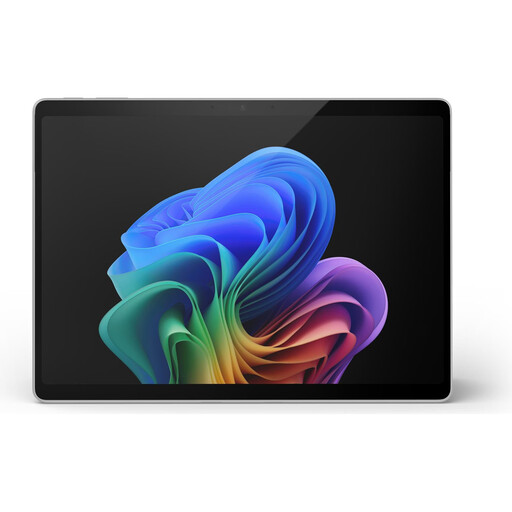 No image available
As a 2-in-1 device with a touchscreen, it’s worth considering for diary entries typed directly on the screen.
13-inch touchscreen, 512 GB SSD and a weight of 0.90 kg, according to the offer description.
 No image available
If you prefer to type longer entries, the offer includes a Bluetooth keyboard, mouse and protective case.
10.1-inch display and 128 GB of internal storage, expandable with a TF card according to the product description.
 No image available
The keyboard set is a handy option if you prefer to type your diary entries.
The product name lists a Unisoc T310, 256 GB ROM, Wi-Fi 6, GPS and a 6000 mAh battery; the description says the storage is expandable.
 No image available
This E Ink note-taking tablet is worth considering for handwritten diary entries; the product description says it comes with a stylus and can store notes locally.
10.65-inch E Ink display; the product description also mentions converting handwritten notes into text.
 No image available
This 11-inch tablet is an option for writing diary entries on an Android device with a larger screen.
The product name lists 128 GB ROM and an 8000 mAh battery.
It depends on your app and which files are available locally. Google explains how to make specific files available offline in Docs on Android. Before you travel, test your entry with Wi-Fi switched off.
No, it depends on the model. Samsung says the Galaxy Tab S10 FE comes with an S Pen, while HONOR says the stylus for the Pad 10 must be bought separately. The compatible Apple Pencil is not included in the listed tablet contents for the iPad (A16).
The German Federal Office for Information Security recommends avoiding access to confidential data over public Wi-Fi networks wherever possible. If you have no alternative, it recommends using a VPN where possible. This is a security recommendation, not an extra tablet-buying requirement.
For a typical online purchase of goods by a consumer, you generally have a 14-day right to cancel, subject to the legal requirements and exceptions. If the goods are faulty, you generally have two years of statutory rights against the seller. For purchases made from 31 July 2026, the period may be extended to three years under the stated repair conditions; a guarantee and statutory rights are not the same thing.
Energy labelling has applied since 20 June 2025 to slate tablets covered by the EU rules. The European Commission distinguishes these from tablet computers classified differently. So check the device type and the rules that apply to the specific offer, rather than deciding based on the word “tablet” alone.