Readers travelling light
If you mainly read continuous text and hold your device for long periods, a more compact size may be easier to carry. The trade-off is less space for images and fixed-layout pages.


If you’ll mainly be reading continuous text, a handy tablet is an obvious choice. For illustrated travel essays, PDFs or note-taking, a larger display gives you more room. Before buying, check the format of your texts and, if relevant, whether your library and preferred borrowing service work on the device. An e-reader may suit compatible e-books, but it won’t replace tablet apps.
If you mainly read continuous text and hold your device for long periods, a more compact size may be easier to carry. The trade-off is less space for images and fixed-layout pages.
If photos, captions or full PDF pages matter to you, a larger display can give you more room. Try it with your own text to see whether the words and images are easy to read without frequently zooming in.
If you want to read borrowed texts, the key factors are your library’s borrowing system, the right app and whether your chosen title is available.
| Consideration | What to check before buying | Who is it important to? |
|---|---|---|
| Comfort when reading | Weight of the specific model, including any case you plan to use; text size with your own reading material. | If you read while holding your device for long periods and want it to be easy to carry, size is your main consideration. Around 28% of consumers put this first when reading continuous text. |
| Displaying illustrated texts | Open a typical essay in its actual file format and check the text, captions and full pages. | If you want to view photos or fixed-layout PDF pages without frequently zooming in, display size matters most. Around 22% of consumers put this consideration first. |
| Digital library content | Check with your library about its borrowing system, membership, available titles and supported devices. | If you want to borrow travel essays, you’ll need access to your library’s system and the right app. Around 22% of consumers prioritise access to digital library content. |
| Highlights and notes | Check the stylus model and what’s included, as well as annotation permissions and export options for the format you use. | If you want to highlight passages or jot down your thoughts, how you’ll actually use the device matters more than stylus support alone. Around 17% of consumers prioritise working with text. |
| Device and accessories | Consider the device model alongside the accessories you actually need; check the requirements of your library. | If you want to keep the cost of the device and necessary accessories down, check exactly what’s included. Around 11% of consumers prioritise the total cost. |
Your library must be part of the borrowing service you want to use, and the essay you’re looking for must be available there.
Before choosing a device, check your library, its membership terms, its borrowing system and the title you want.
Onleihe notes that offline use may be restricted, depending on the device.
Try the title you want in advance and follow the borrowing service’s guidance on how often you need to go online to sync.
Stylus compatibility, included accessories and the ability to annotate a particular e-book or PDF are separate considerations.
Check the exact device model, stylus and features available in the file format you’ll actually use.
The Galaxy Tab A11 is a more compact Android option, while the Galaxy Tab A11+ has an 11-inch display for more screen space.
The iPad (A16) is an 11-inch option if you need more room for text and images, or a compatible iPad app.
The Tab M11 is an 11-inch Android option if its reading mode and optional stylus input suit the way you use your device.
The vision color is an e-reader alternative if compatible e-books matter more to you than tablet apps.
This selection includes more compact tablets for continuous text, as well as larger displays for essays with images or fixed layouts. The right size also depends on your library app and whether you want to take notes as you read.
 No image available
The 11-inch size is worth considering if you want more room for illustrated essays or fixed-layout pages.
Specifications according to the product name: Wi-Fi, 6 GB RAM and 128 GB storage.
 No image available
The 11-inch size may suit you if you’d like more screen space for reading illustrated texts.
Specifications according to the product name: Wi-Fi and 128 GB storage.
 No image available
The larger 12.1-inch display may be a good fit for essays with photos or larger pages; try it with your own text to check how it looks.
Specifications according to the product name: Wi-Fi and 256 GB storage.
 No image available
The 8.8-inch size is worth considering if you mainly read continuous text and want a more compact tablet.
Specifications according to the product name: 12 GB RAM, 256 GB storage and Android 14; no adapter included.
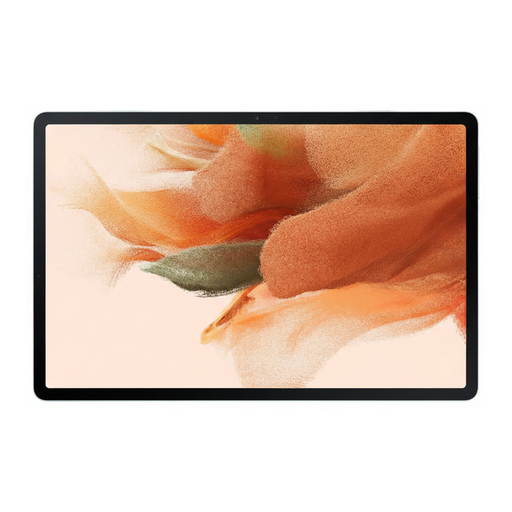 No image available
If you plan to take handwritten notes while reading, check what’s included with this model and which features are available in the file format you use.
Specifications according to the product name: Wi-Fi and 64 GB storage.
No, it depends on the borrowing service and your library. For the Onleihe 3 app, Onleihe Help lists Android 10 or later, or iOS 15.1 or later, and access to the relevant app store. Also check that your library participates and that your chosen title is available.
This isn’t always reliable on every device. Onleihe Help notes that restrictions depend on the device. Try the title you want and follow the service’s guidance on how often you need to go online to sync before relying on offline reading.
You’ll need a participating library and the right app on a supported device. Select your library in the app, sign in with your library account and check that your chosen title is available.
Not every stylus or note-taking feature works with every format. Check whether your specific borrowing service and title allow annotations, which stylus model is supported and whether the stylus is included with your chosen device model.