What should you look for when buying?
First, check that your files will open offline in the app you use. Then you can choose a screen that’s easy to read and a size and charging setup that work for your journey and the space available.
| What matters | What to check before buying | Who this matters most to |
|---|
| Access to your guide | Test the file format, permissions and offline features in the app you use; open the file without an internet connection. | If I need my guide when my connection drops, I need to have the right version ready beforehand. Around 33% of consumers say offline access is their main concern. |
| Reading fine details | Open a typical page in the app you plan to use and compare screen size, resolution and zoom controls. | If I need to read tables or small labels, how my specific document looks matters more than screen size alone. Around 27% of consumers prioritise being able to read fine details. |
| Space and weight | Check the weight and dimensions of the exact model, and allow for any case you plan to use. | If I have little room to rest my tablet or will be holding it often, I want something easy to handle and carry. Around 20% of consumers say portability is their main concern. |
| Charging | Check the battery level, compatible charging accessories and the availability of sockets on the train you plan to take. | If my journey is a long one, I want to know how I can charge my tablet on the way and whether my accessories are compatible. Around 20% of consumers consider charging their top concern. |
Tablets at Joybuy
This selection features tablets with larger screens for workshop guides and files you’ve prepared in advance.
 No image available
Samsung Galaxy Tab A11+ X230, 11-inch, Wi-Fi, 6 GB RAM, 128 GB, Grey
The larger screen may suit you if you need to view workshop guides with plenty of detail.
11 inches; 1,920 × 1,200 pixels; 6 GB RAM; 128 GB storage; 482 g.
 No image available
Apple 13-inch iPad Air (M4, 2026), Wi-Fi, 128 GB, Starlight
The 13-inch size could be right for you if you want to view plans or tables as large as possible and don’t mind carrying a bigger tablet.
13 inches; 2,732 × 2,048 pixels; 128 GB storage; 616 g.
 No image available
Apple 11-inch iPad Air (M4, 2026), Wi-Fi, 256 GB, Blue
The 11-inch size may suit you if you want more room to read without carrying a 13-inch model.
11 inches; 2,360 × 1,640 pixels; 256 GB storage; 464 g.
 No image available
Xiaomi Pad 7, with keyboard, 8 GB RAM, 128 GB, Grey
The listed storage capacity may be useful if you plan to save workshop materials locally. Check that the included keyboard suits the way you’ll use the tablet.
3.2K display; 8 GB RAM; 128 GB storage; keyboard listed in the product name.
 No image available
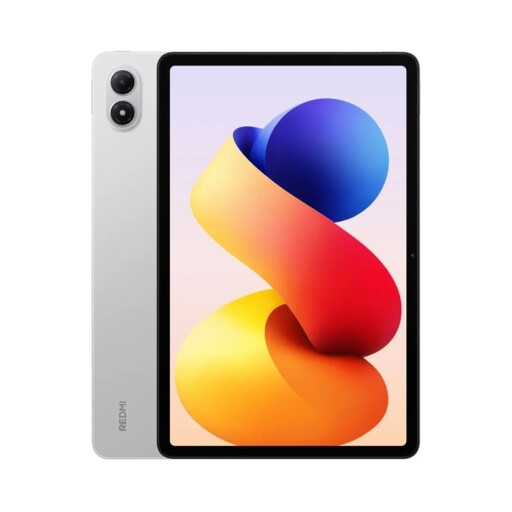
REDMI Pad 2 Pro, 12.1-inch, 6 GB RAM, 128 GB, Silver
The larger screen could be useful for detailed plans; make sure its size works with the space available at your seat.
12.1 inches; 2,560 × 1,600 pixels; 120 Hz; 6 GB RAM; 128 GB storage.
Frequently asked questions
Do I need a tablet with mobile data for workshop guides on the train?
Not necessarily, as long as you make the files you need available offline before you travel. Deutsche Bahn says that Wi-Fi is available on all ICE trains and an increasing number of IC trains. If you need to download new versions of files on the go, check the connection options for your specific route.
How do I prepare my files for the journey?
Save the versions you need locally or mark them for offline use in the app you use, then test each important file without an internet connection. Microsoft Support explains how to use offline files in OneDrive on Android and iOS. After making changes, check that you’ve saved the latest version.
Can I charge my tablet at my seat on an ICE train?
Deutsche Bahn lists power sockets at ICE seats in both classes, with the number per seat varying by class and train type. Check whether your specific train and seat have a socket, and remember to bring a compatible charger.
What rights and potential extra costs should I consider when buying a tablet?
The Verbraucherzentrale distinguishes between your statutory rights against the seller and a voluntary guarantee. Consumers buying online generally have a 14-day right to cancel, although exceptions and the type of contract should be taken into account. Also check whether you’ll need a charger, a case or an app subscription for certain offline features.


