Makers with limited bench space
If you want to place the tablet right next to your project, an 8.7-inch compact model could be a good starting point. Remember to allow space for a stand, too.


If you have limited space on your workbench and tend to read instructions in sections, a compact tablet is a sensible place to start. A larger display may be more practical for viewing complete drawings or densely annotated PDFs, provided you have enough room for the tablet and its stand. Before you buy, check that your chosen app works on the device and that you can access files offline. A manufacturer's protection rating does not, on its own, confirm that a device is suitable for your working environment.
If you want to place the tablet right next to your project, an 8.7-inch compact model could be a good starting point. Remember to allow space for a stand, too.
If you want to see complete PDF pages or plans at a glance, consider an 11-inch device, provided you have enough space to set it up.
First, check that your chosen app is available for the tablet's operating system and that you can open saved documents without an internet connection.
A good fit if: Tools and your project need to take priority on the bench, and you can read instructions in sections.
The trade-off: You may need to zoom in more often to view complete plans. Test how your own files look on the display.
A good fit if: You want to see complete drawings or PDF pages at a glance and have a secure space to set the tablet up.
The trade-off: The display and stand take up more room alongside your tools and project.
On a small workbench, the key is deciding which compromise you mind least.
| What matters | What to check before buying | Who will value this? |
|---|---|---|
| Space and positioning | Check the exact tablet's external dimensions, as well as the space needed for your chosen stand and viewing angle. | If you need room for tools and your project as well as the tablet, keeping your work area clear will matter. Around 36% of consumers put space requirements first. |
| Plan readability | Open a typical set of instructions at your usual viewing distance and under your workshop lighting, then check the text and details. | If you need to read small labels or view complete drawings, check how your own file looks on the display. Around 29% of consumers prioritise readability. |
| App and offline access | Check that your chosen app is compatible and that you can download and open the files you need without an internet connection. | If you need access to a particular set of instructions through an app or offline, having the right access method is essential. Around 21% of consumers prioritise app or offline access. |
| Working environment and power | Check the protection rating for the exact model, the user manual, what's included in the box and which power adapter you need. | If you use your tablet near your work area or need to access it for long periods, plan where to position it and how to power it. Around 14% of consumers prioritise protection or power requirements. |
The screen diagonal doesn't tell you how much room the tablet and stand will take up on your bench, or whether your specific drawing will be easy to read.
Measure the available space and check the exact model's external dimensions. Before deciding, open a typical page of instructions.
Google Play isn't supported on the Fire HD 8, so don't assume a specific Android app will work without checking compatibility first.
Check whether your chosen app is available for the device and whether there's another way to access the instructions you need.
A model-specific IP rating applies to the stated test conditions. It doesn't replace following the intended-use guidance in the user manual.
Compare ratings only for the exact model, and keep the tablet away from immediate hazards and dirty areas.
The 8.7-inch Galaxy Tab A11 and 11-inch Galaxy Tab A11+ offer different screen sizes and space requirements.
The Lenovo Tab One ZAF00255SE is a compact 8.7-inch Android option.
The 11-inch iPad (A16) has a larger display, while the iPad mini with A20 Pro is a compact alternative.
The following Joybuy tablets may suit digital instructions on displays of different sizes. Compare each model's size and app access with your available space and the files you actually use.
 No image available
An option if you want to view digital instructions on an Android tablet. Check app compatibility and how your files look on the display.
8 GB RAM; 256 GB ROM.
 No image available
The 8-inch format could be a good fit if you're short on space and want a compact display. Test how easy your instructions are to read.
Android 15; 3 GB RAM and 32 GB storage. The product name indicates that no adapter is included.
 No image available
A larger display for instructions, provided there's enough room on your bench for the tablet and its stand.
11 inches; 6 GB RAM and 128 GB storage. The stated IP52 rating doesn't indicate suitability for conditions beyond those covered by the rating.
 No image available
Worth considering if you'd like to read on a larger display and add notes or input using the listed accessories. Remember to allow for the extra space they need.
Android 16; 256 GB ROM; keyboard and stylus.
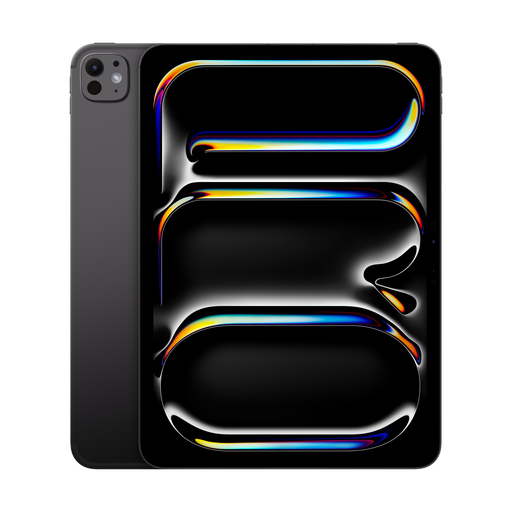 No image available
A larger display for digital instructions, provided you have enough space and your chosen app is compatible with the device.
11 inches; 2 TB; Nano-Texture Glass. Keep the device away from water and other liquids.
It depends on the text size, page format and viewing distance for your file. Compare a typical page on a compact device and a larger display; the screen size alone doesn't guarantee that everything will be easy to read.
No. Google Play isn't supported on the Fire HD 8. Check whether your chosen app is available on the device or whether another way of accessing your instructions will work.
Choose a stable spot where it won't get in the way of your tools or project, and follow the device's user manual. The German Federal Institute for Occupational Safety and Health notes that requirements may differ between personal use and a commercial workplace.
For a consumer purchase in the EU, you generally have a statutory guarantee claim against the seller for at least two years from the date you receive the goods. The European Union's Your Europe website distinguishes this right from a voluntary manufacturer's guarantee.
No. Germany's Federal Environment Agency explains that old electrical equipment must be collected separately. Find out where your nearest suitable take-back point or recycling centre is.