Joybuy products for writing on the go
Joybuy product options for writing a speech on the go. For each offer, check the exact version, what’s included and whether your chosen writing app works offline.
 No image available
MEBERRY M8 10.1-inch tablet with keyboard
The keyboard mentioned in the product name gives you an option for typing longer speech passages. Check that the set suits your workspace.
10.1 inches; 30 GB RAM (8 GB + 22 GB virtual); 128 GB ROM; 8000 mAh; keyboard, mouse and protective case listed as included in the product name.
View on Joybuy
 No image available
Android 16 tablet PC, 10.1 inches, with Unisoc T310
The product name lists a keyboard set as an option for typing speech passages. Check the offer to confirm what’s included before buying.
10.1 inches; Unisoc T310; 36 GB RAM and 256 GB ROM; 1 TB TF expansion listed in the product name; keyboard set mentioned.
View on Joybuy
 No image available
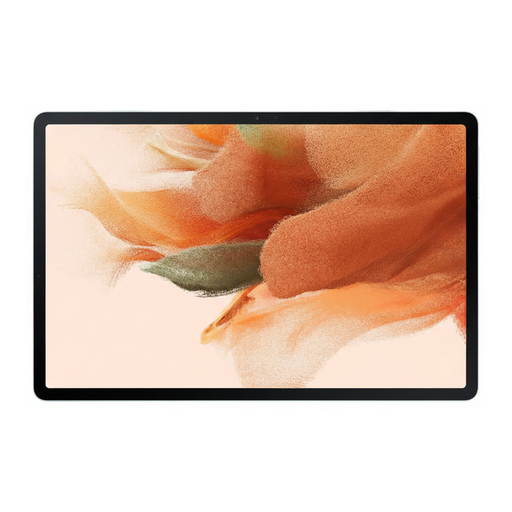
Samsung Galaxy Tab S7 FE, 64 GB, Wi-Fi, green
If you’re looking for a Wi-Fi tablet for your speech draft, check first whether a stylus is included with this version and works with your writing app.
64 GB; Wi-Fi; colour: green.
View on Joybuy
 No image available
iFLYTEK AINOTE 2, 10.65-inch E-Ink tablet
The product name mentions handwriting-to-text and voice input for taking notes on the go. According to the product description, speech transcription requires an internet connection.
10.65 inches; E-Ink display; speech transcription in 16 languages listed in the product name.
View on Joybuy
 No image available
TECLAST ArtPad Pro, 12.7-inch tablet
If you want to type speech passages and add handwritten notes, the product name lists both a keyboard and a stylus. The keyboard is described as English-language.
12.7-inch 2K display; stylus with 4096 pressure levels; 256 GB storage; 8 GB RAM plus 12 GB virtual RAM; keyboard, stylus and protective case listed as included in the product name.
View on Joybuy
Frequently asked questions
Can I keep editing my speech draft without an internet connection?
Yes, if the app you’re using and the specific file support offline work, and you make the file available beforehand. Google describes offline editing in Google Docs for Android; before you set off, check that you can open and edit your draft without a connection.
Does a tablet with stylus support come with a stylus?
Not necessarily; what’s included depends on the model and version. Samsung says the Galaxy Tab S10 FE comes with an S Pen. Apple lists compatible Pencil models for the iPad (A16), but doesn’t include a Pencil in the tablet’s stated box contents.
What should I set up before my trip so I can write?
Set up the writing app you want to use, check that the keyboard or stylus works with it, and make your speech draft available offline if needed. Google describes an option in its Android apps for making individual files available offline.
What are my rights when buying a tablet online in Germany?
Consumers generally have a right to cancel a distance purchase; Section 312g of the German Civil Code (BGB) sets out statutory exceptions. The Verbraucherzentrale describes a standard cancellation period of 14 days; when the period starts and which exceptions apply depend on the circumstances. This is separate from statutory rights relating to defects: for the usual claims relating to defects in a new movable item, Section 438 of the BGB generally provides for a two-year period from delivery. These rights are not the same as a voluntary guarantee.


