If you’ll mainly be reading saved webpages, a compact tablet should do the job. For PDFs that need to retain their original layout, or if you want to make handwritten notes in the margins, a larger screen and a compatible stylus may matter more. Download some specific reviews before you fly and test them offline — manufacturer claims about weight and battery life are no substitute for trying them out yourself.
Which tablet is right for you?
Offline article readers
You want to save film reviews as webpages and read them without in-flight Wi-Fi. The key is whether the download method works for the specific page you want to save: Google Chrome Help explains how to download webpages in advance on Android, while Apple Support explains how to save pages offline using the Safari Reading List on iPad.
PDF readers short on space
You read reviews in their original page layout and need to balance screen space against weight and room at your seat. Apple Germany lists the Wi-Fi iPad mini at 255 g and the Wi-Fi iPad (A16) at 477 g. Also check that your PDFs are easy to read on each screen without having to zoom in frequently.
Readers who make notes in the margins
You want to highlight arguments or annotate PDFs. Check the stylus, what’s included and file format together: Samsung Germany says the Galaxy Tab S10 FE comes with an S Pen, while the contents listed by Apple Germany for the iPad (A16) do not include a Pencil.
What to look for when buying
Compact all-round tablet
A good fit if: You mainly read saved webpages and expect to hold the device for long periods. Apple Germany lists the Wi-Fi iPad mini at 8.5 inches and 255 g.
The trade-off: The smaller screen may mean zooming in more often to read PDFs.
Larger all-round tablet
A good fit if: You want to view PDFs at a larger size or add handwritten notes to your reading. Samsung Germany says the Galaxy Tab S10 FE comes with an S Pen.
The trade-off: Compare the screen size and weight of the specific models: Apple Germany lists the Wi-Fi iPad (A16) at 477 g, while Xiaomi Germany lists the REDMI Pad 2 Pro at 610 g.
Document-focused writing tablet
A good fit if: Your reviews are in PDF or EPUB format and you want to read and annotate them on a device designed for working with documents. reMarkable documents support for importing these formats on the Paper Pro, which has an 11.8-inch display.
The trade-off: Documented import support doesn’t mean you can use every webpage directly. Check how you’ll get your articles onto the device first.
| Buying priority |
What to check |
Who it matters most to |
| Offline access |
Save several specific articles in advance and open them without an internet connection. Google Chrome Help explains how to download pages on Android; Apple Support explains how to use Safari’s Reading List offline. |
If I want to read film reviews without an internet connection, I download them before flying and test that I can access them. Around 28% of consumers would choose offline access as their top priority. |
| Easy to handle at your seat |
Compare the weight and casing of the specific model, including any case you plan to use. Also check whether the smaller screen is large enough for the articles you read. |
If I’m going to hold the tablet for a long time or use it on a small tray, every extra gram matters to me. Around 22% of consumers would put ease of handling first. |
| Screen space for PDFs |
Open a typical PDF in your reading app and check the text size, how often you need to zoom and how it looks in portrait orientation on the device you’re considering. |
When reading reviews in their original page layout, I want to make out the text and page design without constantly zooming in. Around 22% of consumers would prioritise screen space for PDFs. |
| Battery life during a flight |
Check the test conditions behind the manufacturer’s battery-life claim, then try your own reading app at your usual brightness setting. Lenovo quotes around 10 hours of web browsing for the Tab M11 under optimal laboratory and network conditions. |
If I want to read throughout a flight without recharging, I check battery life using my own settings. Around 17% of consumers would make sufficient battery life their main priority. |
| Highlighting and annotating |
Check whether a stylus is included with the specific model and whether your document app supports importing and exporting files. |
If I want to highlight arguments in a review or write notes in the margins, the stylus and file format need to fit the way I work. Around 11% of consumers would put note-taking first. |
Common buying mistakes
-
Assuming a reading list means articles are definitely downloaded
Saving a link doesn’t prove that the full article will be available offline. Google explains how to download pages in Chrome on Android; Apple describes a setting in Safari for automatically saving pages for offline reading.
Save several of the film reviews you want to read before you fly, then try opening them in aeroplane mode.
-
Comparing screen size alone
The models considered here vary in screen size and weight. The page layout also affects how easy a PDF is to read at your preferred text size or zoom level. A larger device may be awkward to hold for a long time or use on a small tray.
Try a typical document and remember to factor in the weight of the case you plan to take with you.
-
Confusing stylus compatibility with a stylus being included
Compatibility and what comes in the box are two separate buying considerations. Apple Germany lists compatible Pencil models for the iPad (A16), but doesn’t include a Pencil in the listed contents. Samsung Germany says the Galaxy Tab S10 FE comes with an S Pen.
Check the model, what’s included and the features of your document app together.
You may need to buy a separate stylus for handwritten notes on the iPad (A16).
Brands and suitable ranges
Apple
The iPad mini is suited to compact reading, while the iPad (A16) offers more screen space. Safari provides a documented way to save articles for offline reading.
- Apple Germany lists the Wi-Fi iPad mini at 255 g and the Wi-Fi iPad (A16) at 477 g.
- The iPad mini has a smaller screen, and a Pencil isn’t included with the iPad (A16) according to the contents listed by Apple Germany. These are manufacturer specifications, not the result of comparative hands-on testing.
Samsung
The Galaxy Tab S10 FE is a larger Android option for reading and, potentially, making handwritten notes.
- Samsung Germany lists a 10.9-inch display and an included S Pen for this range.
- Check that the review app and file format you want to use work with the specific model you’re considering.
Xiaomi
The REDMI Pad 2 Pro may suit you if you’d prefer a larger screen than the other models considered here.
- Xiaomi Germany lists the REDMI Pad 2 Pro at 12.1 inches and 610 g.
- A larger screen alone doesn’t tell you how long you’ll be able to read comfortably or prove that a device is better overall.
reMarkable
The Paper Pro is a document-focused alternative for preparing PDF and EPUB articles and adding annotations.
- reMarkable documents support for importing PDF and EPUB files, as well as an 11.8-inch display.
- Documented file support doesn’t prove that every film review webpage can be imported directly.
Lenovo
The Tab M11 is an Android option with an 11-inch screen. Check the storage option you’re buying and whether a stylus is included.
- Lenovo quotes around 10 hours of web browsing under optimal test conditions.
- Lenovo notes that battery life varies with brightness, software and usage. This isn’t an independent test of how long it lasts when reading on a plane.
Joybuy products for longer articles and PDFs
This selection includes tablets with a range of screen sizes, as well as models with keyboard accessories. For film reviews, it’s also important to check whether you can open the specific articles you want to read offline in your chosen app.
 No image available
UXD 13.4-inch Android 16 tablet, 128GB ROM
The listed screen size may be useful for longer articles. Check how easy it is to read a typical PDF on this particular display.
13.4 inches; 1920 × 1200 IPS; 20GB RAM (8GB + 12GB virtual); 128GB ROM; keyboard, mouse and stylus listed in the title.
Joybuy
 No image available
Apple 11-inch iPad Air (M4, 2026), Wi-Fi, 128GB, Blue
If you want to read film reviews on an iPad, Safari provides a documented way to save webpages for offline reading later. Test the specific articles you want before you fly.
11 inches; Wi-Fi; 128GB; Blue.
Joybuy
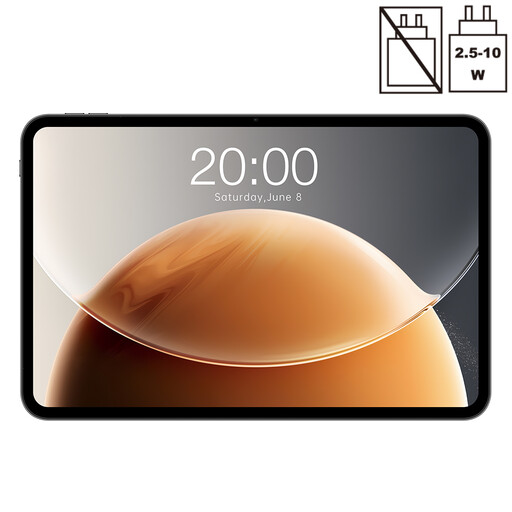 No image available
Teclast T65 tablet, 13.4 inches
As an Android tablet, you can try the page download method described by Google Chrome in advance. Open your saved reviews offline before you travel.
13.4 inches; 120 Hz; Android; 20GB RAM (6GB + 14GB virtual); 128GB storage.
Joybuy
 No image available
Xiaomi Pad 7 with keyboard, 8GB RAM, 128GB ROM
The keyboard listed in the title may be useful for typing. Check that it suits the way you usually read and take notes.
3.2K display; 144 Hz; 8GB RAM; 128GB ROM; keyboard listed in the title.
Joybuy
 No image available
Honor Pad X8a tablet, 11 inches, 4GB + 128GB, Space Grey
If you want to read film reviews offline on an Android tablet, you can use the page download method described by Google Chrome and test your saved articles in advance.
11 inches; Android 14; 4GB RAM; 128GB storage; 90 Hz.
Joybuy
Frequently asked questions
How do I prepare webpages for a flight without internet access?
Download the pages you want in advance and test them offline. Google explains how to download pages in Chrome on Android; Apple Support explains how to use Safari’s Reading List and the ‘Automatically Save Offline’ setting on iPad.
Can I take a tablet with a lithium battery on a plane?
Check the Wh rating of your specific device and your airline’s conditions. The European Union Aviation Safety Agency (EASA) passenger information says that portable devices with lithium-ion batteries up to 100 Wh may be carried under the conditions set out there. For batteries over 100 Wh and up to 160 Wh, approval from the airline is required.
Are the rules for a power bank the same as those for a tablet battery?
No. EASA treats spare batteries and power banks separately: they must not go in checked baggage and must be protected against short circuits. Check your airline’s conditions for your specific flight too.
What are my rights if my tablet is faulty?
If you buy from a trader in the EU, you’re generally entitled to a minimum two-year legal guarantee from the seller. Your Europe, the European Union’s consumer portal, notes that an additional manufacturer’s guarantee does not replace these rights. Purchases from private individuals are not covered by the same EU rules.


