
Lieferung heute & morgen

Qualitätsgarantie

Willkommens-Angebote freischalten: KOSTENLOSE Lieferung | Bis zu 80 % RABATT | Kostenlose 30-Tage-JoyPlus-Testphase
App herunterladen
The search for a device that bridges the gap between the portability of a smartphone and the productivity of a laptop leads many to a practical solution: a tablet with a keyboard. Whether for university, a home office, or entertainment, the combination of a touchscreen and a physical keyboard offers remarkable flexibility. However, the market is vast, and the choices can be overwhelming.
This guide is here to help. We'll introduce you to a selection of devices and explain the key features to consider, helping you find a suitable and affordable tablet for work or study.
Before you decide on a model, there are a few technical aspects to consider. These will help you find a device that meets your specific needs.
Screen size is crucial for user comfort. A compact 10-inch tablet is lightweight and portable, ideal for on-the-go use. In contrast, a larger 12-inch tablet or bigger offers a better overview and is excellent for multitasking and as a laptop replacement tablet. Look for a resolution of at least Full HD (1920 x 1080 pixels) to ensure sharp text and clear images. Higher-resolution 2K displays provide an even more detailed viewing experience.
For smooth performance and fast app launches, both RAM and internal storage (ROM) are important. For everyday tasks like word processing, browsing, and video streaming, 4 GB of RAM is often sufficient. However, if you use many apps simultaneously or run more demanding applications, you should consider 8 GB of RAM or more. An internal storage of 128 GB is a good starting point. A 256GB tablet offers ample space for documents, apps, and media files. Many current models, like the Android 16 tablet, also offer the option to expand storage via a microSD card.
A key advantage of many deals is the included accessories. A tablet with a stylus and case, along with a matching keyboard, forms a complete work package, saving you from making additional purchases. When it comes to connectivity, there are two main options: Wi-Fi models for use at home or in the office, and models with cellular support. A tablet with a SIM card (4G/LTE) allows you to stay online on the go, which is especially beneficial for commuters or students on campus.
Here is a selection of devices that stand out for their overall package. Each model caters to different user needs.
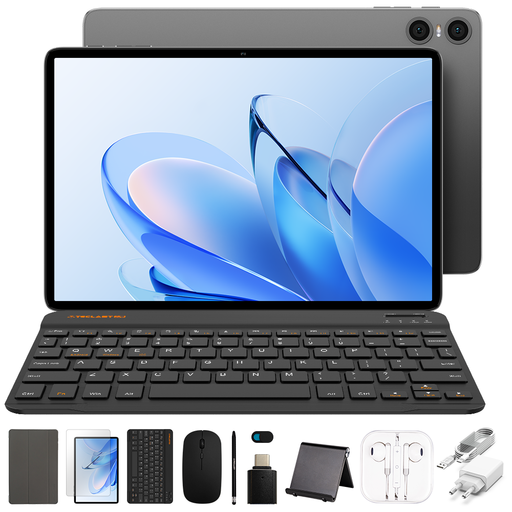
Why it stands out: The TECLAST P30T is a highly accessible option for anyone looking for a complete starter bundle. It comes with a matching case and keyboard, making it ready to use right out of the box.
Pros:
Who is it for? This model is a great choice for school pupils, university students, and users who need an affordable tablet for work for basic tasks like email, word processing, web browsing, and media playback.
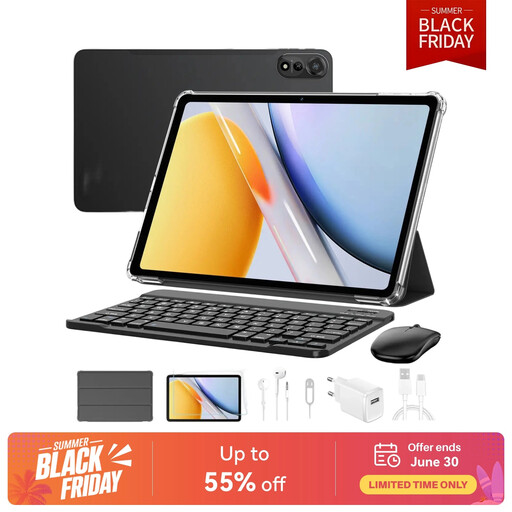
Why it stands out: The Blackview Mega2 is positioned as a versatile all-rounder with a large display and a comprehensive set of accessories. In addition to a keyboard and mouse, it also includes a stylus and headphones.
Pros:
Who is it for? Ideal for users looking for a powerful tablet for university and professional use that can serve as a true laptop replacement tablet. The large display and complete accessory package make it especially attractive for productive and creative users.
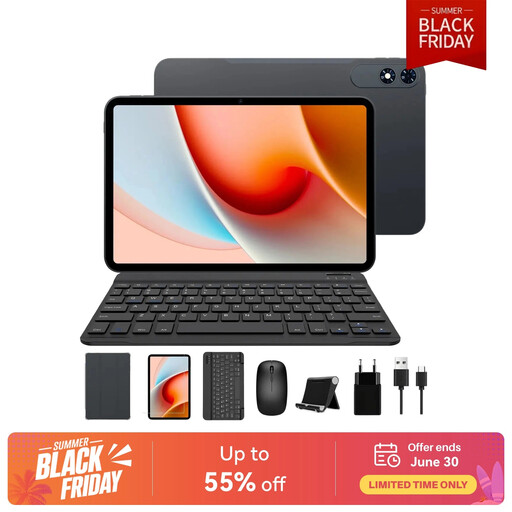
Why it stands out: The TABWEE T60Pro focuses on maximum screen real estate and smooth visuals with its exceptionally large 13.4-inch display and a 120 Hz refresh rate.
Pros:
Who is it for? This tablet is aimed at users who don't want to compromise on display size. It's perfect for editing documents in split-screen mode, graphic design with a tablet with a stylus, or enjoying movies in a large format.
Didn't find the right model for you? In our Computers & Electronics category, you'll find an even wider selection of tablets and matching accessories for every need and budget.
1. Can a tablet with a keyboard completely replace a laptop? For many everyday tasks like browsing, email, video conferencing, and using office applications, a tablet with a keyboard can replace a laptop. It's often lighter, more portable, and offers longer battery life. However, for very resource-intensive specialized applications (e.g., professional video editing or complex CAD software), tablets still have their limitations. The decision largely depends on your individual use case.
2. What should you look for in an affordable tablet for work? When making a budget-conscious purchase, the fundamentals are key. Look for a display with at least HD resolution, sufficient battery capacity for a full workday (around 7000 mAh or more), at least 4 GB of RAM for smooth multitasking, and 64 GB or, even better, 128 GB of storage. A keyboard case included in the package is a significant added value.