Players with very limited desk space
If you need to leave room for your keyboard and other peripherals, width and stand depth matter just as much as screen size. Dell lists the G2422HS as 53.78 cm wide and 18.944 cm deep with its stand.


If desk space is limited, a monitor in the 23.8–24-inch range is a sensible starting point – but the key is its actual width and depth with the stand. A 27-inch WQHD model is worth considering if you want more pixels for maps and menus, and the monitor, viewing distance and gaming device’s video output are all a good match. OLED is another option if contrast in dark scenes matters most to you. If game elements stay on screen for long periods, factor panel care and warranty terms into your decision.
If you need to leave room for your keyboard and other peripherals, width and stand depth matter just as much as screen size. Dell lists the G2422HS as 53.78 cm wide and 18.944 cm deep with its stand.
If you spend a lot of time looking at maps, inventory screens and menus, compare Full HD and WQHD with your own games and UI settings in mind. Dell lists the S2725DSM as a 27-inch monitor with a resolution of 2560 × 1440 pixels.
If you’re considering OLED for its contrast, remember to check the care guidance and warranty terms for the specific model, especially if maps or control panels stay on screen for long periods. MSI highlights OLED Care 2.0 and a warranty with burn-in protection for the MAG 272QPDE QD-OLED X24.
A good fit if: desk space for peripherals matters more than extra pixels, and menus are easy to read at Full HD resolution.
The trade-off: 1920 × 1080 has fewer pixels than 2560 × 1440. A smaller screen doesn’t guarantee a shallow stand or easy-to-read menus.
A good fit if: you want a resolution of 2560 × 1440 pixels for maps and menus, and your desk space, viewing distance and gaming device’s video output are suited to the specific model.
The trade-off: a larger monitor takes up more desk space, and your device’s video output needs to support the higher resolution. Dell lists the S2725DSM as a 27-inch WQHD model with a 144 Hz refresh rate.
A good fit if: contrast in dark scenes matters most to you, and you have room on your desk for a 26.5-inch display.
The trade-off: static elements can contribute to the risk of burn-in on OLED screens. Care features don’t prove that this risk has been eliminated. Check the warranty terms for the exact variant.
| Priority | What to check before buying | Who it matters most to |
|---|---|---|
| Desk space and positioning | Check the width and depth of the specific model with its stand. Dell also lists 100 mm of height adjustment and VESA 100 × 100 mm for the G2422HS. | If I need room for my keyboard and peripherals alongside the monitor, I want to check the space it takes up before considering screen size. Around 36% of consumers put desk space first. |
| Readability of maps and menus | Compare screen size and native resolution together, then check text size and UI scaling in the games you play. | If you use lots of maps, text and menus, you’ll want them to be easy to read with your own in-game settings. Around 29% of consumers prioritise readability. |
| Contrast and panel care | Compare the panel type, care features and warranty terms for the exact variant. Follow the care guidance if your games include static elements. | If the look of dark scenes matters most to me, I also want to know how to manage game elements that stay on screen for long periods. Around 21% of consumers prioritise contrast and image quality. |
| Refresh rate and connections | Check the resolution and maximum supported refresh rate for the HDMI or DisplayPort input you’ll use on the specific monitor. | If you want smooth output that works with your existing gaming device, consider the monitor, input and device together. Around 14% of consumers prioritise motion performance and connection compatibility. |
The space a monitor takes up also depends on the depth of its stand. Measurements from different manufacturers aren’t automatically a like-for-like comparison of overall size.
Check the width and depth of the specific monitor with its stand, then compare them with the space available on your desk.
These figures describe a model’s specifications, but they don’t tell you whether it will fit your desk or whether maps and menus will be easy for you to read. The refresh rate you can use may also depend on the input.
First check positioning and readability. Then make sure the refresh rate is compatible with the connection and gaming device you’ll use.
Static elements that remain on screen for a long time can contribute to the risk of burn-in on OLED displays. Care features don’t prove that this risk has been eliminated.
If maps or HUD elements are often visible, read the care guidance and warranty terms for the specific model, and consider IPS as an alternative.
The G2422HS is an example of a compact Full HD monitor, while the S2725DSM offers a larger WQHD option.
The TUF Gaming VG249Q3A is an example of a 24-inch Full HD Fast IPS model.
The 24G4X is an example of a compact Full HD Fast IPS display.
The MAG 272QPDE QD-OLED X24 is an example of a larger WQHD QD-OLED option.
The UltraGear 24GS65F-B is an example of a 23.8-inch Full HD IPS model with a height-adjustable stand.
This selection focuses on Full HD monitors measuring 23.8 to 25 inches. Before choosing, compare the actual space each model takes up with its stand.
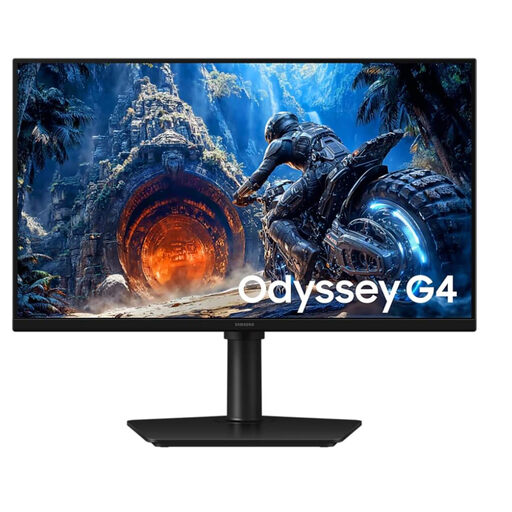 No image available
Full HD IPS makes this an option for tactical games with maps and menus. Check the space required by the specific model.
25 inches; Full HD; 300 Hz; HDMI and DisplayPort.
 No image available
Its 24-inch Full HD IPS display makes this a compact option. Check that it will fit your desk.
120 Hz; 5 ms; VESA 100 × 100 mm; tilt-adjustable; HDMI and VGA.
 No image available
This 24-inch Full HD IPS display is a compact option for games with maps and menus.
144 Hz; HDMI and DisplayPort.
 No image available
At 23.8 inches with Full HD resolution, this model is a compact option for maps and menus.
Rapid IPS; 200 Hz; DisplayPort and HDMI.
 No image available
This 25-inch Full HD IPS display is a gaming option. Check that the specific model, including its stand, will fit on your desk.
Mini LED; 144 Hz; VESA Display HDR 400.
They can be, if maps and menus are readable with your preferred UI scaling and the monitor, including its stand, fits on your desk. For example, the AOC 24G4X is listed as 23.8 inches with a resolution of 1920 × 1080; that doesn’t guarantee readability in every game.
Measure the width and depth of your available desk space, then compare them with the manufacturer’s measurements, including the stand. If you’re using a monitor arm, check its load capacity and mounting compatibility too. Dell lists VESA 100 × 100 mm for the G2422HS.
Static elements that remain on screen for a long time can contribute to the risk of burn-in on OLED displays. Follow the care guidance for the specific model. MSI describes OLED Care 2.0 for the MAG 272QPDE QD-OLED X24, but this doesn’t prove that the panel is free from risk.
If newly purchased goods are faulty, consumers can generally assert their statutory rights against the seller within two years of receiving them. This is separate from a manufacturer’s warranty. Online purchases usually come with a 14-day right to cancel. Verbraucherzentrale explains these time limits; check the terms that apply to your purchase.
Yes. According to the European Commission, electronic displays such as computer monitors are generally covered by energy efficiency labelling rules. The label shows an efficiency rating on a scale from A to G, but it doesn’t tell you whether a monitor is right for your games or desk.