If your PC will stay on a small desk and you already have a monitor, a mini PC or compact desktop could be a good fit. If you regularly clear your desk or play elsewhere, consider a gaming laptop. The key is to compare the full specification with the games you actually plan to play. For Baldur’s Gate 3 on Windows, Larian Studios recommends 16 GB of RAM and a graphics card with at least 8 GB of VRAM, and specifies 150 GB of free SSD storage. These requirements apply to this game, not to all tactical RPGs.
Who are the different form factors suited to?
Players short on desk space
If your PC will usually stay in one place, but you still want room on the desk for a monitor, mouse and keyboard, you’ll need to consider the dimensions of your whole setup. Notebookcheck points out that mini PCs don’t have a built-in screen or battery.
Players of a range of tactical RPGs
If you want to play several titles, check the requirements for each one. Larian Studios’ recommendations for Baldur’s Gate 3 differ from those of 2K Support for XCOM 2, so the genre alone tells you little about the right specification.
Players who move between workspaces
If you regularly clear your small desk or play somewhere else, consider whether a laptop with a built-in screen would suit your everyday routine better than a desktop PC with separate peripherals.
What should you look for when buying?
Gaming mini PC
A good fit if: the PC will stay in one place, desk space is limited, and you already have or plan to buy a monitor and input devices.
The trade-off: the screen and input devices remain separate; graphics performance depends on the specific configuration.
Compact gaming desktop
A good fit if: you want a separate monitor and have room for the case alongside your small desk.
The trade-off: a desktop takes up more space than a mini PC, and its form factor alone tells you nothing about frame rates or noise levels in a particular game.
Gaming laptop
A good fit if: you regularly clear your desk or play elsewhere.
The trade-off: the screen is built in, but the open laptop still takes up desk space.
Gaming tower
A good fit if: you have a suitable spot next to or under your desk.
The trade-off: a tower only frees up desk space if you can actually put it elsewhere; accessories aren’t included with every configuration.
| Priority |
What to check before buying |
Who it matters to most |
| Desk space |
Check the case dimensions and orientation, and allow room for a monitor and input devices. |
If I use my PC on a small desk all the time, I want enough room for my monitor, mouse and keyboard. Around 33% of consumers put space requirements first in this situation. |
| Game compatibility |
Compare the operating system, CPU, RAM, graphics and available storage with the requirements of each planned game. |
If I want to play specific tactical RPGs, I choose a configuration to match their requirements. Around 27% of consumers prioritise compatibility with the games they play. |
| Moving between locations |
Check whether a screen, power supply and input devices will be available where you plan to play. |
If I regularly clear my desk or play elsewhere, I want to know which devices I’ll need to take with me or put away. Around 20% of consumers prioritise this flexibility. |
| Overall setup |
Check what’s included and the SSD capacity, and take any accessories you already own into account. |
If I need to factor in extra devices or storage, I want to consider the whole setup, not just the PC. Around 20% of consumers pay particular attention to what’s included and what they might need to add. |
Common buying mistakes
-
Assuming “mini” means powerful enough for gaming
Form factor doesn’t tell you whether a model’s graphics are powerful enough for a particular game. Mini PCs come with a range of graphics solutions.
Check the exact graphics chip and full specification against the requirements of the games you plan to play.
-
Comparing only the space taken up by the PC
A mini PC still needs a screen. According to Lenovo, the Lenovo Legion Tower 5i Gen 10 configuration 90YACTO1WWDE1 doesn’t include a keyboard or mouse.
Allow room for your whole setup and make a note of which devices you already have.
-
Confusing the stated SSD capacity with the space available for games
For Baldur’s Gate 3 on Windows, Larian Studios specifies 150 GB of free SSD storage. Other installed games will take up space too.
Factor in the free space left after setting up your PC and installing the games you plan to play.
Key brands at a glance
ASUS ROG
The ROG NUC range is designed for a stationary setup with a separate screen.
- ASUS lists dimensions of 282.4 × 187.7 × 56.5 mm for the range.
- The manufacturer lists graphics cards up to the RTX 5080 Laptop GPU; “up to” doesn’t apply to every model.
- The range specifications don’t show how many frames per second you’ll get in a particular tactical RPG.
MSI
The product lines mentioned include a compact desktop and a laptop for different workspace needs.
- MSI describes the MPG Trident AS AI 2nd as a 10-litre system. For the 2NVL7-009EU model, MSI lists an RTX 5060, 32 GB of RAM and a 1 TB SSD.
- According to MSI, the Katana 15 HX B14WFK-487 has a built-in 15.6-inch Full HD display and an RTX 5060 Laptop GPU.
- Manufacturer claims about cooling aren’t independent noise measurements taken at your own desk.
Lenovo Legion
The Legion Tower 5i Gen 10 is a tower option if you have a suitable spot next to or under your desk.
- For configuration 90YACTO1WWDE1, Lenovo lists 16 GB of RAM, a 512 GB SSD and an RTX 5060.
- According to Lenovo, this configuration doesn’t include a keyboard or mouse.
HP OMEN
The OMEN 16-ap0793ng is a laptop option for players who move between workspaces.
- For this specific model, HP lists a 16-inch display, 32 GB of RAM, a 1 TB SSD and an RTX 5070 with 8 GB of memory.
- The manufacturer’s claims about quiet operation aren’t independent measurements.
Joybuy product selection
The Joybuy models below include gaming laptops and mini PCs, so you can compare them with your games and the space available. Mini PCs need a separate screen.
 No image available
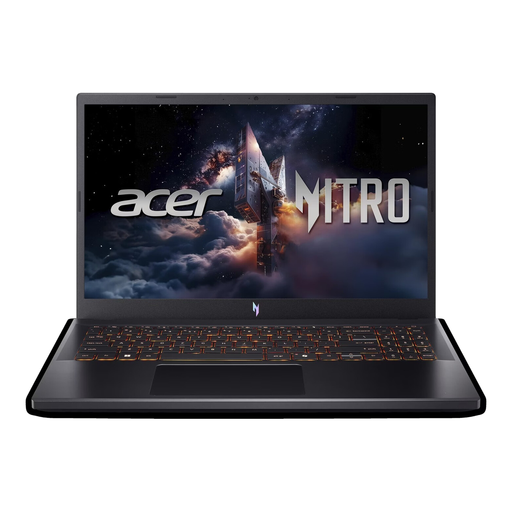
Acer Nitro V 15 ANV15-52-592S
This laptop has a built-in screen, making it worth considering if you don’t want to use a separate monitor for everyday laptop use.
15.6-inch Full HD display at 165 Hz; Intel Core i5-13420H; RTX 5070 with 8 GB; 16 GB DDR4; 512 GB SSD; Thunderbolt 4; Windows 11 Home.
View at Joybuy
 No image available
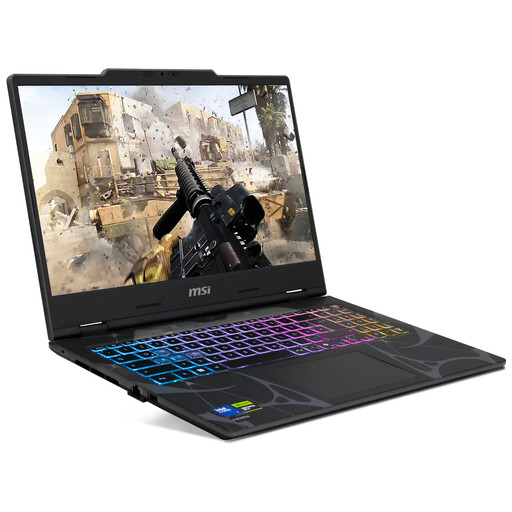
MSI Cyborg 15 B2RWEKG-067
This laptop has a built-in screen and is worth considering if you occasionally play in different places.
15.6-inch Full HD display at 144 Hz; Intel Core 7 240H; RTX 5050 with 8 GB GDDR7; 16 GB RAM; 512 GB SSD; Windows 11 Home.
View at Joybuy
 No image available
MSI Crosshair 16 Max HX E2WGXK-023
The built-in 16-inch display could be a good fit if you don’t want to use a separate monitor. Check that the open laptop will fit on your desk.
Intel Core Ultra 9 275HX; RTX 5070 with 12 GB; 16 GB DDR5; 1 TB SSD; QHD+ OLED display at 165 Hz; Windows 11 Home.
View at Joybuy
 No image available
SOYO S4PLUS Mini-PC Ryzen 7 H 255
The mini PC form factor can free up space for your computer, but remember to allow room for a separate screen and input devices.
Ryzen 7 H 255; 24 GB LPDDR5; 512 GB PCIe 3.0 SSD; Radeon 780M; Windows 11.
View at Joybuy
 No image available
FIREBAT A8 Mini-PC Ryzen AI 9 365
This stationary mini PC is an option if you have room for a separate screen and the rest of your peripherals.
Ryzen AI 9 365; Radeon 880M; 24 GB DDR5; 1 TB PCIe 4.0 SSD.
View at Joybuy
Frequently asked questions
Will any mini PC run Baldur’s Gate 3?
No. The term mini PC doesn’t tell you how powerful its graphics are. For Baldur’s Gate 3 on Windows, Larian Studios recommends 16 GB of RAM and a graphics card with at least 8 GB of VRAM. The developer also specifies 150 GB of free SSD storage. Compare the full specification with these requirements.
What should I check before setting up a gaming PC?
Allow room for the screen, input devices and case as a whole. Notebookcheck points out that mini PCs don’t have a built-in screen or battery. For a specific desktop configuration, also check whether a keyboard and mouse are included.
Do older tactical games need the same setup as newer RPGs?
Not simply because of their genre. For XCOM 2 on Windows, 2K Support recommends 8 GB of RAM and 45 GB of free storage. For Baldur’s Gate 3 on Windows, Larian Studios recommends 16 GB of RAM and 150 GB of free SSD storage. Check the requirements for each game you actually plan to play.
Can I put an old gaming PC in my household rubbish?
No. Germany’s Federal Ministry for the Environment explains that old electrical equipment must not be put in household rubbish. You can take it to an appropriate take-back point or recycling centre. The take-back obligations that apply to retailers depend on the relevant legal requirements.


