
Lieferung heute & morgen

Qualitätsgarantie

Willkommens-Angebote freischalten: KOSTENLOSE Lieferung | Bis zu 80 % RABATT | Kostenlose 30-Tage-JoyPlus-Testphase
App herunterladen
Choosing a tablet involves balancing technical specifications, use cases, and budget. Teclast tablets are positioned in the market segment for value-conscious users who still appreciate up-to-date features. This article analyses the key technical characteristics of current models to provide a solid basis for making an informed decision when purchasing a Teclast Tablet.
A tablet's performance and suitability for specific tasks are determined by the interplay of its core components. The following criteria are relevant for an objective evaluation.
The processor is the central processing unit and is crucial for system speed. Many current Teclast models use the Helio G99 Tablet processor from MediaTek. This octa-core chip is designed for everyday tasks like web browsing, media streaming, and using office applications. It also enables smooth multitasking and can run moderate 3D games.
Memory (RAM) is critical for running multiple apps simultaneously. Modern devices use a combination of physical and virtual RAM. Models with 8 GB of physical RAM, expandable up to 20 GB through virtual extension, can keep a large number of applications in memory at once, reducing loading times when switching between them.
The display is the primary user interface. Three parameters are important here:
The ability to connect to the internet is fundamental. Dual-band Wi-Fi (2.4 GHz + 5 GHz) is standard today, ensuring a stable and fast connection on your home network. For users who need to be online on the go, a 4G LTE Tablet with a SIM card slot is an essential feature. This allows for mobile data access without needing an external hotspot.
A tablet with a stylus and keyboard significantly expands its functionality, turning it into a tool for productivity and creativity. A stylus with high pressure sensitivity (e.g., 4096 levels) is a prerequisite for a precise drawing tablet. The newer models run on Android 15, which provides access to the Google Play Store and the latest security standards.
Based on the criteria above, we present three models that cater to different user profiles.
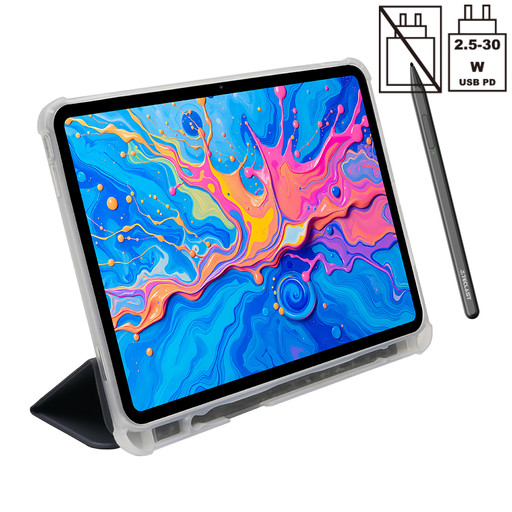
Why We Recommend This Product The ArtPad Pro combines a large, high-resolution display with hardware specifically designed for creative applications. Support for a 4096-level pressure-sensitive stylus and the powerful Helio G99 processor make it a versatile tool.
Pros:
Who It's For: Digital artists, note-takers, and users looking for a large display for productivity and entertainment.
View the Teclast ArtPad Pro on Joybuy.de
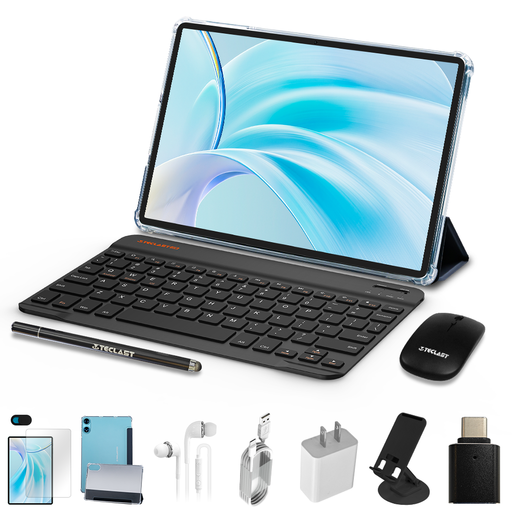
Why We Recommend This Product The Teclast P50 Case stands out with its comprehensive accessory bundle. It offers an all-in-one solution for users who want to get started immediately with a fully equipped device without needing to purchase additional accessories.
Pros:
Who It's For: Students and beginners looking for an affordable Android tablet as a complete package for studies, light office work, and entertainment.
View the Teclast P50 Case on Joybuy.de
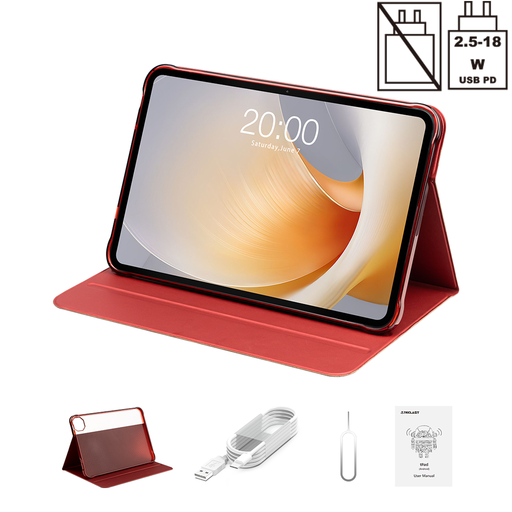
Why We Recommend This Product The T65 Plus focuses on delivering a maximum viewing experience. With its very large 13.4-inch display and a high 120 Hz refresh rate, it is primarily designed for consuming visual media.
Pros:
Who It's For: Users whose primary use case is streaming movies and series, viewing photos, and browsing the internet on the largest possible screen.
View the Teclast T65 Plus on Joybuy.de
In addition to optimising personal devices like tablets, the efficiency of home energy supply is also becoming a key focus. Modern technological solutions offer new possibilities here. For users interested in advanced technologies for energy independence, our range of UK battery storage systems provides an overview of relevant products.
1. Are Teclast tablets suitable for professional drawing? Models like the Teclast ArtPad Pro, with a pressure-sensitive stylus (4096 levels) and a large display, provide a solid foundation for digital drawing and design for semi-professional use or for hobbyists. Suitability for highly professional workflows depends on specific software requirements and the necessary colour calibration.
2. Can I use a SIM card in a Teclast tablet? Yes, select models like the Teclast ArtPad Pro and the T65 Plus are designed as 4G LTE Tablets and feature dual SIM slots. This enables the use of mobile data, making you independent of Wi-Fi networks.
3. What operating system do the featured Teclast tablets use? The models analysed here use Android 15. This ensures access to millions of apps via the Google Play Store, as well as receiving security updates and new features from the Android ecosystem.
Author: Joybuy Product Recommendation Officer