
Lieferung heute & morgen

Qualitätsgarantie

Willkommens-Angebote freischalten: KOSTENLOSE Lieferung | Bis zu 80 % RABATT | Kostenlose 30-Tage-JoyPlus-Testphase
App herunterladen
A tempered glass screen protector for iPhone is designed to protect your screen from scratches, scuffs and minor knocks in everyday use. But when you’re buying one, the label ‘tempered glass’ isn’t the only thing that matters. The right model, glass coverage, installation aid and compatibility with your phone case are all important.
When searching for a scratch-resistant screen protector or tempered glass for iPhone, it’s easy to be swayed by bold marketing claims and end up with the wrong product. A high hardness rating doesn’t guarantee an exact fit. A privacy screen protector can make your screen harder to read from the side, but depending on your viewing angle, it can also affect perceived brightness. And a ‘bubble-free’ installation is only reliable when the screen, surroundings and applicator are all suited to the job.
iPhone models can differ in screen size, frame, camera area and speaker opening. So a screen protector for iPhone 16 Pro won’t necessarily fit iPhone 16 Pro Max. Even within the same model family, check that the product page and compatibility details match.
Before placing your order, check:
The 9H screen protector rating refers to the stated hardness of the glass surface. It indicates resistance to everyday scratches and scuffs, but it doesn’t guarantee protection against every break or fall. Tempered glass can still be damaged by a direct impact.
That’s why the glass material, a clean application and coverage that’s as complete as possible all matter. Replace the protector if you notice cracks or chips, as damaged edges can be sharp.
An iPhone privacy screen protector typically darkens the display when viewed from the side. This can be useful for commuters and when using your phone in the office, but it can make the screen harder to see from an angle. If you often look at photos, videos or maps with other people, a clear screen protector without a privacy filter is usually a better choice.
A smooth surface with an oleophobic and hydrophobic coating can reduce the build-up of fingerprints, oil and sweat. It won’t prevent dirt entirely, though. Claims such as ‘anti-fingerprint’ or ‘oil-repellent’ describe the coating, rather than guaranteeing that the screen will stay clean indefinitely.
For a natural feel when using your phone, high light transmission and a precise fit are also important. A screen protector that’s too thick or poorly aligned can affect touch response or get in the way of gestures at the edges.
A bubble-free installation depends largely on good preparation. Clean the screen with a lint-free cloth, use the supplied dust-removal sticker to pick up any particles, and apply the glass in an area with as little dust as possible. An applicator or alignment frame can make it easier to position correctly.
When fitting the protector, press down from the centre outwards. Lifting and reapplying it repeatedly can weaken the adhesive and, with a privacy screen protector, put extra strain on the screen’s oleophobic coating.
A case-friendly screen protector leaves enough room around the edges for your phone case. It’s still worth checking how the glass and case fit together, as cases with raised edges can lift the protector. The shape of your iPhone matters particularly when choosing edge-to-edge glass, so don’t rely on a general compatibility claim alone.
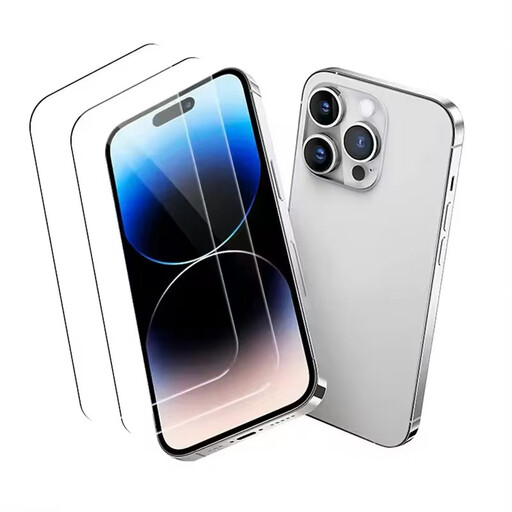
Why it suits this profile: For iPhone 16 Pro users looking for clear protection without a privacy filter. The glass comes with an applicator and instructions.
The product details explicitly name iPhone 16 Pro and specify 9H hardness, high light transmission and an installation aid.
9H glass, an anti-fingerprint coating and an applicator, according to the product description.
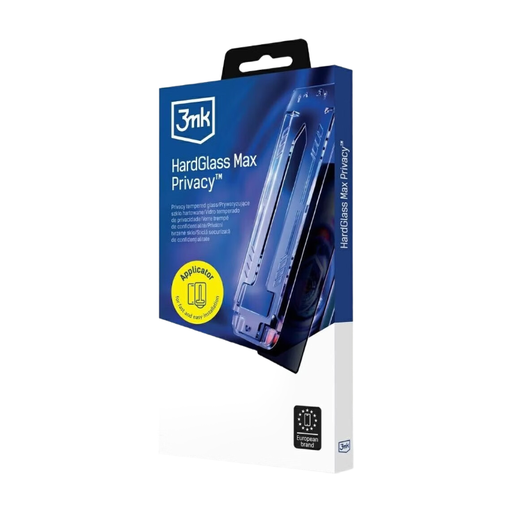
Why it suits this profile: For people who want a clear display with a stated privacy feature and a precise installation process.
The box contents include an alignment frame, and the instructions explain how to clean and centre the glass and press it down from the middle outwards.
Privacy technology, a clear surface and stated scratch-resistant hard glass.
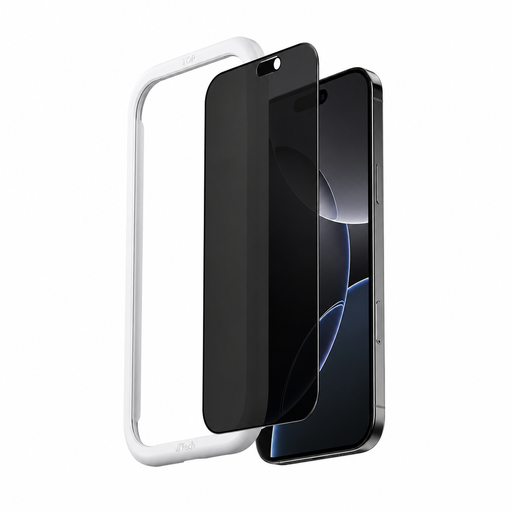
Why it suits this profile: For commuters and office workers who want to make messages, passwords and work content less visible from the side when they’re out and about.
The description specifies iPhone 17 Pro Max, 9H hardness and side-on darkening with a stated 360-degree privacy angle.
Automatic alignment or quick installation, according to the product description, plus stated fingerprint and dust protection.
We’ve put together a comprehensive, regularly updated list of products that meet these strict selection criteria and the safety requirements in force in the EU.
Choose a clean, well-lit place to fit your screen protector. Remove any dust before applying the glass, then gently push any small air bubbles towards the edges. Don’t use sharp objects to lift bubbles or edges.
A screen protector is a wear-and-tear item. Scratches, cracks, chipped corners or loosening edges are all practical reasons to replace it. There’s no set lifespan, as this depends on how you carry your phone, the shape of your case, how you clean it and whether it gets dropped.
No. The model name, screen dimensions, edge shape and cut-outs all need to match. Before buying, check that the glass is designed for your specific iPhone model, rather than just a similar range.
Clean the screen thoroughly, remove dust with the supplied sticker and use an applicator if one is included. Position the glass carefully and press it down from the middle outwards. Dust trapped under the glass is more often the cause of bubbles that won’t disappear than the glass itself.
Replace it if you notice cracks, chips, obvious scratches or edges starting to lift. If there’s no visible damage, there’s no set replacement interval. If you have a privacy screen protector, avoid lifting it repeatedly, as this can affect the adhesive and oleophobic coating.