Who is this choice relevant to?

People editing map details

If you work with contour lines, labels or hill shading, check that both the map and your tools remain easy to read at your chosen resolution and scaling. GovData / Open Data Brandenburg describes a digital terrain model as a representation of the terrain’s elevation; how much detail you need to see on screen depends on the map view you’re using.

People using a shared workstation

If you share a desk with other people, you may need to readjust the screen position and display settings each time you use it. For workplace display screen equipment, the German Federal Institute for Occupational Safety and Health sets out requirements within its scope of application through ASR A6.

Mapping teams switching between computers

If different computers are used at the same desk, their video outputs need to match the monitor’s inputs. USB-C charging and switching a keyboard and mouse between computers via KVM are additional features that vary by model and computer.

What should you look for when buying?

Buying priority What to check Who is it important to?
Map detail and workspace Compare the native resolution and screen size, and check that your actual map view remains readable at the scaling you intend to use. If I want to see the map, legend and tools at the same time, the right balance of detail and screen space matters to me. Around 31% of consumers put map detail and workspace first.
Adjustability at a shared desk Check the height, tilt and swivel adjustments, as well as the stand’s footprint and the space available at the desk. If several people use the desk, I want to be able to adjust the screen to suit each person’s seating position. Around 31% of consumers prioritise this adjustability.
Connections and switching between computers Check each computer’s video output and video mode, charging requirements and the KVM features you need. If I switch between different computers, I want to know whether video, power and, where applicable, the keyboard and mouse will all work together. Around 23% of consumers prioritise easy switching between computers.
Assessing map colours Consider your intended output, the right colour mode and any calibration you may need. If map colours need to be assessed for a specific output, I want to choose a colour mode that suits that workflow. Around 15% of consumers prioritise colour assessment.

Avoid common buying mistakes

  • Comparing screen size alone, rather than resolution and aspect ratio

    A 34-inch model with 3,440 × 1,440 pixels allows for a different window layout from a 27-inch 4K model with 3,840 × 2,160 pixels. A larger screen doesn’t automatically mean it will suit your mapping workflow better.

    Think about the map view you use and whether extra vertical pixels or more room for several windows side by side matters most.

  • Assuming USB-C means full laptop docking compatibility

    Video transmission and charging performance depend on the specific combination of computer and monitor. A USB-C port alone doesn’t confirm that your computer supports the video mode you need or will charge sufficiently.

    Check the video mode and charging requirements for each computer you plan to use against the specifications for the exact monitor model. You may need a different connection or charging solution.

  • Treating colour gamut figures as proof of colour accuracy for maps

    Colour gamut coverage figures and a calibration report don’t automatically prove that the entire output process is colour-accurate.

    Decide on your intended output and check which colour mode and calibration you’ll need before giving colour features greater priority.

    A colour-critical workflow may require additional calibration and checks of the output.

Key brands at a glance

EIZO

The FlexScan EV2740X is a 27-inch 4K option with USB-C docking and KVM for compatible computers.

  • EIZO lists 3,840 × 2,160 pixels, USB-C up to 94 W and KVM for this model.
  • These features apply to the EV2740X; check that its ports and charging capacity suit your computer.

BenQ

The DesignVue PD2705U combines 4K with sRGB specifications and KVM for compatible mapping and computer workflows.

  • BenQ lists 99% sRGB, a calibration report, KVM and 65 W USB-C for the PD2705U.
  • Check the charging capacity against your laptop’s requirements; additional checks are needed for colour-critical print proofing.

LG

The 27UP850K-W is an adjustable 27-inch 4K option, while the 34U650A-B is a wider 21:9 model.

  • LG lists 4K, USB-C and an adjustable stand for the 27UP850K-W. According to LG, the 34U650A-B has a resolution of 3,440 × 1,440 pixels in a 21:9 format.
  • These features apply to the models listed. Check the connections and desk space required for the specific variant and your workspace.

Dell

The UltraSharp U2724DE is a QHD option with a Thunderbolt 4 hub for compatible computers at a shared workstation.

  • Dell lists a 27-inch screen, QHD and Thunderbolt 4 for the U2724DE.
  • QHD at 2,560 × 1,440 pixels has fewer pixels than 4K at 3,840 × 2,160 pixels. Check for yourself whether the resolution is sufficient for your map view.

Philips

The 27E1N1800AE/00 is a 27-inch 4K option with a height-adjustable stand.

  • Philips lists 3,840 × 2,160 pixels and height adjustment for this variant.
  • Check the full model variant to see whether its connections support switching between the computers used at your desk.

Joybuy products for map work

The monitors below include 27-inch 4K options for detailed map views, as well as an ultrawide model offering extra space for windows. As well as resolution and aspect ratio, check the stand, desk space and the connections required by your computers.

INNOCN 40C1U 40-inch ultrawide monitor

INNOCN 40C1U 40-inch ultrawide monitor

The 21:9 format may suit a map view with additional windows side by side; check that you have enough desk space.

The product name specifies 5,120 × 2,160 pixels, an IPS panel and 100 Hz. The product details also list PBP, USB-C with 65 W Power Delivery, and a stand with height, tilt and swivel adjustment. The stated width with the stand is 944.1 mm.

View at Joybuy

INNOCN CB27U1 27-inch 4K UHD monitor

INNOCN CB27U1 27-inch 4K UHD monitor

This 27-inch 4K option is designed for detailed map views and changing seating positions.

The product details list 3,840 × 2,160 pixels, an IPS panel and USB-C with 90 W Power Delivery. The stand is listed as offering 150 mm of height adjustment, as well as tilt, swivel and pivot. KVM is listed as “NA”.

View at Joybuy

KTC M27P6 27-inch 4K Mini LED monitor

KTC M27P6 27-inch 4K Mini LED monitor

The 27-inch 4K specification may suit detailed map views. For switching computers at a shared desk, check that the listed connections work with your devices.

The product details list 3,840 × 2,160 pixels, USB-C with 65 W and KVM. The stand is height-adjustable, tiltable and swivelling. The product name also specifies 4K at 160 Hz and FHD at 320 Hz.

View at Joybuy
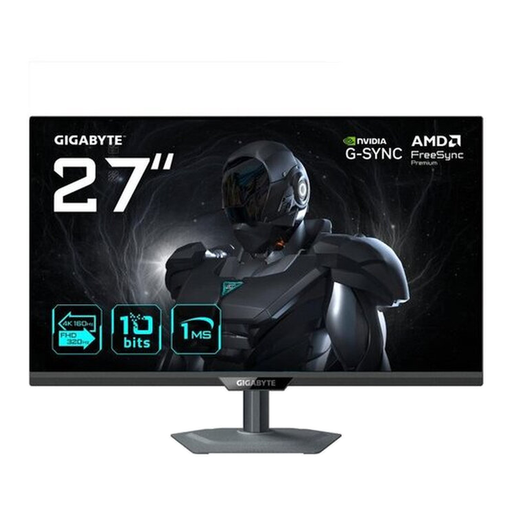
GIGABYTE G27UP 27-inch 4K UHD monitor

GIGABYTE G27UP 27-inch 4K UHD monitor

With its 27-inch 4K specifications, this model is an option for map work if the resolution suits your view and scaling preferences.

The product details list an IPS panel and 3,840 × 2,160 pixels. The stand offers height adjustment, tilt, swivel and pivot. USB-C with DisplayPort Alt Mode, HDMI 2.1 and DisplayPort 1.4 are also listed.

View at Joybuy
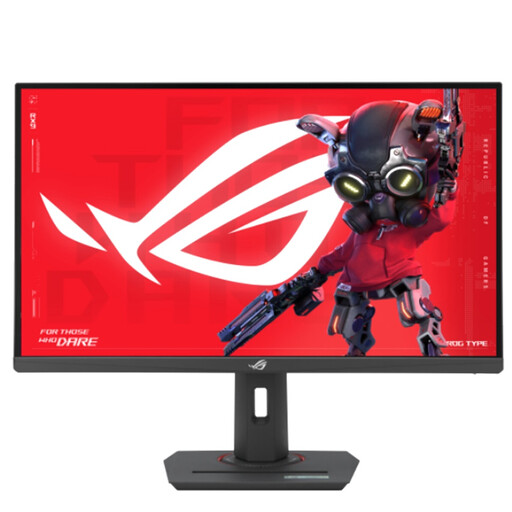
ASUS ROG Strix XG27UCS 27-inch 4K UHD monitor

ASUS ROG Strix XG27UCS 27-inch 4K UHD monitor

The 27-inch 4K specifications offer a possible basis for detailed map views; check that scaling is comfortable to read on your computer.

The product details list 3,840 × 2,160 pixels and a Fast IPS panel. The stand supports height adjustment, tilt, swivel and pivot. USB-C is specified with 15 W Power Delivery; check this against your computer’s charging requirements.

View at Joybuy

Frequently asked questions

Do you have to use a 4K monitor for terrain maps?

No. What matters is whether the map and tools are easy to read in the view you actually use. Options include 27-inch QHD, 27-inch 4K and 34-inch ultrawide monitors; compare resolution, scaling and your preferred window layout together.

Can every USB-C port transmit video and charge a laptop?

No. Check your computer’s video mode and the specific monitor’s charging capacity. EIZO lists DisplayPort Alt Mode and up to 94 W for the EV2740X; BenQ lists DisplayPort Alt Mode and 65 W for the PD2705U. These specifications apply to the models listed.

How should I set up a monitor at a shared workstation?

Adjust the screen position and display settings for each person using it, and check that the monitor can be adjusted sufficiently in the available space. For workplace display screen equipment, the German Federal Institute for Occupational Safety and Health sets out requirements within its scope of application through ASR A6; an adjustable monitor alone does not demonstrate full compliance.

What should I consider when it comes to colours for printed maps?

First decide on your intended output, then choose the colour mode and, if necessary, calibration to match. Manufacturer specifications for colour gamut coverage or a calibration report do not, on their own, prove that the entire output process is colour-accurate.

How can I compare energy use, and what warranty applies?

You can use the EU energy label and EPREL to compare stated energy use. According to Your Europe, when you buy from a business seller in the EU, a legal minimum guarantee of two years applies from the date you receive the goods; this is separate from any additional voluntary guarantee.