Choose a laptop based on the software and workflow you use, not simply because it’s labelled a gaming laptop. GIS work with elevation data has different requirements from GPU rendering a 3D scene or developing with a game engine. The QGIS documentation covers elevation rasters, hillshading and 3D map views, among other things. For Blender Cycles, you should also check that your specific GPU is supported and how much graphics memory it has. Then compare the full device specification, screen space and room needed for unobstructed ventilation with the space available on your desk.
Who is this selection for?
3D terrain creators
If you want to build landscapes as 3D scenes and potentially render them on the GPU, check that your graphics card is supported and has enough graphics memory. Blender Foundation notes that limited memory can be a constraint with complex scenes.
GIS and mapping students
If you work with elevation data, hillshading or map views, choose a laptop to suit your datasets, software and specific QGIS workflow. QGIS documentation covers both terrain analysis and 3D map views.
Students with limited desk space
If you work on maps at a desk in your student room, weigh up screen space against the room the laptop takes up, and leave space around its vents. Lenovo Support recommends placing the laptop on a hard, level surface so that soft or uneven surfaces don’t block the vents.
What should you look for when buying?
GIS terrain mapping with QGIS
A good fit if: you want to analyse elevation rasters, create hillshading or use a 3D map view.
Consider: matching memory, graphics and screen to your data and other software. QGIS documentation does not specify a universal minimum laptop requirement.
3D landscapes with Blender
A good fit if: you want to create a landscape as a 3D scene and render it on the GPU with Cycles.
Consider: checking GPU support and graphics memory. Blender Foundation identifies limited memory as a potential constraint with complex scenes.
Terrain for a game engine
A good fit if: you want your terrain to be part of a playable project.
Consider: checking the requirements for the specific engine version and project you’ll be using. Epic Games distinguishes between minimum and recommended hardware requirements.
| Consideration |
What to check when buying |
Who it matters most to |
| Graphics and 3D rendering |
Compare the renderer’s GPU support and the graphics memory in the specific configuration. |
If I want to render 3D terrain on the GPU, I make sure the graphics card and memory are suited to my scene. Around 33% of consumers put 3D rendering first. |
| Elevation data and map views |
Match your QGIS workflows, dataset size, applications used in parallel, RAM and usable screen space. |
If I work with elevation rasters, it’s important that my data and map views are easy to handle in my intended workflow. Around 27% of consumers prioritise GIS data work. |
| Desk, screen and ventilation |
Measure the laptop and allow room for a mouse and unobstructed vents. |
If I have limited desk space, I need a display I can work with without blocking the vents. Around 20% of consumers put limited workspace first. |
| Full specification |
Check the full model number, operating system, RAM, SSD and whether the power adapter is included with the specific offer. |
If I need a complete configuration that fits my budget before buying, I don’t want to assume that specifications from another version apply. Around 20% of consumers prioritise a complete specification. |
What buying and usage pitfalls should you watch out for?
-
Don’t assume every laptop in a range has the same specification
Operating system, display, graphics card and memory can vary between models in the same range. A laptop with a similar name may therefore have different specifications for your workflow.
Check the full model number and what’s included with the specific offer. Lenovo Germany lists the Legion 5 83F1004BGE without an operating system; Dell Germany notes that a charger may be missing from some listed configurations.
A missing operating system may mean extra set-up is required. Also check whether the charger you need is included.
-
Don’t assume GPU rendering guarantees every large scene will run
Having a GPU and a compatible renderer doesn’t automatically mean every complex landscape scene will fit in the available graphics memory. Blender Foundation notes that limited graphics memory can be a constraint when GPU-rendering complex scenes.
Check that the specific configuration’s renderer support and graphics memory are suitable for your project. Don’t assume GPU and CPU workflows are interchangeable without checking.
-
Consider where you’ll set up the laptop as well as its screen
A larger display can take up more desk space. Screen size alone also doesn’t tell you how loud the fans will be.
Measure your desk and laptop, and make sure you have a hard, level surface with unobstructed vents. Lenovo Support notes that soft or uneven surfaces can block the vents.
Key brands at a glance
Lenovo
The documented Legion 5 configuration 83F1004BGE is one option to compare for 3D work, with 32 GB RAM and a laptop GPU with 8 GB of graphics memory.
- Lenovo Germany lists a 15.1-inch OLED display with 2560 × 1600 pixels and a 1-TB SSD for this configuration.
- This model is listed without an operating system and has a glossy display. These specifications don’t demonstrate how it will render a particular project.
MSI
The specific Katana 15 configuration shows why it’s important to compare full model numbers.
- MSI Germany lists an RTX 5060 Laptop GPU with 8 GB of graphics memory, 16 GB RAM and a Full HD display for the B14WFK-487.
- Other Katana configurations listed vary in areas such as GPU, display and operating system. Manufacturer specifications are not an independent test of noise or performance.
Dell Alienware
The Alienware 16 Aurora AC16250 illustrates the different configurations available for a 16-inch gaming laptop.
- Dell Germany lists configurations with an RTX 5060, 16 or 32 GB RAM and a display with 2560 × 1600 pixels.
- Dell notes that some listed configurations may not include a charger. Check what’s included with the offer you choose.
HP
The OMEN 16 range is another option to compare if a 16-inch laptop suits your workspace.
- HP Germany describes the range as having a redesigned cooling architecture.
- This is a manufacturer claim, not an independent temperature or noise measurement. The range page does not show that every configuration has the same specification.
Joybuy products for mapping work
The following Joybuy gaming laptops are listed with dedicated graphics cards. Compare their graphics memory, RAM and display specifications with your GIS, 3D or game-engine workflow, as well as the space available on your desk.
 No image available
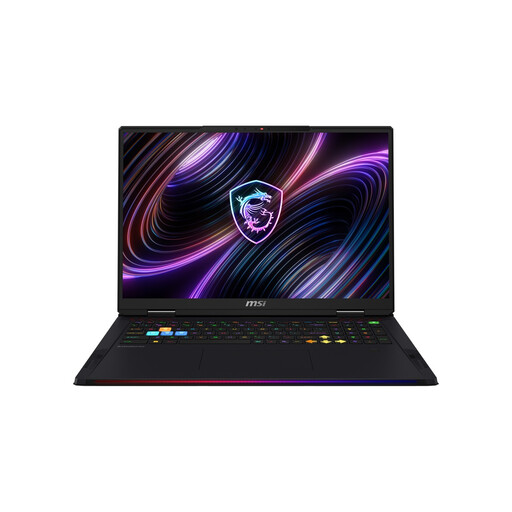
MSI Raider 18 Max HX A2WI-1075
This configuration may be worth considering for GPU-focused 3D work. Check that its graphics card and memory suit your renderer and project.
It’s listed with an 18-inch Mini LED display with 3840 × 2400 pixels, an RTX 5080 with 16 GB of graphics memory, 32 GB RAM, a 2-TB SSD and Windows 11 Home. It weighs 3.6 kg; the 18-inch format also needs plenty of room on your desk.
View at Joybuy
 No image available
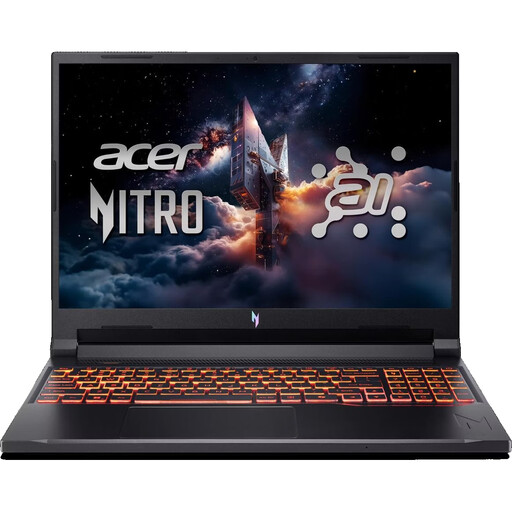
Acer Nitro V 16 AI ANV16-42-R0W6
If you’re weighing up GPU work alongside viewing maps on the built-in display, check your specific project requirements and how much screen space you need.
This configuration is listed with a 16-inch matt WUXGA display with a 180 Hz refresh rate, AMD Ryzen 7 260, RTX 5070 with 8 GB of graphics memory, 32 GB DDR5, a 1-TB SSD, Wi-Fi 6E and Windows 11 Home.
View at Joybuy
 No image available
HP OMEN 16-ap1071ng
For GIS or mapping work on the built-in display, compare this configuration’s listed memory and screen specifications with your workflow.
Specifications include a 16-inch QHD display, AMD Ryzen 7 8745HX, 16 GB RAM, a 1-TB SSD, GeForce RTX 5060 and Windows 11 Home. Whether the graphics card suits your specific 3D project depends on your workflow.
View at Joybuy
 No image available
MSI Thin 15 B13UC-3475NN
If you’re comparing configurations with dedicated graphics, pay particular attention to graphics memory when working with complex GPU-rendered scenes.
Specifications include a 15.6-inch Full HD display with a 144 Hz refresh rate, Intel Core i5-13420H, 16 GB RAM, a 512-GB SSD and an RTX 3050 with 4 GB of graphics memory. The description states that no operating system is pre-installed.
View at Joybuy
 No image available
THUNDEROBOT Radiant 16
If you’re considering a GPU-rendering workflow, compare the listed graphics card and memory with the requirements of your scene.
Product specifications include a 16-inch matt display with a 240 Hz refresh rate, Intel Core i7-14700HX, RTX 5070 with 8 GB GDDR7, 32 GB RAM and a 1-TB SSD.
View at Joybuy
Frequently asked questions
Do I need a particularly powerful gaming laptop for every terrain map?
No, not just because you’re working with a terrain map. QGIS documentation covers digital elevation model analysis and 3D map views; GPU rendering in Blender and working on a game-engine project involve different considerations. The key factors are the software, your workflow and your project requirements.
What’s the best way to set up a laptop in a student room?
Place it on a hard, level surface and keep the vents clear. Lenovo Support notes that soft or uneven surfaces can block the vents; this doesn’t tell you how loud a particular model will be.
What should I check about the operating system and accessories before buying?
Check what’s included with the full configuration, particularly the operating system and power adapter. Lenovo Germany lists the Legion 5 83F1004BGE without an operating system; Dell Germany notes that a charger may not be included with some listed Alienware configurations.
Can I cancel an online laptop purchase in Germany?
Consumers generally have a right to cancel a distance contract; Section 355 of the German Civil Code (BGB) sets out a 14-day period. The Verbraucherzentrale explains when the period starts and what you need to tell the retailer. You should check separately whether the conditions apply to your specific case.


