Instructors who focus on repair details
If you want to show individual stitches and how the needle and thread move, match your camera, lens and mount to the framing you need.


To show individual stitches in close-up, start with the framing, working distance and a suitable lens. A camera with interchangeable lenses gives you more options, but you’ll need to plan your setup accordingly. For a quick overhead view of your worktable, a compact camera may be enough, provided its fixed angle of view captures the details you need. Test the camera under the artificial light you actually use, too, and check the colour, any banding, the sound and your planned recording length.
If you want to show individual stitches and how the needle and thread move, match your camera, lens and mount to the framing you need.
If you want fabric and thread colours to look true to life, factor the lighting at your workspace into your buying decision. Test your footage under that exact lighting.
If you’re recording longer processes with spoken instructions, plan for sound, power and storage alongside your intended recording length.
A good fit if: You want the needle, thread path or individual stitches to take up a large part of the frame, and can position the camera, lens and lighting.
The trade-off: The camera body alone won’t give you a macro view. With the Sony SEL30M35, the maximum 1:1 magnification requires a minimum focusing distance of 0.095 m, which can leave little room for your hands and lighting.
A good fit if: Showing the repair area and both hands matters more than filling the frame with individual stitches.
The trade-off: A kit zoom isn’t automatically a macro lens. Make sure the framing, power and storage suit the way you plan to teach.
A good fit if: You prioritise a small camera that’s quick to set up for an overview or to film yourself presenting, rather than being able to choose your lens.
The trade-off: You can’t change the fixed angle of view by switching lenses. Test it with real stitches to see whether the framing works from your planned mounting position.
| Priority | What to check before buying | Who is this important to? |
|---|---|---|
| Capturing small stitches clearly | Check the framing with real fabric; compare the lens’s magnification and working distance. | If I need to show individual stitches and the thread path clearly, I’ll choose the lens and position the camera and my hands to suit the framing. Around 36% of consumers put visible stitch detail first. |
| Fabric colours and image quality under artificial light | Film a fabric and thread sample under the light you plan to use; check the white balance and video file for colour casts or banding. | If I want to judge fabric and thread colours under my existing lighting, I’ll test the white balance under that light. Around 29% of consumers prioritise reliable colours and footage without banding. |
| Long recordings with clear sound | Make a test recording of the planned length; check the microphone, power supply and storage at the same time. | If I want to record my spoken instructions without interruptions, I’ll plan for sound, power and storage together. Around 21% of consumers give the greatest weight to long recordings and clear sound. |
| Simple worktable overview setup | From your planned mounting position, check the framing with both hands and the entire repair area in view. | If an easy-to-set-up overview matters more to me than close-ups of individual stitches, I’ll check the fixed angle of view at my actual workspace. Around 14% of consumers prioritise a simple setup and a view of the worktable. |
The Canon EOS R50 V body is sold without a recording lens. A kit zoom isn’t automatically a macro lens either.
Check what’s included, the lens mount, the magnification you need and the space available for your hands and lighting.
Changing your lighting setup may mean extra time spent getting everything ready.
The ZV-E10 II can be paired with interchangeable lenses to suit different views of your worktable.
The EOS R50 V is a video-focused camera body with an RF mount, compatible with suitable RF or RF-S lenses.
The Z 30 is an interchangeable-lens camera for tutorials where recording time and sound need to be planned in advance.
The Osmo Pocket 3 is a compact gimbal camera with a fixed lens, suited to a simple setup and overview shots.
Compact cameras for video recording. Check the framing with your planned worktable setup.
 No image available
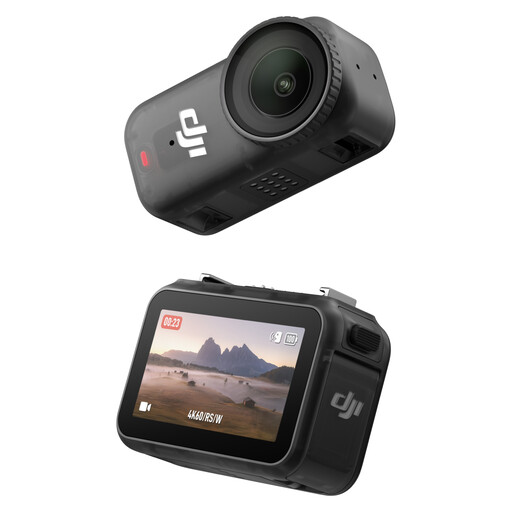
As a compact POV camera, it may work for an overview of your worktable. Test whether the needle and thread appear large enough in the planned wide-angle shot.
This version is listed with 128 GB, 4K/60 fps, a 143° wide-angle field of view and 200 minutes of recording time.
 No image available
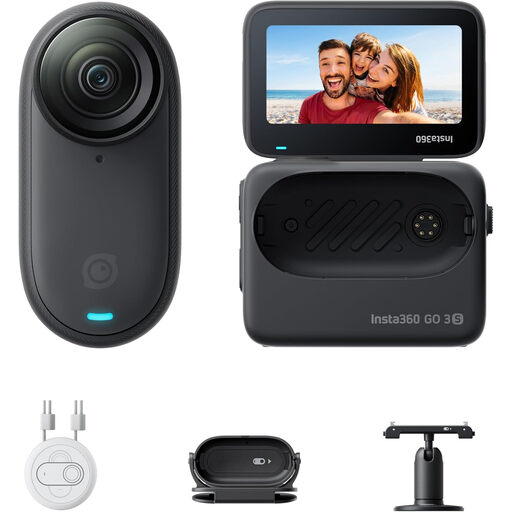
It may suit hands-free POV recording. Before you buy, check whether you can position the camera at your workspace so that your hands and the details you need remain in shot.
This version is designed for 4K video and is listed with a 2.2-inch screen and up to 140 minutes of battery life.
Safety note: According to the safety information, this product isn’t suitable for people with a pacemaker when used with the magnetic pendant or worn on the chest.
 No image available
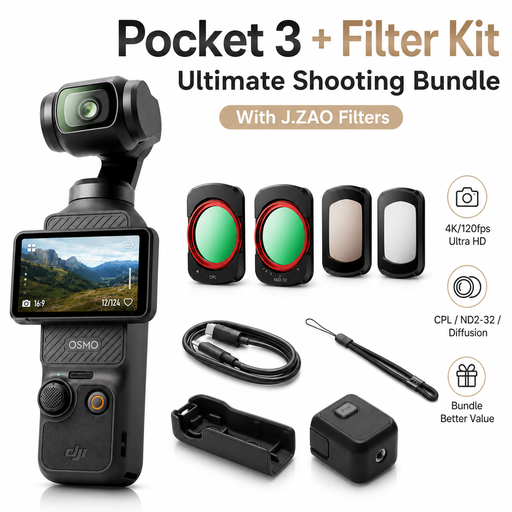
The built-in gimbal makes for a compact, stabilised camera setup. For small repair details, test the framing from your planned mounting position.
The camera has a fixed 20 mm full-frame equivalent lens and a focus range starting at 0.2 m. According to the product description, the bundle includes one CPL filter and one ND filter.
Film fabric and thread under the exact light you’ll use, set the white balance accordingly and check the video file for colour casts and banding. Canon Germany explains white balance in difficult lighting conditions. Sony’s guidance on 50 Hz lighting comes from a photography example and doesn’t guarantee band-free video with your light. The best test is with your specific camera model.
You can’t tell from the kit description alone. Check the framing from your planned camera position. Sony specifies a maximum magnification of 1:1 for the separate SEL30M35, while Canon specifies 1:2 for the separate RF 35mm F1.8 Macro.
Check the microphone position, power supply and storage, and make a full-length test recording. Nikon’s stated maximum of 125 minutes for the Z 30 is a manufacturer’s figure and doesn’t replace this test.
Under § 438 BGB, claims for defects generally become time-barred after two years; the period usually starts when the goods are delivered. Your specific rights depend on the purchase and the nature of the defect. Any additional manufacturer’s guarantee is separate from these statutory rights. Source: Federal Ministry of Justice and Federal Office of Justice, Gesetze im Internet.
If people can be identified in the footage or their voices can be heard, check the applicable legal basis before recording and publishing. The Data Protection Conference states that consent is valid only if, among other things, it is freely given, informed and specific to the situation. This doesn’t amount to blanket permission or a general requirement to obtain consent for every conceivable shoot.