Microphones for monologues at Joybuy
The models below are suited to fixed USB or USB/XLR speaking positions, as well as body-worn microphones for monologues with movement.
 No image available
FIFINE K688CT USB/XLR Dynamic Microphone Kit with Boom Arm
Could suit a fixed, close speaking position if you can keep the microphone in the same place throughout the monologue.
Dynamic USB/XLR microphone kit with boom arm, mute button, headphone socket and gain control. The product information states that the XLR cable is not included; device features are inactive when using XLR.
View at Joybuy
 No image available
Razer Seiren V3 Mini White USB Microphone
Worth considering for a stationary computer recording setup if you can find a suitable speaking distance at your intended position.
White USB microphone with tap-to-mute; the product name describes it as ultra-compact.
View at Joybuy
 No image available
DJI Mic Mini 2S (2 TX + 1 RX + Charging Case)
A body-worn microphone system could be an option for a monologue with movement; test the attachment and recording setup in a full rehearsal.
The product name lists two transmitters, one receiver and a charging case.
View at Joybuy
 No image available
Dynamic USB/XLR Microphone Kit with RGB
Could suit a fixed speaking position if the desk stand allows you to position the microphone as you’d like and the connection matches your recording device.
The product name lists gain control, echo, mute and a desk stand.
View at Joybuy
 No image available
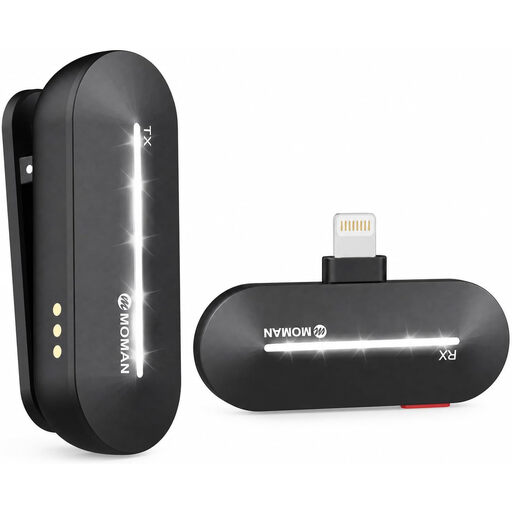
Moman M1CL Wireless Lavalier Microphone, 1TX+1RX
A body-worn lavalier microphone could be an option when changing position; check how it attaches and whether it’s compatible with your recording device.
The product name describes a wireless lavalier microphone with one transmitter and one receiver, compatible with iPhone 14/13/12/11/X.
View at Joybuy
Frequently asked questions
Will a shotgun microphone help if it’s positioned far away from the performer?
Not simply because it’s directional. As the distance increases, the voice may become quieter and less clear, while room reverberation may become more noticeable. If it suits the staging, keep the microphone as close as possible and test the entire scene.
How should I set up for a close-mic recording?
Position the microphone securely, point its active side towards your mouth, then test the distance and a slightly off-axis angle to reduce plosive sounds. RØDE’s recommended distance of around 5–10 cm applies specifically to the PodMic USB; it isn’t a required distance for every model.
Can I connect an XLR microphone straight to a computer in the same way as a USB microphone?
Not through the XLR output alone: to record on a computer, you’ll need a suitable analogue microphone input or an audio interface. If you’re choosing a hybrid model, also check which features are only available over USB.
Can I publish a recorded theatre monologue in Germany without any further checks?
Not without checking the rights to the text being performed. The German Patent and Trade Mark Office explains that texts and speeches may also be protected works. For online use, you’ll need to check the relevant rights and any applicable exceptions in your particular case.
What if the recording also captures other people speaking privately?
Section 201 of the German Criminal Code covers the unauthorised recording of another person’s non-public speech. If other people will be recorded, check in advance that their participation and the recording are authorised. This does not amount to a blanket ban on recording your own monologue.


