For editing theatre rehearsals with separately recorded audio, choose a laptop whose editing software supports your video and audio files and offers a manageable synchronisation workflow. Using an external recorder alone doesn’t mean you need a particularly expensive machine. For regular 4K or multi-camera editing, consider your software’s recommendations, enough space for media and proxies, and the right ports. Adobe clearly distinguishes between its minimum requirements for HD and its recommendations for 4K and higher resolutions.
Which workflow is right for you?
Editing with separate audio
If you need to combine footage from your camera with audio recorded externally during rehearsals, allow time for synchronisation and checking. Adobe Premiere and DaVinci Resolve both document features for synchronising separately recorded sources.
Regular 4K multi-camera editing
When working with high-resolution footage and multiple angles, take into account the recommendations for your specific editing software and whether you could use a proxy workflow. Adobe distinguishes between minimum requirements for HD and recommendations for HD, 4K or higher resolutions.
Managing media on the move
If you transfer files at different rehearsal venues, make sure the storage and ports suit your media and devices. Adobe describes proxies as low-resolution copies of high-resolution video files; Lenovo notes that ports can vary between ThinkPad configurations.
What should you look for when buying?
Start by choosing your editing software, recording formats and number of camera angles. Then check that the storage and ports match the cameras, memory cards and audio equipment you actually use.
| What you need |
What to look for |
Who it matters to |
| Synchronising separate audio |
Check your editing software’s synchronisation features and test them with your original files. Adobe Premiere and DaVinci Resolve document workflows for separately recorded sources. |
When I combine footage with audio recorded externally during rehearsals, I want to be able to check that everything is in sync and review long takes before exporting. Around 33% of consumers prioritise synchronising separate audio. |
| Performance for 4K and multiple cameras |
For Premiere on Windows, Adobe recommends at least 32 GB RAM and 8 GB graphics memory for 4K and higher. Compare this software-specific guidance with your codec, timeline and exact device configuration. |
When regularly editing 4K footage from multiple cameras, I want to take my software’s requirements into account, even with complex timelines. Around 27% of consumers prioritise extra performance for 4K and multi-camera projects. |
| Managing media and working copies |
Estimate how much storage you’ll need for your footage and proxies. Check the SSD capacity, ports for external drives and where you’ll store working copies. |
When I’m storing long rehearsal recordings at different venues, I need an organised way to keep originals, cache and working copies. Around 20% of consumers put media management first. |
| Ports and portability |
Compare the ports on the exact laptop variant with your memory cards, recorder and monitoring equipment. Make sure the card reader supports the type of card you use. |
When I’m working at different rehearsal venues, I want to connect my camera, recorder, memory cards and headphones as needed. Around 20% of consumers prioritise portability and the right device connections. |
Which buying mistakes should you avoid?
-
Assuming minimum HD requirements guarantee smooth 4K editing
Adobe distinguishes between minimum requirements for HD and recommendations for 4K or higher resolutions. HD requirements don’t tell you how every 4K timeline will perform.
Compare your editing software’s recommendations with the resolution, codec and exact laptop configuration rather than relying on minimum specifications alone.
With more demanding footage, creating proxies and managing media can take extra time.
-
Buying based on a model range name alone
Memory, SSD, operating system and ports can vary between configurations within the same range.
Check the full model number, RAM, SSD and all the ports you need in the specific listing.
If any ports are missing, you may need suitable adapters or an external drive.
-
Assuming the included items and warranty match the advertising
An accessory may not be included with a particular offer. A manufacturer’s voluntary warranty is also separate from your statutory rights against the seller.
Check what’s included with the specific offer and find out what voluntary warranty applies in addition to your statutory rights.
Apple notes that a power adapter isn’t included with a particular 14-inch MacBook Pro offer; check what’s included with other variants too.
Relevant brands to consider
Apple
The MacBook Pro is an option for a macOS editing workflow, for example with Final Cut Pro.
- Apple offers different memory and SSD options for M5 Pro variants.
- Check the configuration on offer carefully; manufacturer specifications aren’t independent performance tests.
ASUS
The ProArt P16 range is a Windows option with configurations aimed at creators.
- ASUS offers several models in the H7606 range.
- Specifications and operating systems vary between models, so check the specific variant.
Lenovo
The ThinkPad T1g Gen 8 may appeal if you’re looking for documented ports and a suitable creator configuration.
- Lenovo lists SD Express, Thunderbolt and a combined audio port, among other connections.
- Lenovo notes that some specifications depend on the model or region.
Dell
The Pro Max 16 Plus is available as a configurable mobile Windows workstation.
- Dell offers a choice of processors and operating systems.
- Changing an option may affect other specifications, and the base configuration isn’t available for every variant.
HP
The ZBook Studio 16 G11 is a mobile workstation that HP also lists in a specific configuration for Germany.
- You can check the specific German offer against its own specifications.
- The specifications and suitability of this configuration don’t apply to every ZBook model.
Joybuy products for 4K and multi-camera editing
The following Joybuy offers are suited to Windows editing workflows involving regular 4K or multi-camera footage. Compare the RAM, graphics, storage and ports with your software’s requirements and the footage you actually work with.
 No image available
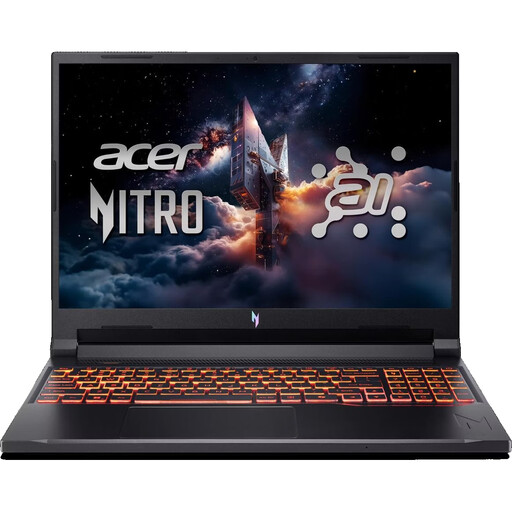
Acer Nitro V 16 AI ANV16-42-R0W6
You can compare the listed memory and graphics memory configuration with Adobe’s recommendations for regular 4K editing in Premiere on Windows; it doesn’t guarantee a particular performance level on your timeline.
- AMD Ryzen 7 260
- NVIDIA RTX 5070 with 8 GB graphics memory
- 32 GB DDR5 RAM and 1 TB SSD
- SD card reader and 3.5 mm audio port
- Weight: 2.44 kg
View at Joybuy
 No image available
HP ZBook Fury 16 G1i Mobile Workstation
The listed specifications give you specific figures to compare for a Windows editing workflow. Whether they suit your project also depends on your software, footage and the ports you need.
- Intel Core Ultra 9 285HX
- RTX PRO 4000 Blackwell with 16 GB graphics memory
- 64 GB RAM and 2 TB SSD NVMe
- 16-inch display with 3840 × 2400 resolution
- Thunderbolt 4, USB 4.0, audio output and microphone input
- Weight: 2.43 kg
View at Joybuy
 No image available
MSI Raider 18 HX A2WH-1088
This configuration includes 32 GB RAM and dedicated graphics memory to compare with your editing software’s requirements. Bear the listed weight in mind if you’ll often be carrying the laptop to different rehearsal venues.
- Intel Core Ultra 9 275HX
- NVIDIA GeForce RTX 5070 Ti with 12 GB graphics memory
- 32 GB DDR5 RAM and 1 TB SSD
- 18-inch QHD+ display with 240 Hz
- SD card reader and 3.5 mm audio port
- Weight: 3.6 kg
View at Joybuy
 No image available
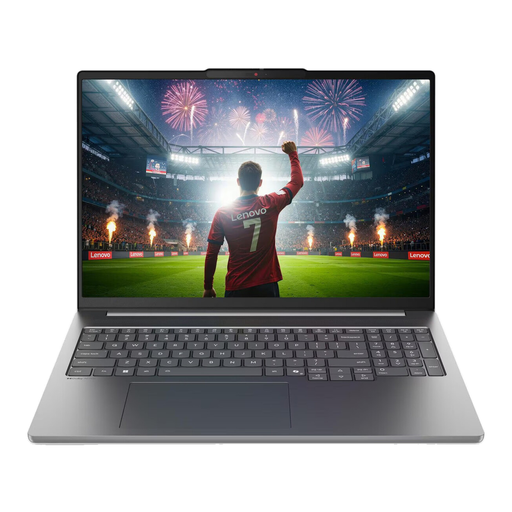
Lenovo IdeaPad Pro 5i 16IPH11
You can compare the listed combination of 32 GB RAM and 8 GB graphics memory with Adobe’s recommendations for Premiere on Windows at 4K and higher; it isn’t a performance guarantee.
- Intel Core Ultra 9 386H
- NVIDIA RTX 5060 with 8 GB graphics memory
- 32 GB RAM and 1 TB SSD
- 16-inch display with 2.8K resolution
- SD card reader and two Thunderbolt 4 ports
- Weight: 1.82 kg
View at Joybuy
 No image available
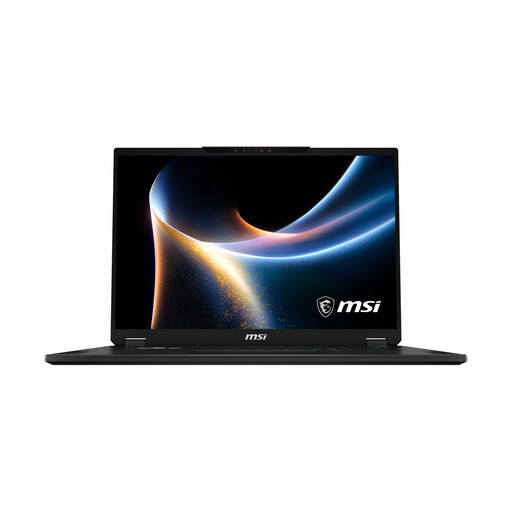
MSI Stealth 18 HX
For larger media projects, it’s worth checking the listed SSD capacity and available ports. Whether they’ll be enough depends on your files and workflow.
- Intel Core Ultra 9 290HX
- NVIDIA GeForce RTX 5080 with 16 GB graphics memory
- 32 GB RAM and 2 TB SSD
- 18-inch Mini LED display
- SD card reader and combined audio/microphone port
- Weight: 2.89 kg
View at Joybuy
Frequently asked questions
Do I need a particular laptop brand because I use an external recorder?
No. What matters is editing software that supports your files, a suitable way to import them and a manageable synchronisation workflow. Adobe Premiere documents how to combine separately recorded sources; DaVinci Resolve lists synchronisation by timecode or audio waveform.
What can I do if large rehearsal files stutter in the preview?
In Adobe Premiere, you can create low-resolution proxies for compatible video clips and choose where to store them. Check that your footage is suitable for this workflow, and keep the original files for the rest of your editing process.
What additional costs and rights should I consider when buying a laptop?
Check whether you’ve budgeted for editing software, any adapters you need and extra storage, and confirm what’s included. The Verbraucherzentrale distinguishes statutory rights against the seller from a voluntary manufacturer’s warranty, and explains that new goods in Germany are generally covered by a two-year statutory warranty period.
Can I simply publish footage of a theatre rehearsal in Germany?
Not in every case. Under § 22 KunstUrhG, distributing or publicly displaying images of people generally requires the consent of those depicted; § 23 sets out exceptions, subject to further limits. You must also assess the data protection basis for the specific purpose of recording and publishing footage of identifiable people. Whether you can publish footage of a particular rehearsal depends on the circumstances and the rights that need to be cleared.


