What should you look for when buying?
First, compare a full script page with the space available at your seat. Then check offline access, your note-taking workflow and how easy the device is to handle with its accessories.
| What matters |
What to check |
Who is this especially important for? |
| Reading script pages without constantly zooming in |
Test a full page on the display; consider portrait and landscape orientation, as well as the space available at your seat. |
If I want to keep minor character parts and stage directions in view on one page, I need a suitable display without the device getting in the way at my seat. Around 33% of consumers prioritise script pages that are easy to read. |
| Keeping the script available offline |
Save the file locally and open it in advance in aeroplane mode; test battery life with your own PDF app and screen brightness. |
If I want to carry on reading during the flight without an internet connection, the right version of the script needs to be on the device and open without a network. Around 27% of consumers prioritise offline access and battery life. |
| Making notes on cues and changes |
Check stylus compatibility and what’s included; test PDF import and export using a copy of the file. |
If I want to add stage directions or changes directly to the script and find them again later, the stylus and export options matter. Around 20% of consumers prioritise handwritten notes and sharing. |
| Reading with focus and handling the device |
Compare the dimensions and weight with a case fitted; check that the apps you need are available on the device. |
If I want to avoid distractions while reading but also need to hold the tablet comfortably or rest it on the seat, the workflow and ease of handling matter equally. Around 20% of consumers pay particular attention to focused reading and a suitable size. |
Tablets at Joybuy
The Joybuy models below include both compact and larger screen sizes. Some product names specify storage, accessories or stylus input. The best way to check whether a full script page is easy to read is to try it with your own PDF.
 No image available
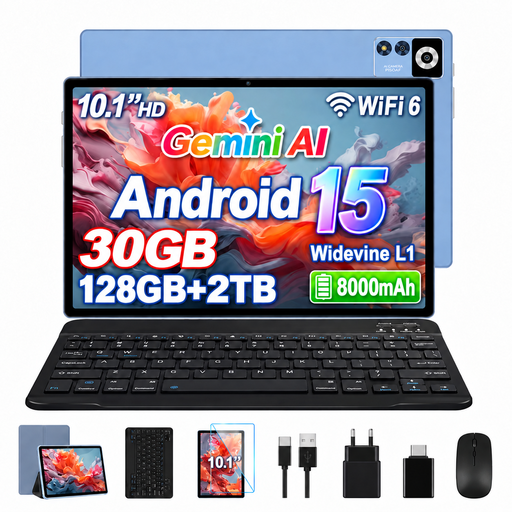
YESTEL T13, 10.1-inch, 128 GB
The compact size could work if your script pages are easy to read on a smaller screen; test your PDF beforehand.
Android 15; 10.1-inch IPS display with 1280 × 800 resolution; 128 GB storage; TF card expansion up to 2 TB; 8,000 mAh battery.
Joybuy
 No image available
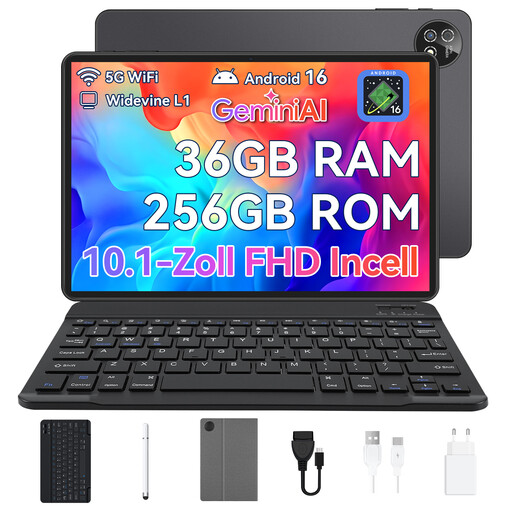
Android 16 tablet, 10.1-inch, 256 GB
The compact screen could suit you if your script is easy to read at a smaller size and you want to use the listed accessories.
Android 16; 10.1-inch touchscreen; 256 GB storage; complete set with keyboard, mouse and protective case.
Joybuy
 No image available
TECLAST T65, 13.4-inch, 128 GB, with folio case
The larger display could suit script pages if you can rest the device at your seat; check a full page of your PDF beforehand.
13.4-inch display with 120 Hz refresh rate; 128 GB storage; folio case listed as included in the product name.
Joybuy
 No image available
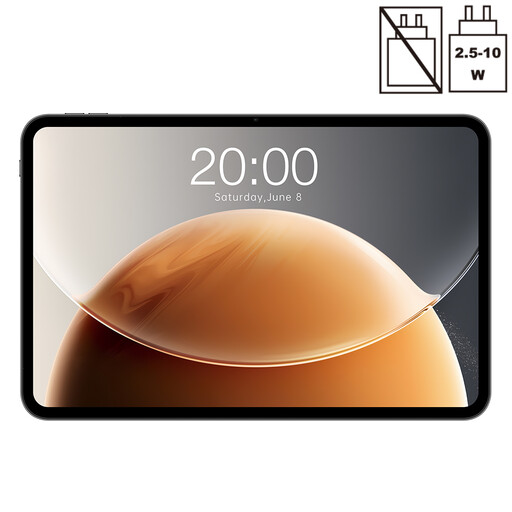
TECLAST T65, 13.4-inch, 128 GB
The larger size could give you more room to view your script, as long as the display and device fit at your seat.
13.4-inch display with 120 Hz refresh rate; 128 GB storage; the product name lists 20 GB RAM as 6 GB plus 14 GB virtual.
Joybuy
 No image available
TECLAST ArtPad Pro 2025, 13.4-inch, with T-Pen
If you want to make handwritten notes directly on your script, the stylus listed in the product name and a test with your PDF are important things to check.
13.4-inch 2K display; T-Pen with 4,096 pressure levels according to the product name; 256 GB storage; Android 15; 10,000 mAh battery.
Joybuy
Frequently asked questions
Can I use a tablet to read during a flight?
You can usually use a tablet for much of the flight, although there may be exceptions, such as during take-off and landing. The European Union Aviation Safety Agency notes these exceptions. Follow the crew’s instructions and your airline’s rules.
Where should I pack my tablet, and do I need to check the battery?
The European Union Aviation Safety Agency recommends carrying portable electronic devices in your hand luggage rather than in checked baggage. Lufthansa allows personal electronic devices with lithium batteries of up to 100 Wh per device on its flights, and excludes devices that are damaged or recalled for safety reasons. Other airlines have their own rules; check the Wh rating if your battery is unusually large.
How do I prepare my script without in-flight Wi-Fi?
Save the final file locally and try opening it without an internet connection before you fly. On the iPad, Apple distinguishes the local storage location ‘On My iPad’ from iCloud Drive. If you’re using annotated PDFs, also check that your app saves and exports notes as you want.
Can I use a PDF stylus to edit the script text itself?
Not necessarily: Samsung says that Samsung Notes lets you add text and drawings to imported PDFs, but doesn’t describe editing the original PDF text. If you need to change the text itself, check which app you’ll need and test the whole process, including export, before your flight.
What should I know about accessories and consumer rights?
Check the specific listing to see whether a stylus, case and the app features you need are included; reMarkable requires Connect for some cloud and app features. According to the Verbraucherzentrale, new consumer purchases in Germany generally come with two years of statutory warranty rights against the seller; this is separate from a manufacturer’s guarantee. Many online purchases also generally come with a 14-day right to cancel, starting from the day you receive the goods, although exceptions may apply.


